
TL;DR

Get business pricing on tools and workshop supplies
- Business-only prices and quantity discounts
- Tax-exempt purchasing
- Multiple users, one account, clear invoices
In 2026, buying a prebuilt AI workstation can often match or beat DIY costs thanks to bulk discounts. Prebuilts save time, offer validated thermals, and come with support, but DIY offers full control and upgrade flexibility. The right choice depends on your needs for speed, support, and customization.
Imagine firing up your AI project and having the machine just work—no fuss, no troubleshooting. That’s the allure of a prebuilt workstation. But if you’re a tinkerer or on a tight budget, building your own might seem like the smarter move. In 2026, that choice is more nuanced than ever.
With hardware prices soaring and component shortages hitting supply chains, the classic wisdom—build cheaper, buy faster—no longer applies straightforwardly. This guide cuts through the hype, showing you the real tradeoffs in cost, support, and control for today’s AI workstations.
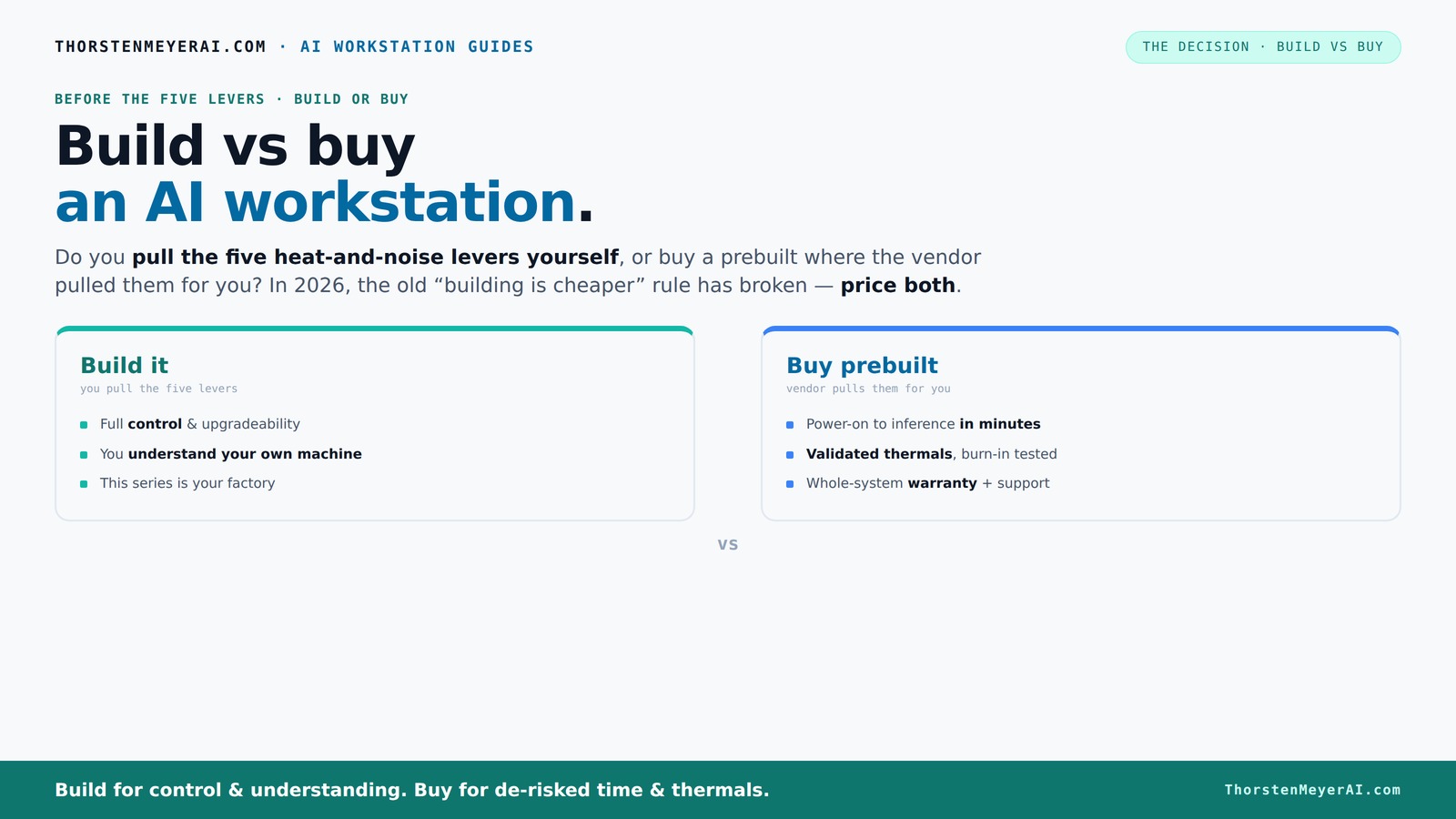
Build vs buy
an AI workstation.
The real question behind this whole series: do you pull the five heat-and-noise levers yourself, or buy a prebuilt where the vendor pulled them for you? And in 2026, the old “building is cheaper” rule has broken. Match your situation in Part 3.
Key Takeaways
- In 2026, prebuilt AI workstations can match or beat DIY costs due to component shortages and bulk buying discounts.
- Buying a prebuilt offers validated thermals, support, and quick deployment—ideal for time-sensitive projects.
- Building your own rig provides maximum control, upgradeability, and a deeper understanding of your hardware, perfect for tinkering or niche workflows.
- Focus on key components: high VRAM GPU, multi-core CPU, ample DDR5 RAM, and quality power supply for optimal AI performance.
- Always compare total cost, support, and upgrade options—don’t assume DIY is cheaper without a detailed price check.
high performance AI workstation prebuilt
As an affiliate, we earn on qualifying purchases.
As an affiliate, we earn on qualifying purchases.
What a prebuilt AI workstation really offers
A prebuilt AI workstation is a machine assembled by a vendor, tested for thermal performance, and ready to run. It arrives with the OS, drivers, and AI software stack preinstalled—just power on and start training models. Companies like Lambda and Puget Systems validate the thermals and run burn-in tests, often offering a warranty that covers everything.
This means you get a system optimized for sustained workloads, with cooling and power management tuned for AI tasks. For example, BIZON's systems claim to run 30% cooler and quieter under heavy load—crucial when training large models that push hardware to its limits. You can learn more about building vs buying in this context.
customizable AI workstation components
As an affiliate, we earn on qualifying purchases.
As an affiliate, we earn on qualifying purchases.
When buying a prebuilt makes sense in 2026
- You need to deploy fast. If your project timeline is tight, a prebuilt saves you weeks of sourcing parts and assembling. Just unbox, plug in, and go.
- You want reliability and support. Prebuilts come with warranties, burn-in testing, and dedicated support lines. If your work is mission-critical, this reduces downtime and stress.
- Handling multi-GPU setups. High-end AI tasks often require multiple GPUs. Vendors validate these configurations—something tricky to achieve DIY without risking thermal throttling or power issues.
- The price math favors it for your config. Component shortages have driven prices higher. Sometimes, a prebuilt with bulk buying is cheaper than sourcing individual parts, especially for high-end GPUs and DDR5 RAM.
For example, Dell now offers AI-capable PCs with hardware and software optimized for deep learning, often at a price point comparable to DIY setups, but with less hassle.
professional GPU workstation prebuilt
As an affiliate, we earn on qualifying purchases.
As an affiliate, we earn on qualifying purchases.
Why building your own AI workstation still matters
Building your own AI machine means total control. You pick every component—GPU, CPU, RAM, cooling, case—and tailor it precisely to your workflow. If you're considering the options, see how build vs buy compares. This control allows you to fine-tune your system for specific tasks, such as optimizing thermals for quieter operation or maximizing power efficiency for energy-conscious projects. For more insights, visit this site about DIY tech projects. The tradeoff is that it requires time, knowledge, and patience to assemble and troubleshoot.
An example: you might choose a quieter GPU like the RTX 4060 Ti with custom undervolt settings, a high-quality CPU cooler from Noctua, and a case with optimal airflow—creating a near-silent, highly efficient rig. This level of customization can lead to better thermal performance, reduced noise, and tailored power consumption, which can directly impact your productivity and comfort during long training sessions.
Furthermore, building your own system often means better upgrade paths. You can add more RAM, swap out GPUs, or expand storage over time without proprietary restrictions. This flexibility is crucial for staying current with AI workloads, which rapidly evolve, requiring adaptable hardware. Conversely, OEM prebuilts may use proprietary parts, limiting future upgrades and increasing long-term costs.
As an affiliate, we earn on qualifying purchases.
Core components to nail for AI workloads
| Component | Why it matters for AI |
|---|---|
| GPU | Most AI training and inference rely on high VRAM and CUDA cores. Aim for at least 24GB VRAM for large models. A powerful GPU reduces training time and enables handling larger datasets, which is vital for staying competitive and efficient. |
| CPU | Handles data preprocessing and coordination. Opt for a multi-core, high-clock CPU like AMD Ryzen 9 or Intel i9. A faster CPU minimizes bottlenecks during complex data pipelines, directly impacting overall training speed and responsiveness. |
| RAM | At least 64GB DDR5 for large datasets; more if you’re batching big models. Sufficient RAM prevents bottlenecks during data loading and preprocessing, ensuring that the GPU remains fed with data—crucial for maximizing throughput. |
| Storage | NVMe SSDs for speed—1TB or more—so your datasets load instantly. Fast storage reduces waiting times and allows quick iteration cycles, which are essential when tuning models or working with large datasets. |
| Power supply | High-quality, 80+ Gold rated, with enough wattage—750W+—to support multi-GPU configs. Reliable power supplies prevent crashes and hardware failures, ensuring stability during prolonged training sessions. |
Each choice impacts performance, thermals, and upgradeability—especially critical when training models that chew through power and generate heat. Making informed decisions here can mean the difference between a stable, efficient workstation and one prone to throttling or failure under load. Learn more about the symbolism of tech choices for better understanding.
Upgrade paths and warranties—what to look for
Prebuilts often come with limited upgrade options—sometimes proprietary motherboards or power supplies. If future expansion matters, check whether the vendor allows adding RAM, extra storage, or new GPUs. This foresight can save you money and hassle later, especially as AI models and datasets grow.
Warranties vary: some vendors offer up to 5 years of support with on-site repairs, which can significantly reduce downtime. In contrast, DIY systems rely on individual component warranties—often only covering parts—requiring you to troubleshoot and replace components yourself. For mission-critical workloads, comprehensive support can prevent costly delays and data loss.
For example, Lambda’s systems include a 3-year on-site support plan, ensuring prompt repairs and minimal disruption. This support can be crucial when your AI models are time-sensitive or part of a production pipeline, where delays can be costly.
Your top questions about build vs buy answered
- Is it cheaper to build or buy? In 2026, component shortages have made prebuilts competitive or even cheaper for high-end configs. Always compare prices for your specific setup, considering long-term upgrade potential and support costs.
- Which offers better performance? Both can deliver similar performance if you choose quality parts. Prebuilts often optimize thermals and stability, making them more reliable under sustained loads, which can translate into fewer crashes and better longevity.
- Can I upgrade a prebuilt later? Usually limited, especially if proprietary parts are used. Check upgrade policies before purchasing—some allow RAM and storage upgrades, but GPU upgrades might be restricted or require replacing entire units, which could be costly.
- Are prebuilts more reliable? They’re tested for thermals and stability before shipping, reducing the risk of early failure or throttling during heavy workloads. This reliability can save time and money in the long run.
- What about support and warranty? Prebuilts typically include vendor support with warranties covering parts and labor—sometimes up to 5 years. DIY systems depend on individual component warranties, which may be less comprehensive but offer more flexibility and customization options.
Which path suits which user? A quick decision guide
If you’re a solo creator or researcher with time and a passion for tinkering, building your own system offers unmatched control and upgradeability. It allows you to customize every aspect for optimal performance tailored to your specific AI workloads. For example, selecting components that balance noise, thermals, and energy use can significantly enhance your working environment. However, this path requires technical skill, patience, and time investment.
For startups or businesses that need to deploy immediately with minimal fuss, a prebuilt saves time and reduces the risk of compatibility issues or assembly errors. It also comes with vendor support, which can be critical for maintaining uptime during tight project deadlines. Home labs or hobbyists might enjoy the DIY process as a learning experience, while enterprise teams benefit from vendor validation, warranties, and support. Choose based on whether you prioritize customization or convenience, understanding that each path has its tradeoffs in control, speed, and long-term flexibility.
Frequently Asked Questions
Is it cheaper to build or buy an AI workstation in 2026?
Thanks to component shortages and bulk discounts, prebuilts often match or beat DIY prices for high-end setups. Always compare specific configurations before deciding.
Which offers better performance for AI tasks: build or buy?
Both can deliver similar performance if you select quality parts. Prebuilts tend to be optimized for thermals and stability, making them more reliable under heavy loads.
Can I upgrade a prebuilt later?
Usually limited, especially if the vendor uses proprietary parts. Check upgrade policies beforehand—some allow RAM and SSD upgrades, but GPU upgrades might be restricted or require replacing entire units, which could be costly.
What warranty or support should I expect?
Prebuilts typically include vendor support with warranties covering parts and labor—sometimes up to 5 years. DIY systems depend on individual component warranties, which may be less comprehensive but more flexible.
Is a gaming PC enough for AI workloads?
Gaming PCs can handle some AI tasks, but for sustained, intensive workloads, a workstation with better thermals, more VRAM, and professional-grade components performs more reliably.
Conclusion
The decision boils down to whether you want a machine that's ready to go or a custom-built beast tailored to your exact needs. With prices balancing out and support options expanding, your choice should match your workflow, budget, and comfort with hardware.
Remember, in 2026, the smartest move is the one that aligns with your project’s speed, support, and future-proofing needs—because both paths can lead to powerful AI workstations, if chosen wisely.
Fall yard work Picks
leaf blowers
As an affiliate, we earn on qualifying purchases.