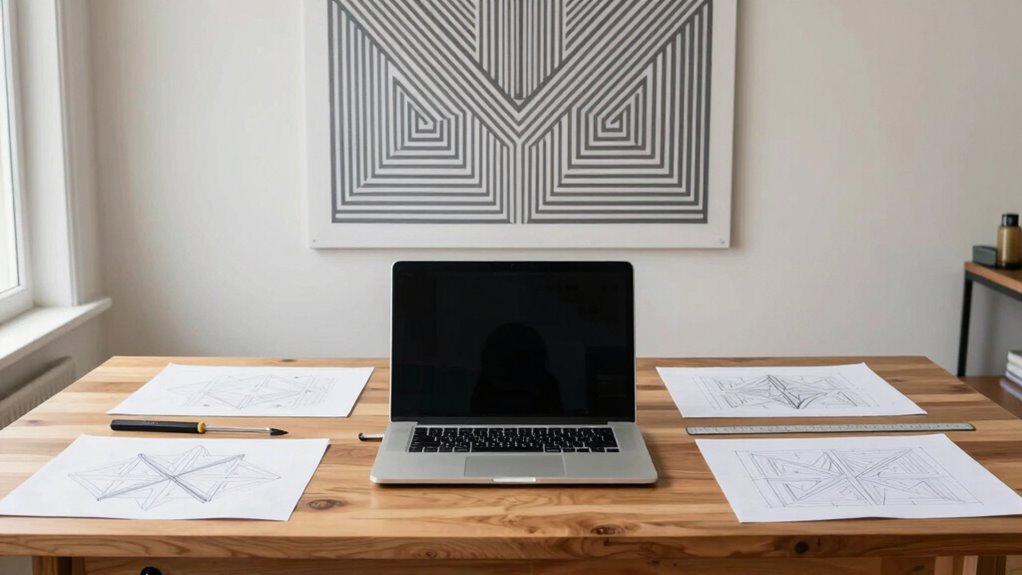

To fix a lopsided symmetry problem, start by analyzing your layout to spot areas that feel heavier or out of place. Shift elements slightly for better balance, adjusting colors and placement to distribute visual weight evenly. Make certain everything lines up properly using guides, and manage sizes and colors for harmony. Fine-tuning these aspects will help create a more cohesive, balanced design. Keep exploring to learn how small tweaks can make a big difference.

Get business pricing on tools and workshop supplies
- Business-only prices and quantity discounts
- Tax-exempt purchasing
- Multiple users, one account, clear invoices
Key Takeaways
- Analyze the overall layout to identify imbalance and misalignment issues.
- Use guides or gridlines to realign elements and ensure symmetry.
- Adjust colors and visual weight to distribute attention evenly across the design.
- Resize and proportion elements to create a balanced visual hierarchy.
- Step back regularly to assess harmony and make small, deliberate adjustments.
Symmetry issues in design can undermine the visual balance and professionalism of your work, but many of these problems are easy to fix with the right approach. When a design appears lopsided or uneven, it’s often because the elements aren’t aligned properly or the color harmony feels off. To correct this, start by analyzing the overall layout. Identify which parts feel heavier or out of place. Sometimes, simply shifting an element slightly can restore balance. Think of symmetry as a dance—each piece needs to complement the others, not compete for attention.
One effective way to fix an uneven design is to focus on the distribution of visual weight. Visual balance isn’t just about size; it also involves color, shape, and placement. If one side feels too dominant, consider adjusting the color harmony. Lighter or more subdued colors on the heavier side can help distribute attention more evenly. Conversely, adding brighter or more vibrant colors to the weaker side can draw the eye there and create equilibrium. The goal is to make sure the viewer’s eye travels smoothly across the design without being pulled disproportionately to one side.
Balancing visual weight through color and placement creates harmony and guides the viewer’s eye smoothly across your design.
Next, review the arrangement of your elements. Symmetry doesn’t always mean mirror-image, but it does require consistency. Use guides or gridlines to ensure elements are aligned precisely, which helps achieve a sense of order and balance. If you notice asymmetry, try to reposition objects so they mirror each other or are aligned along a common axis. Small adjustments—like moving a graphic a few pixels or changing the spacing between objects—can make a big difference in creating visual harmony.
In addition, consider the size and scale of your elements. Larger objects tend to draw more attention, so balance these with smaller, less dominant features. When you tweak these proportions, your design will feel more cohesive. Keep in mind that color harmony plays a vital role here—using a well-chosen color palette ensures that no element feels out of place or overwhelming. Harmonious colors help unify your design and reinforce the overall visual balance, making the composition more pleasing and professional.
Finally, step back and assess your work from a viewer’s perspective. Sometimes, correcting a lopsided symmetry issue requires fresh eyes. Take a break, then return to your design to see if it feels balanced. Make small, deliberate adjustments as needed. With patience and a keen eye for alignment, color harmony, and proportion, you can transform a lopsided design into a polished, harmonious masterpiece. Developing an understanding of visual balance can greatly improve your design skills and ensure that your compositions are both attractive and effective.
As an affiliate, we earn on qualifying purchases.
Frequently Asked Questions
Can Symmetry Issues Affect User Experience or Functionality?
Yes, symmetry issues can impact user experience and functionality. When your design lacks visual balance, users may perceive it as unprofessional or confusing, which affects their engagement. Lopsided symmetry can distract users or make navigation less intuitive. By addressing these issues, you improve user perception, making your design more appealing and functional, ensuring users stay focused and find what they need effortlessly.
Are There Specific Design Tools Best for Fixing Symmetry?
Yes, specific design tools are best for fixing symmetry issues. You should use alignment techniques within software like Adobe Illustrator or Figma, which offer built-in symmetry tools. These tools help you mirror, align, and distribute elements effortlessly, ensuring perfect balance. By leveraging symmetry tools and precise alignment techniques, you can quickly correct any lopsided designs and achieve a harmonious, professional look.
How Do I Maintain Symmetry in Dynamic or Animated Designs?
To maintain symmetry in dynamic or animated designs, you should focus on balance considerations throughout the animation process. Use consistent anchor points and reference guides to guarantee visual harmony as elements move or transform. Regularly preview your animation from different angles and adjust keyframes to keep symmetry intact. This approach helps your design feel cohesive and balanced, even when elements are in motion, creating a polished and harmonious visual experience.
What Are Common Mistakes That Cause Symmetry Problems?
You often cause symmetry problems by neglecting design consistency, which leads to uneven elements. Overlooking the importance of visual balance can result in a lopsided look. You might also accidentally misalign objects or forget to check symmetry during updates. To avoid this, regularly review your design from different angles and use guides or grids. This helps maintain visual harmony and makes sure your design stays balanced and consistent.
Can Symmetry Be Intentionally Broken for Artistic Effect?
Did you know that 65% of successful artworks break symmetry intentionally? Yes, symmetry can definitely be broken for artistic expression, creating visual interest and emotional impact. When you intentionally skew symmetry, you challenge viewers’ perceptions and evoke a unique aesthetic. This technique enhances visual balance in a dynamic way, allowing you to craft designs that feel more organic, intriguing, and expressive—making your work stand out with purposeful asymmetry.
As an affiliate, we earn on qualifying purchases.
Conclusion
So there you have it—your foolproof guide to fixing that pesky lopsided symmetry. Remember, perfect balance is overrated; after all, what’s design without a little chaos? Just follow these simple steps, and you’ll impress everyone with your “creative imperfections.” Who knew that a tiny tweak could make your work look intentionally quirky? Now go forth, embrace the wobble, and turn those uneven lines into your signature style—because symmetry is so last century.
color harmony palette for designers
As an affiliate, we earn on qualifying purchases.
As an affiliate, we earn on qualifying purchases.
As an affiliate, we earn on qualifying purchases.
Fall yard work Picks
leaf blowers
As an affiliate, we earn on qualifying purchases.