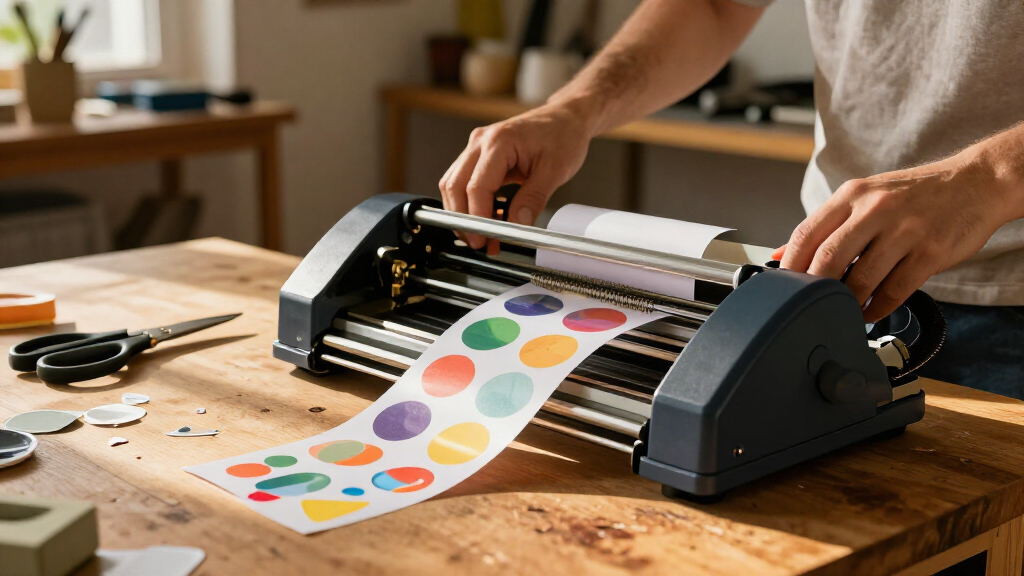
The best sticker making machines depend on whether you need to print designs, cut them precisely, or simply add adhesive to paper. My best overall pick is the Cricut Maker 4 Sticker Making Bundle for its broader crafting flexibility, while the Liene PixCut S1 stands out for combining color printing and cutting in one workflow. For a simpler, no-power option, the Xyron Create-a-Sticker 5-Inch turns paper designs into adhesive-backed stickers without a printer or software. The main tradeoff is between all-in-one convenience and the cost, setup, and learning curve of more capable equipment. Continue reading for the full breakdown and picks for different budgets, projects, and users.

Get business pricing on tools and workshop supplies
- Business-only prices and quantity discounts
- Tax-exempt purchasing
- Multiple users, one account, clear invoices
Complete the kit



Key Takeaways
- Printing and cutting in one machine is the clearest advantage of the Liene PixCut S1 models, while Cricut Maker 4 offers a broader craft-tool role beyond sticker projects.
- The FirstZi A3+ automatic-feed cutter is aimed at larger or repeated cut jobs; it is a different kind of choice from compact printers and manual adhesive applicators.
- The Xyron machines solve a narrower problem: applying adhesive to existing artwork without digital setup, printing, or a powered cutting system.
- Kid-focused picks such as the HiMont A12, Hello Blink, and Educational Insights 3D Sticker Maker prioritize approachable play over production-scale output.
- The lineup spans very different workflows, so buyers should decide first whether they need printing, contour cutting, adhesive application, or a child-friendly activity.
| FirstZi A3+ Automatic-Feed Sticker Die-Cutting Machine |  | Best for Batch Cutting | Feed capacity: Up to 100 sheets | Maximum feed width: 340 mm | Maximum cutting width: 320 mm | VIEW LATEST PRICE | See Our Full Breakdown |
| TYPONOS PM290 Mini Sticker Printer |  | Best for Portable Labels | Printer type: Thermal | Print output: Monochrome | Connectivity: Bluetooth via Labelnize app | VIEW LATEST PRICE | See Our Full Breakdown |
| Cricut Maker 4 Sticker Making Bundle, Seashell |  | Best Complete Craft Bundle | Brand: Cricut | Model: z20-11084-N4 | Color: Seashell | VIEW LATEST PRICE | See Our Full Breakdown |
| Liene PixCut S1 Inspire Kit Color Sticker Printer and Cutting Machine |  | Best All-in-One Color Sticker Maker | Printer type: Thermal dye-sublimation | Print resolution: 300 × 300 dpi | Print output: Color | VIEW LATEST PRICE | See Our Full Breakdown |
| Educational Insights 3D Sticker Maker Kit |  | Best for Kids’ Shaker Stickers | Brand: Educational Insights | Model: 1525 | Age range: 5 years and up | VIEW LATEST PRICE | See Our Full Breakdown |
| Cricut StickerPix Print + Cut Essential Bundle, Sea Green |  | Best for All-in-One Color Stickers | Printer type: Dye sublimation | Output: Color | Connectivity: Bluetooth | VIEW LATEST PRICE | See Our Full Breakdown |
| Liene PixCut S1 Color Sticker Printer and Cutting Machine |  | Best for App-Guided Custom Cuts | Printer type: Thermal dye-sublimation | Print resolution: 300 dpi | Color depth: 24 bpp | VIEW LATEST PRICE | See Our Full Breakdown |
| Xyron Create-a-Sticker 5-Inch Manual Sticker Maker |  | Best for Wide, No-Power Craft Projects | Operation mode: Manual | Maximum item width: 5 inches | Included cartridge: 5-inch × 10-foot permanent adhesive | VIEW LATEST PRICE | See Our Full Breakdown |
| Xyron X150 Sticker Maker, 1.5-Inch, Portable |  | Best for Tiny, Portable Stickers | Maximum sticker width: 1.5 inches | Included adhesive: 20 feet of permanent adhesive | Power: Non-electric | VIEW LATEST PRICE | See Our Full Breakdown |
| HiMont A12 AI Voice Sticker Maker for Kids, Red |  | Best for Kids’ Voice-Led Crafts | Printer type: Thermal | Print output: Monochrome | Maximum media size: 2.24 × 0.98 inches | VIEW LATEST PRICE | See Our Full Breakdown |
| Xyron 3-Inch Sticker Maker with Permanent Adhesive |  | Best for Quick, No-Power Adhesive Application | Brand: Xyron | Model: 100111 | Maximum item width: 3 inches | VIEW LATEST PRICE | See Our Full Breakdown |
| Likcut S41 Vinyl Cutter Machine and Printable Sticker Maker Bundle |  | Best Starter Bundle for Print-and-Cut Projects | Brand: LIKCUT | Model: S41 | Operation mode: Automatic | VIEW LATEST PRICE | See Our Full Breakdown |
| Hello Blink Portable Bluetooth Sticker Maker and Thermal Printer for Kids |  | Best for Kids’ Portable Sticker Printing | Brand: CEACO | Model: 10031 | Printer type: Thermal | VIEW LATEST PRICE | See Our Full Breakdown |
| Xyron Create-A-Sticker Mini 2.5-Inch Sticker and Label Maker |  | Best Refillable Manual Sticker Maker | Brand: Xyron | Model: XRN250-CFTEN | Maximum material width: 2.5 inches | VIEW LATEST PRICE | See Our Full Breakdown |
| sticker making machine | Connectivity | Weight | Dimensions |
|---|---|---|---|
| FirstZi A3+ Automatic-Feed Sti | — | — | — |
| TYPONOS PM290 Mini Sticker Pri | Bluetooth via Labelnize app | — | — |
| Cricut Maker 4 Sticker Making | — | — | — |
| Liene PixCut S1 Inspire Kit Co | Bluetooth | 2.9 kg | — |
| Educational Insights 3D Sticke | — | — | — |
| Cricut StickerPix Print + Cut | Bluetooth | — | 8 × 11.3 × 4.1 inches (D × W × H) |
| Liene PixCut S1 Color Sticker | Bluetooth | 6.2 pounds | 11 × 7.7 × 4.1 inches |
| Xyron Create-a-Sticker 5-Inch | — | 0.5 kg | 5.91 × 9.06 × 5.91 inches |
| Xyron X150 Sticker Maker | — | 4.8 ounces | 4 × 4 × 4 inches |
| HiMont A12 AI Voice Sticker Ma | Bluetooth and Wi-Fi | 230 g | 3.15 × 3.15 × 3.15 inches |
| Xyron 3-Inch Sticker Maker wit | — | 5.28 ounces | 3.8 x 2 x 4 inches |
| Likcut S41 Vinyl Cutter Machin | Wired and wireless | — | — |
| Hello Blink Portable Bluetooth | Bluetooth | 0.44 kg | — |
| Xyron Create-A-Sticker Mini 2. | — | — | 5.5 x 5.5 x 6.5 inches |
More Details on Our Top Picks
FirstZi A3+ Automatic-Feed Sticker Die-Cutting Machine
The FirstZi is the strongest fit here for people who already print sticker designs and need to cut them in volume. Its automatic feed for up to 100 sheets can reduce repeated loading compared with the Cricut Maker 4, which is presented as a broader craft machine rather than a high-capacity sheet feeder. Adjustable pressure across 160 levels also gives more control when switching between adhesive paper, vinyl, and cardboard. A sensor helps align cuts, but the machine still needs a 5 mm blank margin around the material, which limits how tightly designs can fill a sheet. I would choose it for production-style cutting, not for an all-in-one print-and-cut setup: unlike the Liene PixCut S1, it does not print designs, and its listed Windows support stops at Windows 10.
Pros:- Automatic feed handles up to 100 sheets for batch work.
- Adjustable cutting pressure suits different material types.
- Sensor alignment supports accurate cuts, including on angled material.
- Accepts adhesive paper, vinyl, and cardboard up to 1 mm thick.
Cons:- Listed operating-system compatibility only goes through Windows 10.
- The required 5 mm blank margin reduces usable space on each sheet.
- It cuts material but does not print sticker designs.
Best for: Small sticker businesses and experienced crafters who print sheets separately and want to cut repeated batches of adhesive paper, vinyl, or cardboard.
Not ideal for: Mac users, buyers on Windows 11, or anyone who wants one machine to print and cut finished stickers.
- Feed capacity:Up to 100 sheets
- Maximum feed width:340 mm
- Maximum cutting width:320 mm
- Cutting pressure:50–800 g; 160 adjustable levels
- Maximum cutting speed:800 mm/s
- Maximum cutting thickness:1 mm
- Mechanical precision:0.025 mm
- Compatible operating systems:Windows XP through Windows 10
Our verdict“Choose the FirstZi if batch cutting matters more than built-in printing or broad computer compatibility.”
TYPONOS PM290 Mini Sticker Printer
The TYPONOS PM290 is better understood as a pocket-sized label and note printer than as a machine for colorful, die-cut stickers. It prints monochrome thermal output from an iOS or Android device, and its three included rolls make it useful for planner labels, short notes, and simple small-business organization. Compared with the Liene PixCut S1, it is lighter and more portable, but it cannot produce color images or cut custom shapes. The Labelnize app supplies templates, editing tools, and OCR, so everyday text jobs are its natural strength; the tradeoff is that printing depends on the app and cannot be done from a computer. I would skip it for decorative photo stickers and choose it when compact, quick adhesive labels matter more than color or cut precision.
Pros:- Compact 0.3 kg design suits portable use.
- Includes three 54 mm adhesive paper rolls in different colors.
- Labelnize app offers templates, fonts, image editing, and OCR.
- Thermal printing avoids the need for ink cartridges.
Cons:- Prints monochrome output rather than full-color designs.
- Requires the Labelnize app and does not support computer printing.
- Charging adapter is not included.
Best for: Students, planners, and mobile sellers who want quick monochrome labels or notes from an iOS or Android phone.
Not ideal for: Crafters making colorful artwork, custom-cut decals, or prints from a computer.
- Printer type:Thermal
- Print output:Monochrome
- Connectivity:Bluetooth via Labelnize app
- Compatible devices:iOS 13 or later and Android
- Included paper:Three 54 mm × 3.2 m adhesive rolls
- Item weight:0.3 kg
- Computer printing:Not supported
- Charging adapter:Not included
Our verdict“Pick the PM290 for portable text labels and planner notes, not for full-color sticker crafting.”
Cricut Maker 4 Sticker Making Bundle, Seashell
This bundle makes sense for crafters who want a flexible cutting machine plus starter materials, rather than a dedicated sticker printer. The Maker 4, sticker paper, adhesive vinyl, tools, and project guidance provide a broader entry point than the FirstZi, which focuses on feeding and cutting sheets but does not include a printer or a comparable starter bundle. With Cricut Design Space and an inkjet printer, Print Then Cut supports custom printed stickers as well as labels and decals. That extra setup is the main tradeoff: buyers need a separate printer, and the bundle’s water-resistant materials should not be mistaken for fully waterproof stickers. Compared with the Liene PixCut S1, the Cricut offers a wider craft workflow, while the Liene combines printing and cutting in one device.
Pros:- Bundle includes the Maker 4, sticker materials, adhesive vinyl, and tools.
- Print Then Cut supports custom printed designs when paired with an inkjet printer.
- Suitable for stickers, labels, decals, and projects beyond sticker cutting.
- Project guidance helps buyers get started with the included materials.
Cons:- An inkjet printer is needed for Print Then Cut projects.
- Water resistance is stated, but full waterproof performance is not established.
- The sticker workflow involves a separate printer and Cricut Design Space.
Best for: New and intermediate crafters who want cutting tools and starter materials for varied sticker, label, and vinyl projects.
Not ideal for: Buyers without an inkjet printer, or anyone seeking a compact all-in-one device for printing and cutting stickers.
- Brand:Cricut
- Model:z20-11084-N4
- Color:Seashell
- Operation mode:Automatic
- Compatible devices:Computers, mobile devices, and inkjet printers
- Included components:Cricut Maker 4 machine, materials, tools, and project guidance
- Warranty:1 year against manufacturer defects
Our verdict“Choose this bundle for a versatile craft setup with starter supplies, provided you already have or plan to use an inkjet printer.”
Liene PixCut S1 Inspire Kit Color Sticker Printer and Cutting Machine
The PixCut S1 is the most direct choice in this group for buyers who want to create and cut color stickers without pairing a printer with a separate cutter. Its dye-sublimation printing and precision cutting happen in one device, while Bluetooth creation from a phone, tablet, or laptop keeps the workflow more compact than the Cricut Maker 4’s printer-plus-cutter setup. The Inspire Kit’s 180 included sheets also give buyers a substantial supply for photo prints and stickers. The tradeoff is pace: the stated speed is one page per minute, and editing and creation require the Liene app. Its 4 × 7-inch maximum media size is also much smaller than the FirstZi’s cutting area, so it suits small finished pieces better than large sheets or batch cutting.
Pros:- Combines color printing and precision cutting in one device.
- Includes 36 photo sheets and 144 sticker sheets.
- Bluetooth supports creation from compatible laptops, smartphones, and tablets.
- Stickers are described as waterproof and scratch-resistant.
Cons:- Print speed is listed at one page per minute.
- Maximum media size is 4 × 7 inches, limiting larger designs.
- Editing and creation require the Liene app.
Best for: Crafters and families who want color photo stickers in small formats from a single print-and-cut machine.
Not ideal for: High-volume makers, buyers who need larger media, or anyone unwilling to use the Liene app for editing and creation.
- Printer type:Thermal dye-sublimation
- Print resolution:300 × 300 dpi
- Print output:Color
- Connectivity:Bluetooth
- Compatible devices:Laptops, smartphones, tablets, and iPhone
- Maximum media size:4 × 7 inches
- Maximum sheet capacity:180
- Print speed:1 page per minute
- Weight:2.9 kg
Our verdict“Choose the PixCut S1 for convenient small-format color stickers when an integrated printer-and-cutter matters more than speed or sheet size.”
Educational Insights 3D Sticker Maker Kit
This kit takes a different route from the electronic cutters in this roundup: it helps children assemble three-dimensional shaker stickers by adding paper confetti to a shell and pressing it closed. Because the process needs no glue or tape, it is a more contained activity than using a Cricut Maker 4 or FirstZi cutter, both of which are geared toward digital designs and material cutting. The kit includes 40 shells and backers, holders, a size adapter, confetti, and instructions, giving a child supplies for a defined project run. Its limitation is equally clear: it does not print artwork or cut custom sticker shapes, and continued use depends on getting more supplies after the included set runs out. I’d pick it for hands-on crafting, not for making production-style sticker sheets.
Pros:- Makes up to 40 custom 3D shaker stickers.
- Mess-free process does not require glue or tape.
- Includes shells, backers, holders, a size adapter, confetti, and instructions.
- Designed for children ages 5 and up.
Cons:- Does not print designs or cut custom shapes from sticker material.
- Included components support a limited number of projects.
- Additional supplies may be needed to keep making stickers.
Best for: Children ages 5 and up who enjoy guided, hands-on crafts and want to make small shaker stickers without glue or tape.
Not ideal for: Adults or small businesses seeking printable designs, custom die-cut shapes, or a reusable electronic cutting workflow.
- Brand:Educational Insights
- Model:1525
- Age range:5 years and up
- Sticker capacity:Up to 40
- Craft type:Sticker making
- Included components:Sticker maker machine, holders, size adapter, 40 shells, 40 backers, paper confetti fillers, and instructions
Our verdict“Choose this kit for a child’s guided shaker-sticker activity, not for printable or production-style sticker making.”
Cricut StickerPix Print + Cut Essential Bundle, Sea Green
The StickerPix bundle is a strong fit for buyers who want color printing, lamination, and cutting in one compact machine, rather than a separate printer-and-cutter setup. Its dye-sublimation output is aimed at vivid images, and the starter bundle includes materials for 18 sticker sheets and 18 photo prints, so you can begin without sourcing every supply first. Compared with the Liene PixCut S1, it offers a similarly integrated workflow, while this bundle’s specified starter paper and sticker-sheet quantities make its included materials especially clear. The tradeoff is reliance on a compatible Bluetooth device and high-speed internet; some library content and software features also require a paid subscription. I’d choose it for polished, full-color sticker projects, not for buyers who want a fully offline or low-supply-cost workflow.
Pros:- Prints, laminates, and cuts stickers in one workflow
- Produces high-resolution, vivid color output
- Includes supplies for 18 sticker sheets and 18 photo prints
- Compact portable design
Cons:- Requires a compatible Bluetooth device and high-speed internet
- Some library content and software features require a paid subscription
- Compatible materials and accessories may need to be purchased separately
Best for: Crafters who want vivid color stickers and photo prints from one compact machine, with starter media included.
Not ideal for: Buyers who need offline operation or want unrestricted access to design content without a paid subscription.
- Printer type:Dye sublimation
- Output:Color
- Connectivity:Bluetooth
- Internet requirement:High-speed internet
- Dimensions:8 × 11.3 × 4.1 inches (D × W × H)
- Print media:Glossy photo paper and labels
- Included supplies:Ink cartridge, sticker sheets, and photo paper
- Included supply capacity:18 sticker sheets and 18 photo prints
Our verdict“Choose StickerPix if you want a compact all-in-one color sticker workflow and are comfortable with its connected software requirements.”
Liene PixCut S1 Color Sticker Printer and Cutting Machine
The PixCut S1 suits makers who want custom shapes without a separate cutting machine. Its thermal dye-sublimation system prints 300 dpi color images, then cuts designs, while the companion app’s AI image extraction can help turn a photo or graphic into a cut-ready sticker. Laminated output is described as waterproof and scratch-resistant, a useful distinction for labels that will see handling. Compared with Cricut StickerPix, the Liene listing specifies resolution and supported Android and iOS controllers, giving buyers more detail about device compatibility; both depend on a connected digital workflow. The app is also a real limitation: mobile design and printing require it, and the stated black-and-white speed is only one page per minute. This is a better match for app-based custom designs than quick, device-free sticker making.
Pros:- Prints and cuts custom sticker designs in one machine
- 300 dpi color output with 24 bpp color depth
- App offers AI image extraction and design tools
- Stickers are described as waterproof and scratch-resistant
Cons:- Requires the companion app for mobile design and printing
- Listed black-and-white print speed is one page per minute
- Limited warranty is specified, with no duration provided
Best for: Phone- or tablet-based crafters who want color prints, app-assisted image extraction, and custom-cut stickers in one device.
Not ideal for: Makers who prefer desktop-independent operation, avoid companion apps, or need rapid high-volume printing.
- Printer type:Thermal dye-sublimation
- Print resolution:300 dpi
- Color depth:24 bpp
- Connectivity:Bluetooth
- Supported controllers:Android and iOS
- Compatible devices:Laptops, smartphones, and tablets
- Dimensions:11 × 7.7 × 4.1 inches
- Weight:6.2 pounds
- Media:Labels
Our verdict“Pick the PixCut S1 if app-guided custom cuts and protected color stickers matter more than app-free operation or speed.”
Xyron Create-a-Sticker 5-Inch Manual Sticker Maker
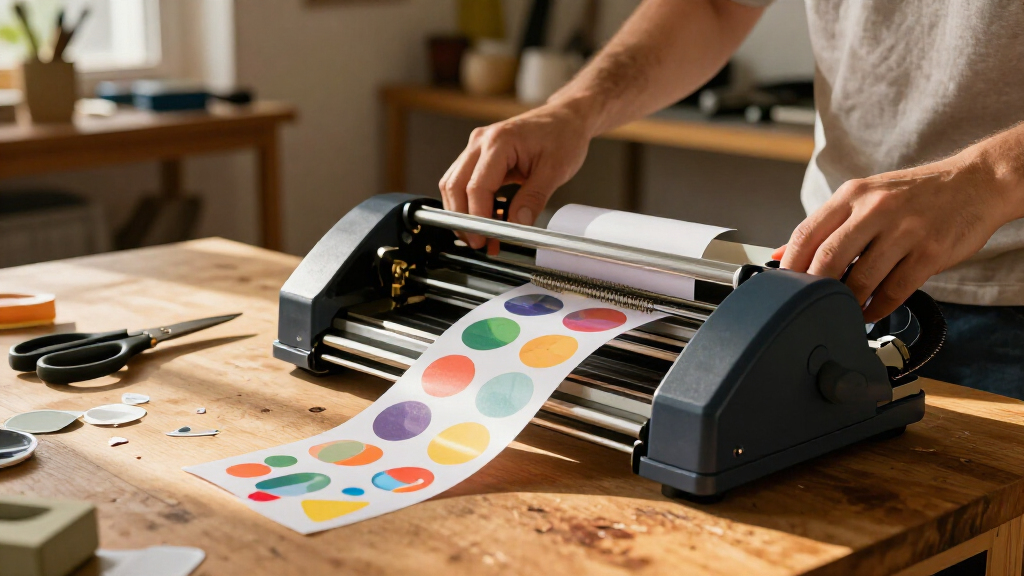
This Xyron takes a deliberately simple approach: it adds edge-to-edge adhesive to an existing design, rather than printing or digitally cutting one. Its five-inch opening accepts wider artwork than the Xyron X150, making it more practical for larger labels, paper embellishments, and craft shapes. The hand-cranked operation needs no electricity, heat, or warm-up, so it is easy to set up at a craft table or take along to a group project. That simplicity is also its limit: unlike the Cricut StickerPix or Liene PixCut S1, it cannot create a printed image or cut a design to shape. The included cartridge is ready to use, but refills are an ongoing supply cost, and users must stay within the five-inch width. I’d favor it for adhesive application, not for buyers seeking a complete print-and-cut machine.
Pros:- Works manually without electricity, heat, or warm-up time
- Applies adhesive edge to edge with minimal mess
- Handles items up to five inches wide
- Accepts permanent and repositionable adhesive refills
Cons:- Does not print images or cut custom shapes
- Replacement adhesive cartridges are sold separately
- Maximum item width is five inches
Best for: Paper crafters, teachers, and scrapbookers who need to add adhesive to artwork up to five inches wide without power.
Not ideal for: Buyers who want the machine to print or digitally cut stickers, or who regularly work with designs wider than five inches.
- Operation mode:Manual
- Maximum item width:5 inches
- Included cartridge:5-inch × 10-foot permanent adhesive
- Dimensions:5.91 × 9.06 × 5.91 inches
- Weight:0.5 kg
- Material:Plastic
- Color:Blue and gray
- Warranty:1-year limited
Our verdict“Choose the Create-a-Sticker 5-Inch for simple, wide adhesive-backed crafts, not for printing or automated cutting.”
Xyron X150 Sticker Maker, 1.5-Inch, Portable
The X150 is the most compact choice here for turning small craft materials into stickers: it weighs 4.8 ounces, runs without power, and accepts paper, photos, ribbon, fabric, and other materials up to 1.5 inches wide. That narrow feed makes it handy for small embellishments and intricate shapes, but it rules out larger labels. Compared with the Xyron Create-a-Sticker 5-Inch, this model is easier to carry and takes up less room, while the wider Xyron is far more flexible for larger artwork. Neither machine prints or performs digital cutting, so they serve a different purpose from the Cricut StickerPix and Liene PixCut S1: they add adhesive to work you’ve already made. The included 20-foot permanent adhesive cartridge helps get started, though repositionable refills are separate.
Pros:- Compact, lightweight, and non-electric
- Applies adhesive without mess or drying time
- Works with paper, photos, ribbon, fabric, and intricate shapes
- Includes a 20-foot permanent adhesive cartridge and is refillable
Cons:- Accepts materials only up to 1.5 inches wide
- Repositionable adhesive cartridges are sold separately
- Does not print or digitally cut sticker designs
Best for: Traveling crafters and journal makers who want to add adhesive to small, varied materials without electricity.
Not ideal for: Anyone making broad labels or full-size stickers, or looking for a printer with automatic shape cutting.
- Maximum sticker width:1.5 inches
- Included adhesive:20 feet of permanent adhesive
- Power:Non-electric
- Adhesive type:Acid-free and non-toxic
- Refillable:Yes
- Dimensions:4 × 4 × 4 inches
- Weight:4.8 ounces
- Included items:Sticker maker, permanent adhesive cartridge, and ideas book
- Warranty:1-year limited
Our verdict“Pick the X150 for portable adhesive application on small craft pieces; choose the 5-Inch Xyron for wider work.”
HiMont A12 AI Voice Sticker Maker for Kids, Red
The HiMont A12 turns spoken prompts into small black-and-white thermal stickers, giving kids a more playful starting point than drawing each design from scratch. Its companion app adds six AI art styles, templates, photo printing, and text tools; the included three paper rolls and five colored pens extend the activity beyond printing. An HD preview screen and 230-gram body suit portable journaling and craft sessions. Compared with the color-printing Cricut StickerPix and Liene PixCut S1, the A12 is built around quick monochrome ideas, not vivid, laminated stickers or custom contour cutting. Its media is also small, at 2.24 × 0.98 inches. AI features require the app and Wi-Fi, and prints remain black and white, so this is best as a kid-focused creative gadget rather than a general-purpose sticker production machine.
Pros:- Creates designs from spoken ideas with six AI art styles
- Inkless thermal printing keeps the setup simple
- Portable design includes an HD preview screen
- Comes with three paper rolls and five colored pens
Cons:- Prints only in black and white
- AI features require the companion app and Wi-Fi
- Maximum media size is small at 2.24 × 0.98 inches
Best for: Children and families making small journal stickers from voice prompts, templates, and simple app-based designs.
Not ideal for: Crafters who need full-color output, larger stickers, waterproof prints, or custom-cut shapes.
- Printer type:Thermal
- Print output:Monochrome
- Maximum media size:2.24 × 0.98 inches
- Print media:Thermal paper
- Connectivity:Bluetooth and Wi-Fi
- Weight:230 g
- Dimensions:3.15 × 3.15 × 3.15 inches
- Included accessories:3 paper rolls and 5 colored pens
- Warranty:1 year
Our verdict“Choose the A12 for app-connected, voice-led kids’ crafts, but look to Cricut or Liene for color stickers and broader production use.”
Xyron 3-Inch Sticker Maker with Permanent Adhesive
The Xyron 3-Inch Sticker Maker is a straightforward choice when you already have artwork or craft pieces and want to turn them into stickers without printing or cutting. Pulling an item through applies permanent adhesive across pieces up to 3 inches wide, with no electricity, warm-up, or drying time. Its included 20-foot roll gives it more adhesive than the Xyron Create-A-Sticker Mini’s 10-foot cartridge, while the wider opening accepts slightly larger pieces. The tradeoff is that this is an adhesive applicator, not a printer or cutter; it cannot create designs or trim sticker outlines for you. It is also a single-use unit, unlike the Mini’s replaceable cartridges. Choose this model for small, fast craft jobs, but look to the Likcut S41 if you need digital design cutting or print-then-cut capability.
Pros:- Works manually without electricity, warm-up, or drying time
- Accepts flat items up to 3 inches wide
- Includes 20 feet of permanent adhesive
- Uses acid-free, non-toxic adhesive and is designed for recycling when empty
Cons:- Single-use unit cannot be refilled once the adhesive roll runs out
- Applies adhesive only; it does not print or cut sticker shapes
- Not suitable for items wider than 3 inches or water-resistant sticker needs
Best for: Crafters who want to add permanent adhesive to small, already-made paper, photo, fabric, ribbon, or foam pieces without using glue.
Not ideal for: Buyers who need to print or contour-cut original sticker designs, or who want a refillable machine for ongoing projects.
- Brand:Xyron
- Model:100111
- Maximum item width:3 inches
- Included adhesive:20 feet, permanent
- Dimensions:3.8 x 2 x 4 inches
- Weight:5.28 ounces
- Reusability:Single use
- Water resistance:Not water resistant
Our verdict“Choose it for a portable, no-power way to add permanent adhesive to small craft pieces, but skip it if you need printing, cutting, or refills.”
Likcut S41 Vinyl Cutter Machine and Printable Sticker Maker Bundle
The Likcut S41 is the most production-oriented option in this group: it combines an automatic vinyl cutter with materials for making stickers, decals, and other custom projects. Its 8.5-inch precision cutting area and stated 0.2 mm cutting tolerance suit users who want to cut printed designs rather than simply apply adhesive, as the Xyron 3-Inch Sticker Maker and Create-A-Sticker Mini do. The package includes sticker, laminating, magnetic, and adhesive vinyl sheets, plus a case, mats, transfer tape, and a weeding tool, so a beginner can start with more than the machine alone. Wired and wireless connections and a status screen add convenience, but the bundle’s materials may run short for frequent projects. The product details also leave software and device compatibility unspecified, a real point to check before choosing it over a more clearly defined printer-and-cutter kit.
Pros:- Includes sticker sheets, vinyl, laminating sheets, magnetic sheets, mats, and basic tools
- Supports wired and wireless connections
- Provides an 8.5-inch cutting area with a stated 0.2 mm accuracy tolerance
- One-touch controls and a status screen make operation more direct
Cons:- Included materials may not last through frequent or large projects
- Compatible design software and devices are not specified in the provided product details
- Requires printed designs for print-then-cut work; it is not described as a built-in color printer
Best for: New crafters who want to experiment with print-then-cut stickers and vinyl decals and value having tools and assorted materials included.
Not ideal for: Buyers who need confirmed compatibility with a particular computer, phone, or design program, or who expect enough included materials for frequent production.
- Brand:LIKCUT
- Model:S41
- Operation mode:Automatic
- Active surface area:8.5-inch precision cutting
- Cutting accuracy tolerance:0.2 mm
- Connectivity:Wired and wireless
- Color:Blue
- Included components:Cutting machine, adapter, USB-C cable, vinyl bundle, carry case, sticker sheets, magnetic sheets, laminating sheets, adhesive vinyl, transfer tape, cutting mats, weeding tool, drawing pen
Our verdict“Pick the S41 if you want a cutter bundle for experimenting with printed stickers and decals, provided its software compatibility fits your setup.”
Hello Blink Portable Bluetooth Sticker Maker and Thermal Printer for Kids
The Hello Blink Portable Bluetooth Sticker Maker takes a different route from the Likcut S41: it prints from a phone or tablet instead of cutting designs from supplied or separately printed sheets. Its ink-free thermal printing keeps setup simpler for kid-led crafts, and the package includes two sticker paper rolls and four markers for decorating projects. Bluetooth, a compact 0.44 kg body, and a stated 300 x 300 resolution make it a portable option for scrapbooking and school-supply labels. That simplicity comes with limits: thermal printing is not the same as a full-color inkjet workflow, and the listed sheet capacity is small, with a maximum of 10 and an output capacity of 2. Compared with the Xyron Create-A-Sticker Mini, this one creates printed output, but it needs a phone or tablet and sticker paper rather than applying adhesive to materials you already own.
Pros:- Thermal printing works without ink
- Bluetooth printing from a phone or tablet
- Portable 0.44 kg design
- Includes two sticker paper rolls and four markers
Cons:- Small listed capacities: maximum sheet capacity of 10 and output capacity of 2
- Requires sticker paper and a connected phone or tablet
- Not a substitute for a wider-format cutter such as the Likcut S41
Best for: Families with children aged 8 and up who want a portable phone-connected printer for casual sticker crafts and scrapbooking.
Not ideal for: Adults making larger batches or buyers who need broad-format, high-capacity, or professional color sticker production.
- Brand:CEACO
- Model:10031
- Printer type:Thermal
- Connectivity:Bluetooth
- Output:Color
- Resolution:300 x 300
- Weight:0.44 kg
- Recommended age:8+
- Included items:2 sticker paper rolls, 4 markers, labels, printer
Our verdict“Choose it for portable, kid-friendly sticker printing from a mobile device, not for high-volume or wide-format projects.”
Xyron Create-A-Sticker Mini 2.5-Inch Sticker and Label Maker
The Xyron Create-A-Sticker Mini suits crafters who want the convenience of a manual adhesive applicator but would rather replace a cartridge than discard the whole machine. It applies permanent, acid-free, non-toxic adhesive to paper, photos, fabric, and ribbon up to 2.5 inches wide, with no power, heat, or drying time. That makes it similar to the Xyron 3-Inch Sticker Maker, but the Mini trades a narrower opening and shorter included adhesive supply for replaceable cartridges. It does not print or cut designs, so it is best for turning existing small pieces into stickers and labels, not producing custom artwork from a screen. The 10-foot cartridge is less generous than the 3-inch model’s 20-foot roll, and the width limit rules out larger pieces. For recurring small crafts, its refillable format is the stronger fit.
Pros:- Replaceable cartridges support continued use without replacing the machine
- Manual operation needs no heat, batteries, or electricity
- Applies permanent adhesive without wet glue or drying time
- Works with paper, photos, fabric, and ribbon
Cons:- Limited to materials up to 2.5 inches wide
- Included cartridge contains 10 feet of adhesive, less than the Xyron 3-Inch model’s 20 feet
- Does not print or cut custom sticker designs
Best for: Teachers, scrapbookers, and home crafters who regularly make small labels or stickers and want a manual machine with replaceable adhesive cartridges.
Not ideal for: People making pieces wider than 2.5 inches or buyers seeking digital printing and precision cutting rather than adhesive application.
- Brand:Xyron
- Model:XRN250-CFTEN
- Maximum material width:2.5 inches
- Included adhesive:2.5-inch x 10-foot permanent adhesive cartridge
- Power:Manual; no heat, batteries, or electricity required
- Item weight:14.2 g
- Dimensions:5.5 x 5.5 x 6.5 inches
- Warranty:1-year limited warranty
Our verdict“Choose the Mini for repeat small-format craft projects where cartridge refills matter more than extra width or digital sticker production.”
How We Picked
I ranked these machines by how well they serve real sticker-making workflows: creating or importing artwork, printing it when needed, cutting it cleanly, and turning the result into a usable sticker. I also weighed setup demands, operating format, versatility, and whether the machine’s role is clear to a beginner. A printer-and-cutter earns credit for reducing handoffs, while a manual adhesive applicator can still rank well for shoppers who already have printed designs and want a simpler tool.
The order reflects breadth and usefulness, not a claim that one type suits everyone. The Cricut Maker 4 leads for buyers who want a capable craft platform that can handle sticker projects; the Liene PixCut S1 is a stronger match for a more direct print-and-cut workflow. Specialized, compact, and child-focused machines rank lower for general-purpose use, but may be the better fit for their intended audience. I also treated product names and bundles carefully: included supplies or software can change the initial workflow, but they do not replace the need to check ongoing material compatibility and project limits.
| sticker making machine | Connectivity |
|---|---|
| FirstZi A3+ Automatic-Feed Sti | — |
| TYPONOS PM290 Mini Sticker Pri | Bluetooth via Labelnize app |
| Cricut Maker 4 Sticker Making | — |
| Liene PixCut S1 Inspire Kit Co | Bluetooth |
| Educational Insights 3D Sticke | — |
| Cricut StickerPix Print + Cut | Bluetooth |
| Liene PixCut S1 Color Sticker | Bluetooth |
| Xyron Create-a-Sticker 5-Inch | — |
| Xyron X150 Sticker Maker | — |
| HiMont A12 AI Voice Sticker Ma | Bluetooth and Wi-Fi |
| Xyron 3-Inch Sticker Maker wit | — |
| Likcut S41 Vinyl Cutter Machin | Wired and wireless |
| Hello Blink Portable Bluetooth | Bluetooth |
| Xyron Create-A-Sticker Mini 2. | — |
Factors to Consider When Choosing Best Sticker Making Machines
Before choosing, separate the job you want done from the machine label. “Sticker maker” can mean a printer, a digital cutter, a manual adhesive applicator, or a kids’ craft device, and those tools do not substitute for one another. These factors help match your workflow to the right type of machine.
Decide Which Part of Sticker Making You Need
Start by listing the steps you expect the machine to handle: design, printing, cutting, and adhesive application. A printer alone may produce artwork but leave trimming to you, while a cutter needs printed material or suitable craft stock to turn into finished shapes. Manual Xyron-style applicators add adhesive to existing artwork but do not print designs or make precision contour cuts. Buying based on the word “sticker” alone can leave a key step missing. If you already own a printer, a cutter or adhesive applicator may add more value than another printing device. If you want a short, single-device workflow, prioritize a true print-and-cut setup and check what file preparation it expects.
Match Cut Size and Feed Style to Your Projects
Sticker sheet dimensions and how often you repeat a job can matter more than headline cutting capability. Small labels, planner decals, and occasional craft shapes rarely need the same working area as large sheets or repeated batches. Wider-format machines can reduce the need to split artwork, but they take more room and may ask for more involved setup. Automatic feeding can help when you process multiple sheets, though it is less useful for someone making a few one-off stickers. Check the supported material size and the way sheets are loaded before buying. Leave room around the machine for mats, rolls, or finished sheets rather than judging its footprint by the device alone.
Account for the Full Material Workflow
The machine is only one part of the finished sticker. Paper or printable vinyl, adhesive type, protective coatings, and cutting tools all affect the result and may need to be replenished separately. A machine that applies adhesive to paper has a different consumable routine from a printer that uses print media or a cutter that relies on blades and mats. Before committing, confirm which materials the device accepts and whether common supplies are easy to source. For outdoor or frequently handled stickers, check that the full material combination—not just the printer—suits the intended use. This prevents a common mismatch: buying a capable machine but discovering that the output material does not meet the project’s durability needs.
Choose Between Standalone Simplicity and Software Control
A compact or child-focused machine may reduce the number of decisions needed for a quick project, while a computer-connected cutter can provide more control over shapes and layouts. That control often comes with file preparation, app compatibility, and a learning period. Think about who will operate the machine and whether they are comfortable importing artwork, adjusting cut settings, and troubleshooting alignment. For shared family use, a simple process can matter more than the widest range of design options. For customized products or repeatable batches, software flexibility may save time once the workflow is learned. Check device compatibility and connection requirements before purchase rather than assuming every phone or computer will work.
Pay for Versatility Only When You Will Use It
A multi-purpose cutter can make sense if stickers are one part of a wider craft routine, since its other capabilities may earn their place over time. If stickers are the only project, added functions can mean more setup and a larger machine without improving the specific output you need. A dedicated print-and-cut device can simplify that task, while a manual applicator can be the sensible choice for occasional projects using artwork you already print elsewhere. Estimate how often you will make stickers and whether you need consistent batches before paying for a broader platform. Also think about storage, setup time, and maintenance; a machine that stays packed away is less useful than a simpler tool that fits your regular routine.
Separate Kids’ Activity Machines From Production Tools
Machines designed for children often emphasize guided use, playful formats, or quick results rather than precise production control. That can be a good match for supervised crafts, but it does not automatically make the device suitable for selling stickers or preparing uniform batches. Consider the age and independence of the intended user, the kinds of designs they can make, and whether the machine requires a phone, app, or adult setup. For a classroom or family activity, ease of starting and cleanup may outrank advanced cutting features. For a small business, focus instead on repeatability, material options, and how much manual correction each batch demands. Choosing for the actual user avoids paying for capabilities they will not use—or expecting a toy-oriented tool to behave like a production cutter.
Frequently Asked Questions
Do I need a printer and a cutting machine, or can one device do both?
Some machines combine printing and cutting, while others handle only one stage of the process. A print-and-cut device can simplify the path from digital artwork to shaped stickers, but it may offer less flexibility than pairing separate tools. If you already own a printer you like, a cutter may be the more practical addition. If you want fewer handoffs and a contained workflow, check that the all-in-one model supports the media and design process you plan to use. Confirm whether printing and cutting happen in one connected workflow or require separate preparation steps.
Can a manual sticker maker cut custom shapes?
A manual adhesive applicator is generally meant to add adhesive to artwork, not cut detailed outlines around it. You can use pre-cut shapes or trim the paper by hand, but intricate contours call for a suitable cutting machine or careful manual work. This distinction matters if you want die-cut character shapes rather than rectangular labels. If you only need to make drawings or printed pieces adhesive-backed, a manual tool may be enough. Choose a cutter when shape accuracy is part of the finished design.
What should I check before buying a machine for waterproof or outdoor stickers?
Check the intended media, ink or printing process, and whether the finished surface needs a protective layer. A machine’s ability to print or cut a design does not by itself make the sticker waterproof, UV-resistant, or suitable for outdoor exposure. Look for guidance on compatible printable vinyl and finishes, and test a small batch before producing a large run. Adhesive choice also affects how well a sticker holds on the target surface. If durability is a priority, treat the machine and materials as one system rather than relying on the device name.
Is a kids’ sticker maker suitable for a classroom or small sticker business?
A child-oriented device can work well for guided activities, quick personal projects, or introducing basic sticker creation. A classroom may also value simple operation, though supply needs and the number of students sharing one device can affect how smoothly it fits. For a business, check output consistency, supported materials, repeatable cutting, and how much hands-on correction is needed. A playful format may limit design control or batch efficiency compared with a cutter or print-and-cut system. Match the tool to the expected volume and finish rather than assuming one machine suits both play and production.
When is a dedicated printer-and-cutter a better choice than a broad craft cutter?
A dedicated printer-and-cutter makes more sense when your main goal is to move from artwork to printed, shaped stickers with fewer separate tools. A broad craft cutter is a better fit when stickers are one of several projects and you value its wider material and craft uses. The dedicated route can narrow the workflow, while the broader platform may require more setup and software familiarity. Compare the file process, compatible materials, and the amount of manual alignment each option requires. Your regular project mix—not the longest feature list—should decide which type earns its space.
Conclusion
For the broadest all-around craft use, I’d choose the Cricut Maker 4 Sticker Making Bundle; for a more direct print-and-cut workflow, I’d look to the Liene PixCut S1. The best value depends on what you already own: the Xyron Create-a-Sticker 5-Inch is a straightforward pick when you have artwork ready and only need adhesive applied, while the Xyron X150 suits small, portable projects. Beginners who want a guided, low-complexity activity may prefer the Educational Insights 3D Sticker Maker or a kid-focused printer, rather than a software-heavy cutter. For larger or repeated cutting jobs, consider the FirstZi A3+; for broader craft projects, prioritize Cricut; and for casual labels or paper crafts, a compact Xyron may be all you need. Choose by the step you want to simplify, then confirm the machine’s materials and workflow fit your projects.
Halloween Picks
halloween
As an affiliate, we earn on qualifying purchases.