The Brother ScanNCut DX SDX125EGY is my best overall pick for beginners who want to scan and cut their own drawings without relying on a separate design workflow. For a smaller workspace, the Cricut Joy Machine bundle offers a simpler, compact starting point, while the Cricut Explore 5 Essential Bundle suits beginners who want room to grow into varied projects. The main tradeoff is between built-in scanning, easy guided crafting, and the larger cutting area or material range of more capable machines. Manual die-cutting models can be straightforward for paper crafts, but they do not offer the same digital design flexibility. Read on for the full breakdown and advice on matching a machine to your projects.

Get business pricing on tools and workshop supplies
- Business-only prices and quantity discounts
- Tax-exempt purchasing
- Multiple users, one account, clear invoices
Complete the kit


Key Takeaways
- The Brother ScanNCut DX SDX125EGY stands out for beginners who want to scan physical artwork directly; that can simplify custom projects compared with a machine centered on digital designs.
- The Cricut Joy bundles prioritize compact size and approachable projects, but their smaller format makes them a less flexible choice for large or varied work.
- The Cricut Explore 5 bundles offer a broader starting point for beginners who want to try more than one project type, while the two bundle configurations differ in included materials.
- The 24-inch Siser Romeo is the lineup’s large-format specialist, not the easiest first choice for someone with limited space or occasional small crafts.
- CraftGenes and Genron‘s electric die-cutting machines focus on physical dies and embossing; they are simpler for paper-based work but do not replace a digitally controlled cutter.
| Brother ScanNCut DX SDX125EGY Electronic Cutting Machine with Scanner | 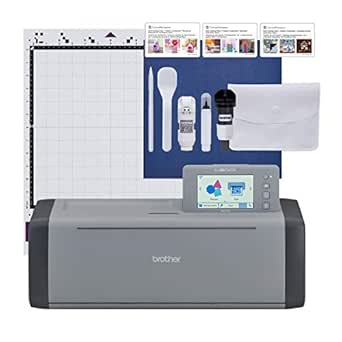 | Best Overall for Hands-On Beginners | Model: SDX125EGY | Built-in designs: 682, including 100 quilting patterns and 9 fonts | Display: 5-inch touchscreen LCD | VIEW ON AMAZON | See Our Full Breakdown |
| CraftGenes A4 Electric Die Cutting and Embossing Machine, 9-Inch, 200W |  | Best for Beginner Cardmaking | Model: 26046 | Format: A4 | Opening width: 220 mm | VIEW ON AMAZON | See Our Full Breakdown |
| Brother ScanNCut SDX125E Electronic Cutting Machine with Built-In Scanner |  | Best for Scanning Your Own Artwork | Model: SDX125E | Scanner: Built-in, up to 600 dpi | Display: 5-inch LCD touchscreen | VIEW ON AMAZON | See Our Full Breakdown |
| Cricut Explore 5 Essential Bundle with Digital Content, Taupe | 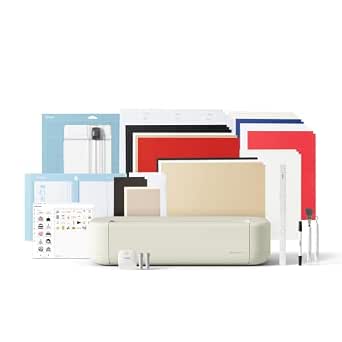 | Best Starter Bundle for App-Based Crafting | Cutting width: 12 in (30.5 cm) | Compatible materials: 100+ materials, including vinyl, iron-on, cardstock, and printable materials | Functions: Cuts, writes, draws, foils, and scores | VIEW ON AMAZON | See Our Full Breakdown |
| Brother ScanNCut DX SDX325 Electronic Cutting Machine |  | Best for Quilting and Fabric Projects | Model: SDX325 | Built-in designs: 1,303 | Quilt patterns and fonts: 140 quilt patterns and 17 lettering fonts | VIEW ON AMAZON | See Our Full Breakdown |
| Cricut Joy Machine & Digital Content Library Bundle |  | Best for Small, Portable Projects | Weight: 3.9 lb | Material compatibility: 50+ materials, including cardstock, vinyl, and iron-on | Connectivity: Wireless Bluetooth | VIEW ON AMAZON | See Our Full Breakdown |
| Brother ScanNCut DX SDX85 Electronic Cutting Machine with Built-in Scanner |  | Best for Cutting Hand-Drawn Designs | Material cutting thickness: Up to 3mm | Built-in designs: 251 | Display: 3.5-inch touchscreen LCD | VIEW ON AMAZON | See Our Full Breakdown |
| Genron Craft Electric Die-Cutting and Embossing Machine, 9-Inch Opening |  | Best for Beginner Cardmaking | Operation mode: Automatic | Opening width: 9 inches | Active surface area: 6 inches | VIEW ON AMAZON | See Our Full Breakdown |
| Cricut Joy Smart Cutting Machine with Writable Vinyl Starter Kit |  | Best Beginner Bundle for Writable Labels | Model: 8002284 | Material compatibility: 50+ materials, including cardstock, vinyl, iron-on, and Smart Materials | Included machine: Cricut Joy Smart Cutting Machine | VIEW ON AMAZON | See Our Full Breakdown |
| Siser Romeo 24-Inch High-Definition Cutting Machine |  | Best for Beginners Ready for Large-Format Work | Cutting width: 24 inches | Cutting area: 285.5 square inches | Dimensions: 7.25 × 36.5 × 7.75 inches (D × W × H) | VIEW ON AMAZON | See Our Full Breakdown |
| Brother CM350 Electronic Cutting Machine, ScanNCut2, 4.85″ LCD Touchscreen, 300 DPI Scanner, 631 Built-in Designs |  | Best for Scanner-Based, Standalone Designing | Brand and model: Brother CM350 ScanNCut2 | Scanner resolution: 300 DPI | Touchscreen: 4.85-inch LCD | VIEW ON AMAZON | See Our Full Breakdown |
| Cricut Maker 4 Card Making Bundle – Smart Cutting Machine with Card Mat, Card Inserts & Materials for Greeting Cards, Invitations & Paper Crafts |  | Best for a Ready-to-Make Card Station | Brand and model: Cricut Maker 4, model z20-11084-N8 | Bundle focus: Greeting cards, invitations, and paper crafts | Included components: Maker 4 Ultimate Card Making Bundle with variety materials | VIEW ON AMAZON | See Our Full Breakdown |
| Cricut Explore 5 Essential Bundle + Rainbow Sampler |  | Best Beginner Bundle for Mixed Projects | Machine: Cricut Explore 5 | Material compatibility: Over 100 materials, including vinyl, HTV, cardstock, printable vinyl, and felt | Connectivity: Bluetooth | VIEW ON AMAZON | See Our Full Breakdown |
| electronic cutting machine for beginner | Connectivity |
|---|---|
| Brother ScanNCut DX SDX125EGY | USB and wireless |
| CraftGenes A4 Electric Die Cut | — |
| Brother ScanNCut SDX125E Elect | Wireless and USB |
| Cricut Explore 5 Essential Bun | Bluetooth |
| Brother ScanNCut DX SDX325 Ele | — |
| Cricut Joy Machine & Digital C | Wireless Bluetooth |
| Brother ScanNCut DX SDX85 Elec | USB port and wireless capability |
| Genron Craft Electric Die-Cutt | — |
| Cricut Joy Smart Cutting Machi | — |
| Siser Romeo 24-Inch High-Defin | Wi-Fi compatible |
| Brother CM350 Electronic Cutti | — |
| Cricut Maker 4 Card Making Bun | — |
| Cricut Explore 5 Essential Bun | Bluetooth |
More Details on Our Top Picks
Brother ScanNCut DX SDX125EGY Electronic Cutting Machine with Scanner
I’d put the SDX125EGY first for beginners who want room to explore without relying on a computer for every design. Its built-in scanner can turn a drawing or scanned material into a cut plan, while the auto blade detects material thickness—two features that reduce setup guesswork. The 5-inch touchscreen and 682 built-in designs also make it usable right out of the box. Compared with the Cricut Explore 5 Essential Bundle, this Brother offers more self-contained design input, while the Cricut brings a larger ready-to-use bundle and a software-led workflow. The tradeoff is a 3 mm thickness ceiling, and the US 120-volt limitation makes it a poor fit outside that market. I’d choose it for flexibility, not for thick materials or international use.
Pros:- Built-in scanner turns hand-drawn designs and scanned materials into cut projects.
- Auto blade senses material thickness, reducing manual blade adjustment.
- 682 built-in designs and a touchscreen support projects without starting from scratch.
- Cuts a range of materials, including paper, vinyl, fabric, foam, and felt.
Cons:- Maximum cutting thickness is 3 mm.
- Designed for 120-volt US use; other use or sale voids the warranty.
Best for: New crafters who want to scan their own drawings and work from the machine’s touchscreen rather than depend on a separate design workflow.
Not ideal for: Crafters outside the US, or anyone planning projects with materials thicker than 3 mm.
- Model:SDX125EGY
- Built-in designs:682, including 100 quilting patterns and 9 fonts
- Display:5-inch touchscreen LCD
- Maximum material thickness:3 mm (0.1 inch)
- Connectivity:USB and wireless
- Included mat:12 x 12-inch standard tack mat
- Warranty:1-year limited warranty
- Power compatibility:120 volts; intended for sale in the US
Our verdict“Choose the SDX125EGY if you want an approachable, scanner-equipped machine with broad beginner-friendly flexibility and do not need to cut materials thicker than 3 mm.”
CraftGenes A4 Electric Die Cutting and Embossing Machine, 9-Inch, 200W
The CraftGenes is the most focused choice here for a beginner whose projects center on cards, embossing, and die-cut shapes. Its electric feed avoids the hand-cranking routine of many manual die machines, and the included plates, folders, dies, stamp set, and cardstock give newcomers several ways to start. Its 220 mm opening accommodates A4-format work, making it more suitable for larger paper projects than the more digitally oriented Brother SDX125EGY. That difference is also its limit: it is a die-cutting and embossing system, not a scanner-equipped machine for freely cutting custom digital outlines. Feeding can be inconsistent for some users, and there is no manual crank as a fallback. I’d pick it for paper crafts, but not as an all-purpose cutting machine.
Pros:- Electric feed removes the manual cranking required by many comparable die-cutting machines.
- A 220 mm opening supports A4-sized paper projects.
- Starter kit includes plates, embossing folders, dies, stamps, and cardstock.
- Combines die cutting and embossing in a paper-craft-focused setup.
Cons:- No manual crank is available if powered feeding is unreliable.
- Some users report inconsistent feeding.
- It is oriented toward dies and embossing rather than scanner-based custom cutting like the Brother ScanNCut DX SDX125EGY.
Best for: New cardmakers and scrapbookers who want an electric machine with included dies, embossing folders, and paper-craft accessories.
Not ideal for: Beginners who want to scan drawings, cut custom digital shapes from varied materials, or keep working if the powered feed has trouble.
- Model:26046
- Format:A4
- Opening width:220 mm
- Motor:200 W
- Power:110 V
- Included components:C plate, 2 B plates, embossing folders, die sets, stamp set, magnetic sheet, silicone mat, plastic shim, and cardstock sheets
Our verdict“Choose CraftGenes for an accessory-rich electric start in cardmaking and scrapbooking, but skip it if you need a versatile digital cutter for custom designs and varied materials.”
Brother ScanNCut SDX125E Electronic Cutting Machine with Built-In Scanner
I’d favor the SDX125E when turning original artwork into cut-ready designs is the main goal. Its built-in scanner captures drawings and helps position cuts on scanned materials, while FCM and SVG support gives beginners options for bringing in files. The automatic blade sensing also cuts down on one common source of early mistakes: setting blade depth by hand. Compared with the SDX125EGY, it shares the key scanner, touchscreen, and 682-design foundation, so the choice between them is less about cutting ability and more about the listed package and model details. The SDX125E includes a broad tool set, but it still tops out at 3 mm thick, and the recommended trial cut adds a small setup step. US-only 120-volt use narrows its audience.
Pros:- Built-in scanner converts artwork into cut files and supports precise placement on scanned materials.
- Auto blade detects material thickness instead of requiring manual blade adjustment.
- Supports wireless and USB transfer plus FCM and SVG files.
- Included accessories cover basic setup, including a mat, pen tools, spatula, and auto blade.
Cons:- Cutting thickness is limited to 3 mm.
- A trial cut is recommended to confirm settings and results.
- The 120-volt US-use limitation makes it unsuitable for many international buyers.
Best for: Beginners who draw their own motifs or want to scan fabric and paper to place cuts accurately, with SVG import as another design route.
Not ideal for: Crafters outside the US, people cutting materials over 3 mm thick, or buyers who want to avoid checking settings with a trial cut.
- Model:SDX125E
- Scanner:Built-in, up to 600 dpi
- Display:5-inch LCD touchscreen
- Built-in designs:682
- Cutting thickness:Up to 3 mm (0.1 in)
- Connectivity:Wireless and USB
- File formats:FCM and SVG
- Warranty and power:1-year limited warranty; 120 volts, intended for sale in the US
Our verdict“Pick the SDX125E if scanning artwork and material-aware placement matter more than a larger cutting capacity or a machine designed for international use.”
Cricut Explore 5 Essential Bundle with Digital Content, Taupe
The Explore 5 bundle suits beginners who want a guided, app-based start and materials for trying several project types right away. It cuts more than 100 materials and can also write, draw, foil, and score, so one machine can cover decals, cards, and apparel projects. The bundled Smart Vinyl, iron-on, cardstock, printable vinyl, tools, and digital content reduce the need to assemble a starter setup piece by piece. Unlike the Brother ScanNCut SDX125E, it does not list a built-in scanner for converting a sketch directly at the machine; its workflow runs through Cricut Design Space on a compatible device. That can be approachable for template-led projects, but it depends on Bluetooth and high-speed internet. Some tools and expanded software content also require separate purchases or a subscription.
Pros:- Works with more than 100 materials, including vinyl, iron-on, cardstock, and printable materials.
- Supports cutting, writing, drawing, foiling, and scoring for varied starter projects.
- Bundle includes tools, project materials, and additional digital content.
- Design Space offers templates and step-by-step project flows.
Cons:- Requires a compatible device, Bluetooth, and high-speed internet.
- Deep Cutting Tool and some compatible tools and materials are sold separately.
- Full content access and some software features require a paid subscription.
Best for: Beginners with a compatible phone, tablet, or computer who want guided templates and included supplies for trying vinyl, cards, and apparel projects.
Not ideal for: Crafters who want an offline, self-contained scanner workflow, lack reliable high-speed internet, or expect every tool and software feature to be included.
- Cutting width:12 in (30.5 cm)
- Compatible materials:100+ materials, including vinyl, iron-on, cardstock, and printable materials
- Functions:Cuts, writes, draws, foils, and scores
- Tool compatibility:Works with six tools; Deep Cutting Tool sold separately
- Connectivity:Bluetooth
- Bundle materials:Smart Vinyl, Smart Iron-On, Value Cardstock, Insert Card Sets, and Printable Vinyl
- Digital content:25 additional premium-quality images and 1 font
- Estimated project capacity:Up to 65 projects
Our verdict“Choose the Explore 5 bundle if you want a guided, connected start with supplies included, and are comfortable using Cricut Design Space and its internet requirements.”
Brother ScanNCut DX SDX325 Electronic Cutting Machine
The SDX325 is the strongest match in this group for beginners whose plans lean toward quilting and appliqué. It includes a Thin Fabric Auto Blade specified for materials from 0.25 to 0.5 mm, plus 140 quilt patterns among its 1,303 built-in designs. A scanner, touchscreen, and blade-sensing system preserve the approachable ScanNCut format found in the SDX125EGY, while the SDX325 adds a much larger design library and a blade aimed at thin fabric. That extra specialization is useful only if it fits your projects; the thin-fabric blade’s stated range is narrow, and the machine’s general maximum remains 3 mm. Wireless transfer also depends on a network connection. For beginners focused on decals or general paper projects, the SDX125EGY may be the simpler fit.
Pros:- Built-in scanner can turn scanned designs into cut or draw files.
- Blade Sensor Technology detects material thickness and adjusts the blade.
- Includes a Thin Fabric Auto Blade for quilting and appliqué.
- Offers 1,303 built-in designs, including 140 quilt patterns and 17 fonts.
Cons:- Thin Fabric Auto Blade is specified for a narrow 0.25–0.5 mm material range.
- Maximum material thickness is 3 mm.
- Wireless design transfer requires a wireless network connection.
Best for: New quilters and appliqué makers who want a scanner-equipped machine with a dedicated blade for thin fabrics and a large built-in pattern library.
Not ideal for: Beginners focused mainly on vinyl decals or general paper crafts who do not need quilting patterns, or anyone needing to cut materials thicker than 3 mm.
- Model:SDX325
- Built-in designs:1,303
- Quilt patterns and fonts:140 quilt patterns and 17 lettering fonts
- Maximum material thickness:3 mm
- Thin Fabric Auto Blade range:0.25–0.5 mm
- Display:5-inch LCD touchscreen
- Connectivity and scanner:Wireless network connectivity; built-in scanner
- Embroidery file formats:PES, PHC, and PHX
Our verdict“Choose the SDX325 if quilting and thin-fabric appliqué are central to your plans; for broader beginner crafting, its specialized blade and larger library may not justify choosing it over the SDX125EGY.”
Cricut Joy Machine & Digital Content Library Bundle
The Cricut Joy Machine & Digital Content Library Bundle is a beginner-friendly pick for labels, cards, and small personalized gifts rather than large home décor. At 3.9 pounds, it is easier to store or carry than the much wider Siser Romeo, and its Bluetooth connection lets you send designs from a compatible device. The included 30 images and 50 project ideas give new crafters a starting point, while compatibility with more than 50 materials leaves room to try cardstock, vinyl, and iron-on. The tradeoff is its small working scale: it cannot match the Romeo for broad designs, and beginners need a phone or computer to create and send projects. Choose it for approachable, space-saving crafts; skip it if you want a machine that can grow into large-format work.
Pros:- Lightweight, portable design is easy to store and move between workspaces.
- Bluetooth supports wireless design transfer from a compatible phone or computer.
- Cuts more than 50 materials, including cardstock, vinyl, and iron-on.
- Includes 30 digital images and project ideas to help beginners get started.
Cons:- Small format limits the size of projects it can cut.
- Requires a phone or computer for design creation and transfer.
- Advanced projects may call for additional tools or accessories.
Best for: Beginners with limited storage who mainly want to make labels, cards, and small personalized projects.
Not ideal for: Crafters planning large signs or broad apparel designs, since the compact machine is limited to small-scale work.
- Weight:3.9 lb
- Material compatibility:50+ materials, including cardstock, vinyl, and iron-on
- Connectivity:Wireless Bluetooth
- Included digital content:30 images and 50 projects
- Included accessories:Blade and housing, fine-point black pen, StandardGrip mat, welcome card, and power adapter
- Membership offer:Free Cricut Access trial
Our verdict“Choose the Cricut Joy bundle if you want a portable first cutter for small projects, not a machine for large designs.”
Brother ScanNCut DX SDX85 Electronic Cutting Machine with Built-in Scanner
The Brother ScanNCut DX SDX85 suits beginners who want to turn sketches or printed artwork into cut files without first recreating every shape in design software. Its built-in scanner gives it a different starting point from the Cricut Joy bundles, which emphasize compact crafting and included digital content. A 3.5-inch touchscreen and 251 built-in designs also let users make basic adjustments at the machine, while the automatic material sensor can simplify setup. The ability to cut material up to 3mm thick offers more range than a small-project-focused Joy, though successful cuts may still take trial runs. It is a stronger fit for hands-on artwork than for someone who wants the simplest phone-led workflow, and its 120V specification makes it a US-market choice.
Pros:- Built-in scanner converts drawings and printed images into cut files.
- Includes 251 designs for making projects without sourcing every file separately.
- Touchscreen supports basic on-machine customization.
- Automatic material sensing and cutting capacity up to 3mm broaden its project options.
Cons:- Designed for 120V US power, limiting suitability in other regions.
- Trial cuts may be needed to dial in material and cut settings.
- The scanner-focused workflow may be more than needed for users making only basic labels or cards.
Best for: Beginners who draw their own designs or want to scan printed images and cut them without building every file from scratch.
Not ideal for: International buyers outside 120V regions or beginners who want a compact, phone-first machine for simple small projects.
- Material cutting thickness:Up to 3mm
- Built-in designs:251
- Display:3.5-inch touchscreen LCD
- Connectivity:USB port and wireless capability
- Power:120V, US only
- Scanner:Built-in scanner
Our verdict“Pick the SDX85 if scanning your own artwork matters more than the smaller, simpler workflow of a Cricut Joy.”
Genron Craft Electric Die-Cutting and Embossing Machine, 9-Inch Opening
The Genron Craft Electric Die-Cutting and Embossing Machine is a different kind of beginner cutter: it uses physical dies and folders to cut or emboss paper, rather than sending digital designs to a blade as the Cricut Joy does. Its automatic operation rolls the plates through for the user, which can make repeated cardmaking steps less labor-intensive than a hand-cranked machine. The 9-inch opening accommodates A4 paper and standard dies, and the included cardstock, folder, die, and plates provide materials for a first project. That simpler, paper-focused approach also means less design flexibility: it is not the choice for cutting custom vinyl lettering or scanning artwork like the Brother ScanNCut DX SDX85. The listed active surface is only 6 inches, and its US 110V plug narrows where it can be used.
Pros:- Automatic feed provides rolling pressure without requiring hand cranking.
- 9-inch opening accommodates A4 paper and standard cutting dies.
- Works with ordinary and compatible 3D embossing folders.
- Includes cardstock, an embossing folder, a die, and cutting plates for getting started.
Cons:- Physical dies and folders limit design choices compared with digital machines such as the Cricut Joy.
- Listed active surface area is 6 inches, smaller than the 9-inch opening.
- 110V power and a US plug limit use in other regions.
Best for: Paper crafters starting with greeting cards, scrapbooking, or embossing who prefer physical dies over software-based design.
Not ideal for: Beginners seeking custom digital cuts in vinyl, large designs, or a machine that works with broad material types.
- Operation mode:Automatic
- Opening width:9 inches
- Active surface area:6 inches
- Paper compatibility:A4
- Power:110V, US plug
- Dimensions:12 × 9.45 × 7.88 inches
- Weight:8.8 lb
- Included components:Cardstock, embossing folder, die, and cutting plates
Our verdict“Choose this machine for straightforward paper cutting and embossing, but pick a digital cutter if you want custom designs or vinyl projects.”
Cricut Joy Smart Cutting Machine with Writable Vinyl Starter Kit
This Cricut Joy Smart Cutting Machine with Writable Vinyl Starter Kit makes the most sense for beginners whose first projects are pantry labels, gift tags, and other small items that benefit from writing as well as cutting. Compared with the Cricut Joy Machine & Digital Content Library Bundle, this set puts more emphasis on writable vinyl and practical tools, including a pen set and three-piece tool kit. The machine works with more than 50 materials and supports matless cutting with compatible Smart Materials, so some projects need fewer setup steps. Its compact footprint is convenient, but it shares the standard Joy’s small-project limitation and still depends on digital setup. Access to the included content requires registration, and beginners who want to scan original drawings may be better served by the Brother ScanNCut DX SDX85.
Pros:- Writable vinyl and fine-point pens support labeled projects without a separate writing setup.
- Includes a three-piece tool kit, card mat, and 30 digital images.
- Compatible with more than 50 materials, including cardstock, vinyl, and iron-on.
- Matless cutting is available with compatible Smart Materials.
Cons:- Compact Joy format limits the size of designs and materials it can handle.
- Digital content access requires registration.
- Initial setup and digital workflow may take time for first-time users.
Best for: New crafters focused on small labels and personalized projects who want writable vinyl, pens, and basic tools in one kit.
Not ideal for: Buyers planning large-format work or those who want to turn hand-drawn artwork into cut files with a built-in scanner.
- Model:8002284
- Material compatibility:50+ materials, including cardstock, vinyl, iron-on, and Smart Materials
- Included machine:Cricut Joy Smart Cutting Machine
- Included writing and label supplies:One roll of Smart Label Writable Vinyl and a Fine Point Pen Set
- Included tools:3-piece tool kit
- Included digital content:30 digital images
- Included mat:Card Machine Mat
- Cutting options:Mat-based cutting and matless cutting with compatible Smart Materials
Our verdict“Choose this Joy bundle over the library-focused Joy if writable labels and included tools are your main beginner projects.”
Siser Romeo 24-Inch High-Definition Cutting Machine
The Siser Romeo is the outlier in this beginner group: its 24-inch cutting width opens the door to large vinyl graphics and bigger layouts, while the Cricut Joy machines are built around smaller projects and easy storage. It can cut with or without a mat, and its touchscreen and adjustable pinch rollers give users control over material positioning. That range can suit a beginner who already has a dedicated workspace and expects projects to grow, but it is a less forgiving first choice for casual crafting. At 36.5 inches wide, it needs substantial room, and the included mat is only 12 × 12 inches, so it does not represent the full cutting area. Windows and Mac compatibility and Wi-Fi support add flexibility, though this large machine asks more of the user’s workspace than the compact Joy.
Pros:- 24-inch cutting width accommodates designs too broad for compact machines such as the Cricut Joy.
- Mat-free cutting provides flexibility for compatible materials and project lengths.
- Touchscreen and adjustable pinch rollers support setup and material positioning.
- Compatible with Windows and Mac and supports Wi-Fi.
Cons:- At 36.5 inches wide, it requires a large, dedicated workspace.
- Included 12 × 12-inch mat is smaller than the machine’s full cutting area.
- Its large format may be excessive for beginners making mainly cards, labels, or small decals.
Best for: Beginners with a dedicated craft area who plan to make wide vinyl graphics, decals, or larger layouts from the start.
Not ideal for: Apartment crafters, occasional makers, and anyone who prioritizes easy storage or small, low-commitment projects.
- Cutting width:24 inches
- Cutting area:285.5 square inches
- Dimensions:7.25 × 36.5 × 7.75 inches (D × W × H)
- Weight:10 kg
- Compatible materials:Vinyl, cardstock, stickers, and other materials
- Cutting options:Mat-free cutting and cutting with a mat
- Connectivity:Wi-Fi compatible
- Computer compatibility:Windows and Mac
- Included cutting mat:12 × 12-inch light-tack mat
Our verdict“Choose the Romeo only if large-format projects and dedicated workspace matter more than the compact convenience of a Cricut Joy.”
Brother CM350 Electronic Cutting Machine, ScanNCut2, 4.85″ LCD Touchscreen, 300 DPI Scanner, 631 Built-in Designs
The Brother CM350 is a strong fit for beginners who want to turn hand-drawn art, printed images, or paper patterns into cut files without first scanning them elsewhere. Its 300 DPI built-in scanner and 4.85-inch editing touchscreen keep much of that workflow on the machine, while 631 built-in designs offer projects to try before sourcing more artwork. Compared with the Brother ScanNCut DX SDX125EGY, the CM350’s appeal is its clearly specified on-screen editing and scan-based workflow; the available details do not establish that it has the newer model’s features. It also supports SVG files and needs no cartridges or subscription fees. The tradeoffs are a 12-by-12-inch standard cutting area and wireless use that requires a separately purchased activation card, so buyers wanting ready-to-use Wi-Fi or a larger work area may prefer another setup.
Pros:- Built-in 300 DPI scanner can capture artwork and patterns without an external scanner.
- 4.85-inch LCD touchscreen supports on-machine design selection and editing.
- Includes 631 built-in designs, including quilt patterns and lettering fonts.
- Supports SVG files and does not require cartridges or subscription fees.
Cons:- Wireless connectivity requires an activation card that is not included.
- The standard cutting area is limited to 12 by 12 inches; a larger mat is an extra purchase.
Best for: Beginners who want to scan drawings or printed designs directly on the machine and edit them without relying on a separate computer.
Not ideal for: Crafters who need wireless transfer immediately or regularly cut projects larger than 12 by 12 inches without buying an additional mat.
- Brand and model:Brother CM350 ScanNCut2
- Scanner resolution:300 DPI
- Touchscreen:4.85-inch LCD
- Built-in designs:631, including 100 quilt patterns and 7 lettering fonts
- Standard cutting area:12 x 12 inches
- File format:SVG
- Wireless connectivity:Available; requires a separate activation card
- Warranty:1-year limited
Our verdict“Choose the CM350 if direct scanning and on-machine editing matter more to you than included wireless activation or a larger standard cutting area.”
Cricut Maker 4 Card Making Bundle – Smart Cutting Machine with Card Mat, Card Inserts & Materials for Greeting Cards, Invitations & Paper Crafts
This bundle is the most focused choice here for beginners whose main goal is making greeting cards, invitations, and layered paper projects. Rather than asking you to source a starter collection piece by piece, it includes card-making materials, mats, tools, inserts, and envelopes, giving you supplies for early projects alongside the Cricut Maker 4. That makes it a more project-ready option than the Cricut Explore 5 Essential Bundle + Rainbow Sampler, whose included materials are aimed at a broader mix of vinyl, iron-on, and cardstock crafts. The tradeoff is that this package is centered on card making, so it is less compelling if you want one starter bundle for apparel and home-decor projects too. You will also need to learn Cricut Design Space to get the most from the machine; buyers seeking a scan-and-cut workflow may prefer the Brother CM350.
Pros:- Includes card-making mats, cardstock, inserts, envelopes, and sampler materials.
- Provides a coordinated starter setup for greeting cards and invitations.
- Cricut Design Space supports planning and customizing projects.
- Can make layered and intricate paper designs for varied occasions.
Cons:- The bundle is specialized for card and paper crafting rather than a broad range of craft materials.
- Getting the most from the machine requires learning Cricut Design Space.
- The supplied bundle may be more than occasional card makers need.
Best for: New crafters who plan to make cards, invitations, and paper crafts and want a bundle with relevant materials included.
Not ideal for: Beginners who want a broad mix of vinyl, apparel, and home-decor projects, or who would rather avoid learning Cricut Design Space.
- Brand and model:Cricut Maker 4, model z20-11084-N8
- Bundle focus:Greeting cards, invitations, and paper crafts
- Included components:Maker 4 Ultimate Card Making Bundle with variety materials
- Card-making supplies:Card mat, card inserts, materials, and tools
- Unit count:1
- Warranty:1-year warranty against manufacturer defects
Our verdict“Pick this bundle if cards and invitations are your main projects and you want the supplies to start making them in one package.”
Cricut Explore 5 Essential Bundle + Rainbow Sampler
For a beginner who wants to try decals, apparel, cards, and home décor rather than settle on one craft, the Explore 5 bundle offers a wider starting lane than the card-centered Cricut Maker 4 Card Making Bundle. It includes Smart Vinyl, Smart Iron-On, cardstock, insert card sets, and printable vinyl, with the machine listed as compatible with over 100 materials. Bluetooth and a library of more than 400 projects and tutorials give newcomers options for learning as they make, while the compact design may be easier to fit into a shared workspace. Its up-to-12-foot Smart Materials cutting length is useful for longer designs without a standard mat. The compromises are Cricut-specific material compatibility and the need to get comfortable with Bluetooth and design software. Compared with the Brother CM350, it emphasizes a broad digital project workflow, not built-in scanning.
Pros:- Works with over 100 materials, including vinyl, iron-on, cardstock, and printable vinyl.
- Includes a varied sampler of materials for trying multiple project types.
- Compact design suits workspaces where a larger machine is difficult to store.
- Project library includes more than 400 projects and tutorials for guided practice.
Cons:- Bluetooth setup and design software add steps for beginners who want a fully standalone workflow.
- Material compatibility is limited to materials suited to Cricut machines.
- The included material selection may not cover advanced projects or every preferred craft.
Best for: Beginners with limited workspace who want to try vinyl decals, iron-on apparel designs, cards, and other projects from one starter bundle.
Not ideal for: Crafters who want to scan and cut their own artwork directly on the machine, or who prefer not to use Bluetooth and design software.
- Machine:Cricut Explore 5
- Material compatibility:Over 100 materials, including vinyl, HTV, cardstock, printable vinyl, and felt
- Connectivity:Bluetooth
- Size:30% more compact than previous models
- Smart Materials cutting length:Up to 12 feet
- Included materials:Smart Vinyl, Smart Iron-On, Value Cardstock, Insert Card Sets, and Printable Vinyl
- Project library:Over 400 projects and tutorials
Our verdict“Choose this bundle if you want a compact Cricut setup for exploring several craft types, and are comfortable learning its software workflow.”

How We Picked
I ranked these machines for people learning electronic cutting, weighing setup and workflow clarity, the range of practical beginner projects, and how easily a buyer can move from a first cut to more involved work. Built-in scanning, machine format, included tools or materials, and whether a design depends on a connected digital workflow all affect how approachable a machine is. I also distinguished digitally controlled cutters from electric die-cutting and embossing machines, since they solve different crafting problems.
The ranking favors options that balance a manageable learning curve with room to try multiple projects. A bundle can make the first steps easier, but its included contents do not automatically make the machine more capable. Compact models rank well for small projects and limited space, while large-format and specialty machines are placed for buyers who already know they need their particular strengths. Each recommendation has a tradeoff, so the best fit depends on what you plan to make and how you prefer to work.
| electronic cutting machine for beginner | Connectivity |
|---|---|
| Brother ScanNCut DX SDX125EGY | USB and wireless |
| CraftGenes A4 Electric Die Cut | — |
| Brother ScanNCut SDX125E Elect | Wireless and USB |
| Cricut Explore 5 Essential Bun | Bluetooth |
| Brother ScanNCut DX SDX325 Ele | — |
| Cricut Joy Machine & Digital C | Wireless Bluetooth |
| Brother ScanNCut DX SDX85 Elec | USB port and wireless capability |
| Genron Craft Electric Die-Cutt | — |
| Cricut Joy Smart Cutting Machi | — |
| Siser Romeo 24-Inch High-Defin | Wi-Fi compatible |
| Brother CM350 Electronic Cutti | — |
| Cricut Maker 4 Card Making Bun | — |
| Cricut Explore 5 Essential Bun | Bluetooth |
Factors to Consider When Choosing Electronic Cutting Machine For Beginners
Before choosing a machine, decide what you want your first few projects to be and how you want to prepare designs. A beginner-friendly pick is not always the one with the most features: the right workflow, workspace, and material format can matter more than a longer feature list.
Start With the Projects You Will Actually Make
Write down a few likely first projects, such as labels, greeting cards, paper decorations, or custom apparel designs. Their size and materials will narrow the choices more reliably than a general promise of versatility. A compact machine can handle small, frequent projects without claiming a permanent spot on a desk, but it may frustrate you if your plans grow to larger designs. For paper-only crafting, a machine that works with physical dies may be enough; it is a different workflow from creating custom digital cut files. A common mistake is buying for a hypothetical future hobby instead of the projects you expect to make this season.
Choose a Design Workflow You Can Live With
Electronic cutters differ in how designs get from an idea to a cut. A built-in scanner can help when you want to use hand-drawn art or existing images, while a connected design platform may suit buyers who prefer ready-made digital projects. Before choosing, check what devices and software your preferred workflow requires and whether you are comfortable preparing files on a screen. Do not assume that a machine with many built-in designs will be the easiest fit if your main goal is cutting artwork you create yourself. The simplest workflow is the one that matches how you already think about making things.
Check Cutting Width and Workspace Together
Machine size affects both what you can make and where you can keep the equipment. Measure the surface available for the machine, materials, tools, and a laptop or tablet if your setup needs one. Wider formats make sense for longer or larger cuts, but extra capacity brings a larger footprint and may be unnecessary for cards and small labels. Compact machines reduce storage friction, yet their usable size can become a hard limit as projects grow. Match the machine’s working area to your common materials, not just the largest project you might make once.
Know the Difference Between Digital Cutting and Die Cutting
A digital cutting machine follows a design file, giving you flexibility to create or adjust shapes. An electric die-cutting and embossing machine presses physical dies through material, which can make repeat paper shapes straightforward but limits you to the dies you own. These approaches are not interchangeable, even when both are electric and marketed for crafting. If you value custom lettering or changing a design’s dimensions, a digital cutter is usually the more adaptable path. If you mainly want consistent card shapes and embossing, the die-based approach may involve less file preparation.
Compare Bundles by Useful Contents, Not Bundle Size
Bundles can reduce the number of separate items a beginner needs to source, but included content only helps when it fits your intended projects. Check whether the package includes practical materials, a compatible mat, or digital content, and identify anything you will still need for your first cuts. A larger bundle may add variety without improving the cutter’s capacity or workflow. Avoid choosing between two packages based only on the number of items listed; a few relevant supplies can be more useful than a broad assortment you will not use. Also check whether designs or materials are tied to a particular platform or project type.
Pay More for a Capability You Will Use Often
A more specialized or capable machine makes sense when its advantage removes a repeated limitation, such as needing a wider cutting format or scanning original artwork. If you are still testing whether crafting will become a regular hobby, a straightforward compact option can keep setup and storage manageable. Think about the cost of accessories, replacement consumables, and materials as part of the ownership decision, even when the machine itself appears to be the main purchase. Beginners sometimes overbuy capacity before they know which projects they enjoy. Choose a step up only when you can name the specific workflow or project that requires it.
Frequently Asked Questions
Is a built-in scanner worth choosing for a first cutting machine?
A built-in scanner is useful if you want to turn hand-drawn designs or existing images into cut shapes without first recreating them in design software. It can make personalized projects feel more direct, especially for people who already sketch or work with paper originals. If you expect to use ready-made digital files most of the time, scanning may matter less than a familiar design workflow or a compact machine footprint. Scanner features also do not remove the need to learn how to position, preview, and adjust artwork. Choose it for a workflow you expect to use, not simply because scanning sounds like an advanced extra.
Should I start with a compact cutter or a full-size machine?
A compact cutter is a sensible starting point when your projects are small, your storage is limited, or you want to keep setup simple. A larger machine gives you more room for broader projects, but it also takes up more workspace and can be more machine than a casual card maker needs. Think about the largest material you expect to use regularly rather than an occasional ambitious project. If you already plan to make larger designs or work across several craft types, a fuller-size option may prevent an early upgrade. Otherwise, compact can be a practical way to learn what you enjoy making.
Can an electric die-cutting machine replace a digital cutter?
Not fully, because the two types rely on different methods. An electric die-cutting machine presses physical dies into material, which is convenient for repeating established shapes and embossing. A digital cutter follows design files and is better suited to custom shapes, editable designs, and flexible sizing. If your projects center on paper shapes and embossing, a die-based machine may cover your needs well. If you want to create personalized lettering or cut original designs, a digital machine is the more adaptable choice.
What should I check before buying a cutting machine bundle?
Look past the bundle name and list what is actually included: useful materials, compatible cutting mats, tools, and any digital content. Then compare those contents with the projects you plan to make, since a bundle built around one craft may not help with another. Check whether the machine needs a computer, phone, or internet connection for the design workflow you want. Also note which supplies are consumable and may need replacement as you craft. A bundle is most helpful when it lets you begin a specific project without adding several missing essentials.
Is a 24-inch cutter a good first machine for home crafting?
It can be a fit if you already know you need wide or long cuts, such as for larger designs, and have enough room for the machine and materials. For small paper projects, cards, or occasional labels, that capacity may bring more footprint than practical benefit. Larger-format equipment can also call for a more deliberate setup and storage plan, which may make the early learning stage less convenient. Decide based on the scale of work you expect to repeat, not just the appeal of having extra capacity. Beginners with modest project plans may find a smaller machine easier to accommodate.
Conclusion
For most new crafters who want a balanced digital workflow, I recommend the Brother ScanNCut DX SDX125EGY as best overall, especially when scanning personal artwork is part of the appeal. The Cricut Explore 5 Essential Bundle is my best value direction for beginners who want a broader project starting point, while the Cricut Maker 4 Card Making Bundle is the best premium choice for buyers focused on card-making materials and tools. For the easiest compact entry, choose a Cricut Joy bundle and accept its smaller project format. The Siser Romeo is the specific pick for buyers who genuinely need a wide cutting area; for physical-die paper crafts, compare the CraftGenes and Genron options instead. Match the machine to your first recurring projects, and the choice becomes much clearer.