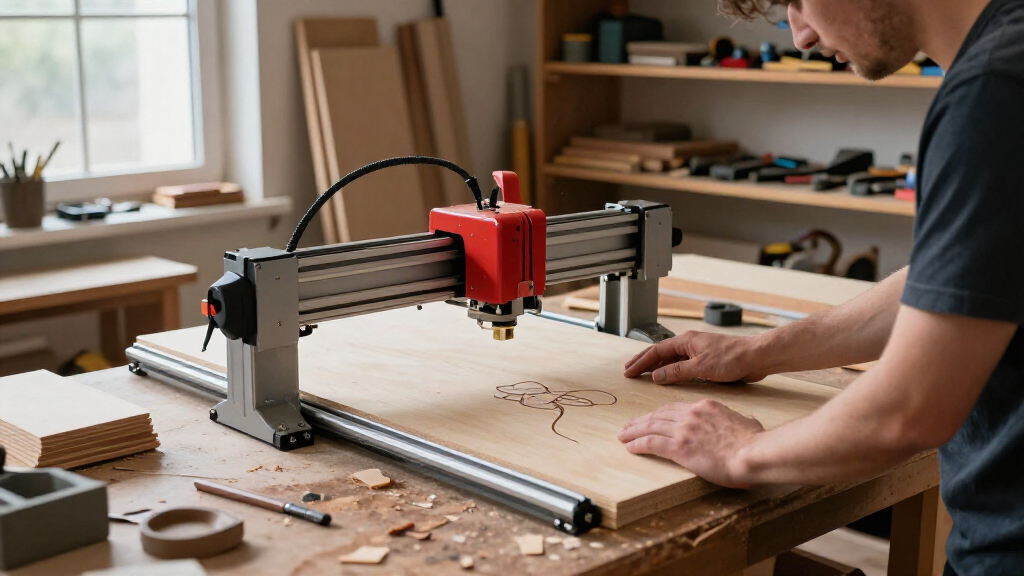

The best modular laser engravers let you adapt a machine to changing materials, project sizes, and workshop needs. I name the xTool S1 40W my best overall pick for its mix of enclosed operation, cutting power, and rotary bundle, while the xTool P2S stands out for buyers who need a higher-power CO2 platform and the xTool F1 Ultra for access to both fiber and diode laser types. The central tradeoff is between a flexible, expandable setup and the cost, space, and learning curve that can come with more capable equipment. Compact or open-frame models can be easier to fit into a small workspace, but may offer less room for expansion or built-in protection. Read on for my full comparison and guidance on matching a machine to your materials and workflow.

Get business pricing on tools and workshop supplies
- Business-only prices and quantity discounts
- Tax-exempt purchasing
- Multiple users, one account, clear invoices
Complete the kit


Key Takeaways
- The xTool S1 40W is my best overall fit for buyers seeking a relatively capable enclosed diode setup with a rotary bundle, rather than a specialist fiber or CO2 machine.
- The xTool P2S and F1 Ultra serve different upgrade goals: the P2S is a 55W CO2 platform, while the F1 Ultra combines fiber and diode sources for broader material handling.
- Laser type matters more than a single wattage figure. The lineup spans diode, CO2, infrared, and fiber systems, which are not interchangeable for every material or production task.
- Enclosure, camera, and work area change day-to-day usability. Models such as the enclosed xTool M2 and camera-equipped BlazeX M3 emphasize setup and visibility, while larger open work areas suit different project shapes.
- Not every product is modular in the same way. Bundled accessories and multiple laser sources can expand options, but buyers should check what can actually be added or replaced before treating a machine as an upgradeable platform.
| AlgoLaser MK3 15W Laser Engraver and Cutter |  | Best for Standalone, Modular-Style Workflows | Laser type: Diode | Laser power: 15W | Work area: 400 × 400 mm | VIEW LATEST PRICE | See Our Full Breakdown |
| Longer RAY5 20W Laser Engraver |  | Best for Higher-Power Diode Cutting | Laser power: 20W (20,000–24,000 mW) | Engraving area: 400 × 365 mm | Maximum engraving speed: 24,000 mm/min | VIEW LATEST PRICE | See Our Full Breakdown |
| Creality Falcon T1 Enclosed Laser Engraver (40W Diode Module) |  | Best for Rapid Module Changes | Laser module listed: 40W diode module | Interchangeable modules: Five | Maximum galvo speed: 10,000 mm/s | VIEW LATEST PRICE | See Our Full Breakdown |
| xTool P2S 55W CO2 Laser Cutter and Engraver |  | Best for Large-Format CO2 Cutting | Laser type and power: CO2, 55W | Work bed: 26 × 14 inches | Material passthrough: Up to 118 inches long | VIEW LATEST PRICE | See Our Full Breakdown |
| Creality Falcon T1 20W Fiber Laser Engraver |  | Best for Expanding into Multiple Laser Types | Included module: One module; selected configuration is 20W fiber | Supported laser technologies: 20W diode, 40W diode, 20W fiber, 5W UV, 60W MOPA | Maximum engraving speed: 10,000 mm/s | VIEW LATEST PRICE | See Our Full Breakdown |
| xTool M2 10W Enclosed Laser Engraver with Dual Cameras |  | Best for Camera-Guided Crafting | Laser power: 10W diode laser | Safety class: Class 1 | Cameras: Dual built-in cameras | VIEW LATEST PRICE | See Our Full Breakdown |
| xTool S1 40W Laser Cutter and Engraver with Rotary Bundle |  | Best for High-Power Modular Cutting | Laser power: 40W | Work area: 23.93 × 15.16 inches | Maximum engraving speed: 600 mm/s | VIEW LATEST PRICE | See Our Full Breakdown |
| xTool F1 Ultra 20W Fiber & Diode Dual Laser Engraver |  | Best Premium Dual-Laser Platform | Laser sources: 20W fiber and 20W diode | Maximum engraving speed: 10,000 mm/s | Work area: 220 × 220 mm; expandable to 220 × 500 mm | VIEW LATEST PRICE | See Our Full Breakdown |
| ELIDOR Z6-6W Laser Engraver and Cutter, 300 × 300 mm Working Area |  | Best Lightweight Open-Frame Option | Laser power: 6W | Working area: 300 × 300 mm (11.8 × 11.8 inches) | Laser spot: 0.04 × 0.14 mm | VIEW LATEST PRICE | See Our Full Breakdown |
| BlazeX M3 10W Laser Engraver with Smart Camera – Ultra-Precision Cutting for Wood, Metal, Glass & Leather, Includes Enclosure and Honeycomb Bed (Class 1) |  | Best Complete Starter Kit | Laser power: 10W | Precision: 0.01 mm | Safety class: Class 1 | VIEW LATEST PRICE | See Our Full Breakdown |
| xTool F2 Dual Laser Engraver, 5W IR and 15W Diode |  | Best Compact Dual-Laser Pick | Laser outputs: 5W infrared and 15W diode | Camera: 50MP | Maximum speed: 6000 mm/s | VIEW LATEST PRICE | See Our Full Breakdown |
| Ortur R1 Foldable Class 1 Laser Engraver with 1000 mW 1064 nm Infrared Laser |  | Best Foldable Metal-Marking Pick | Laser power: 1000 mW | Wavelength: 1064 nm | Laser class: Class 1 | VIEW LATEST PRICE | See Our Full Breakdown |
| Carverall K15 Pro 10W Laser Engraver and Cutter |  | Best Upgrade-Ready Value Pick | Laser power: 10W | Work area: 11.8 × 7.9 inches | Engraving precision: 0.01 mm | VIEW LATEST PRICE | See Our Full Breakdown |
| xTool F2 Ultra 60W MOPA Fiber and 40W Diode Dual Laser Engraver |  | Best Premium Production Pick | Laser outputs: 60W MOPA fiber and 40W diode | Laser class: Class 4 | Maximum speed: 15,000 mm/s | VIEW LATEST PRICE | See Our Full Breakdown |
| AlgoLaser DIY Kit MK3 8W Laser Engraver with 400 × 400 mm Work Area |  | Best for Standalone, Large-Format Engraving | Laser power: 8W | Work area: 400 × 400 mm | Maximum speed: 15,000 mm/min | VIEW LATEST PRICE | See Our Full Breakdown |
| modular laser engraver | Weight | Laser power |
|---|---|---|
| AlgoLaser MK3 15W Laser Engrav | 7.59 pounds | 15W |
| Longer RAY5 20W Laser Engraver | 11.13 pounds | 20W (20,000–24,000 mW) |
| Creality Falcon T1 Enclosed La | 54.3 pounds | — |
| xTool P2S 55W CO2 Laser Cutter | 130.7 pounds | — |
| Creality Falcon T1 20W Fiber L | 66 pounds | — |
| xTool M2 10W Enclosed Laser En | — | 10W diode laser |
| xTool S1 40W Laser Cutter and | — | 40W |
| xTool F1 Ultra 20W Fiber & Dio | — | — |
| ELIDOR Z6-6W Laser Engraver an | 2.13 kg (4.7 pounds); product information also lists 4.89 pounds | 6W |
| BlazeX M3 10W Laser Engraver w | 14.97 pounds | 10W |
| xTool F2 Dual Laser Engraver | 4.6 kg (10 lb) | — |
| Ortur R1 Foldable Class 1 Lase | 7.72 pounds | 1000 mW |
| Carverall K15 Pro 10W Laser En | 2.68 kg | 10W |
| xTool F2 Ultra 60W MOPA Fiber | 67.9 pounds | — |
| AlgoLaser DIY Kit MK3 8W Laser | — | 8W |
More Details on Our Top Picks
AlgoLaser MK3 15W Laser Engraver and Cutter
The AlgoLaser MK3 is a practical pick for makers who want a sizeable work area and the option to start projects without a computer. Its 400 × 400 mm bed leaves room for signs, multiple small parts, or larger layouts, while the touchscreen and AlgoOS tools support direct project creation. That standalone workflow sets it apart from the Longer RAY5 20W, which offers more laser power and several connection methods but is framed more around speed and production capacity.
The MK3’s modular appeal is mainly its flexible software workflow, not interchangeable laser modules. Its 15W diode is less suited to demanding cuts than the RAY5’s 20W system, and computer-based LightBurn or LaserGRBL work still requires a separate computer. I’d choose it for approachable, computer-optional making, not for buyers seeking a multi-module platform.
Pros:- 400 × 400 mm work area accommodates larger designs and grouped parts
- AlgoOS, AlgoType, and AlgoSketch support projects without a computer
- 95% pre-assembled setup reduces initial assembly work
- Compatible with LightBurn and LaserGRBL for computer-based workflows
Cons:- 15W diode output is less suited to demanding cuts than the Longer RAY5 20W
- LightBurn and LaserGRBL workflows require a computer
- The modularity is software-focused rather than based on interchangeable laser modules
Best for: Makers who want a large-format diode engraver with touchscreen project tools for occasional computer-free work.
Not ideal for: Production users prioritizing stronger cutting performance or interchangeable laser technologies; this model offers neither the RAY5’s 20W output nor the Falcon T1’s module swaps.
- Laser type:Diode
- Laser power:15W
- Work area:400 × 400 mm
- Display:3.5-inch touchscreen
- Offline tools:AlgoOS, AlgoType, AlgoSketch
- Assembly:95% pre-assembled
- Compatible software:LightBurn, LaserGRBL
- Weight:7.59 pounds
Our verdict“Choose the AlgoLaser MK3 if a large work area and computer-free controls matter more than high cutting power or swappable laser modules.”
Longer RAY5 20W Laser Engraver
The Longer RAY5 20W suits buyers who want more cutting headroom from a diode machine without moving to a large CO2 system. Its stated capacity includes cuts in wood and acrylic, and its up to 24,000 mm/min speed is aimed at users running repeat jobs. USB, TF card, Wi-Fi, and app control give it more ways to handle files than the computer-optional AlgoLaser MK3, while the 3.5-inch touchscreen adds a direct control option.
This is the more production-minded choice between those two open-frame diode machines, but its broad material claims should not be confused with the ability to cut substantial metal: the listed stainless-steel thickness is just 0.05 mm. Its 400 × 365 mm area is also slightly narrower in one direction than the MK3’s. Buyers should allow room for its larger footprint and treat the “130W CNC cutter” wording separately from the stated 20W laser power.
Pros:- 20W laser power provides more diode cutting capacity than the AlgoLaser MK3’s 15W
- Engraving speeds are specified up to 24,000 mm/min
- USB, TF card, Wi-Fi, and app connection options support varied workflows
- Multi-machine control can help workshops coordinate several units
Cons:- The large footprint and 11.13-pound weight make it less convenient to move
- Listed stainless-steel cutting capacity is limited to 0.05 mm
- Its 400 × 365 mm engraving area is narrower than the AlgoLaser MK3’s 400 × 400 mm bed
Best for: Small workshops processing wood and acrylic who value faster diode engraving, multiple file connections, and multi-machine control.
Not ideal for: Makers seeking a compact desktop unit, substantial metal cutting, or the enclosed Class 1 modular setup offered by the Creality Falcon T1.
- Laser power:20W (20,000–24,000 mW)
- Engraving area:400 × 365 mm
- Maximum engraving speed:24,000 mm/min
- Motherboard:32-bit
- Connections:USB, TF card, Wi-Fi, app
- Listed cutting capacity:Up to 30 mm pine, 25 mm acrylic, 0.05 mm stainless steel
- Dimensions:22.95 × 7.01 × 23.07 inches
- Weight:11.13 pounds
Our verdict“Pick the RAY5 if wood and acrylic cutting power and faster, connected workflows matter more than portability or a fully modular laser platform.”
Creality Falcon T1 Enclosed Laser Engraver (40W Diode Module)
The Creality Falcon T1 is the clearest fit here for buyers who want a genuinely modular laser system. Its quick-swap design supports five interchangeable laser modules, letting a workshop change technologies for different jobs instead of buying a separate machine for every process. The listed 10,000 mm/s galvo speed is a different proposition from the Longer RAY5’s 24,000 mm/min figure; these are different units and machine systems, so I would compare them by workflow rather than treat the numbers as directly equivalent.
Enclosure, flame detection, an emergency stop, and a door interlock add safeguards absent from the open-frame MK3 and RAY5. The tradeoff is that only one module works at a time, and modules are not hot-swappable. At 54.3 pounds, it is also a stationary workshop investment rather than a portable engraver. Buyers should confirm which module is included before choosing a configuration.
Pros:- Five interchangeable module options create a broader upgrade path than the single-technology AlgoLaser MK3
- Galvo system is specified for speeds up to 10,000 mm/s
- Auto-focus and mobile app control support setup and monitoring
- Class 1 enclosure, flame detection, emergency stop, and door interlock add safety measures
Cons:- Only one laser module can operate at a time
- Modules are not hot-swappable, so changing applications still takes setup time
- At 54.3 pounds, it is much less portable than the AlgoLaser MK3 or Longer RAY5
Best for: Small businesses and serious makers who expect to switch between laser applications and want an enclosed system with integrated safety features.
Not ideal for: Casual users seeking a lightweight, low-complexity diode engraver or buyers who need several laser modules to run simultaneously.
- Laser module listed:40W diode module
- Interchangeable modules:Five
- Maximum galvo speed:10,000 mm/s
- Safety classification:Class 1
- Focus and control:AI-driven auto-focus, mobile app control
- Safety features:Flame detection, emergency stop, door interlock
- Dimensions:12 × 19 × 18 inches
- Weight:54.3 pounds
Our verdict“Choose the Falcon T1 if changing laser technologies within one enclosed system is more valuable than low weight or simultaneous multi-module operation.”
xTool P2S 55W CO2 Laser Cutter and Engraver
The xTool P2S is the strong fit for buyers whose idea of modularity includes adapting a desktop production setup to different material sizes and object heights. Its 26 × 14-inch bed, passthrough for material up to 118 inches long, and riser support for objects up to 8.4 inches provide a scale that the AlgoLaser MK3 and Longer RAY5 cannot match. The 55W CO2 source is also specified to cut thick acrylic and black walnut in one pass, making it more capable for those materials than the diode options here.
Dual cameras and LiDAR autofocus help with placement and focus, while the exhaust fan and safety systems suit a more substantial workshop setup. The compromise is size: at 130.7 pounds, this is not a machine to move casually. It also uses a Class 4 laser, so it demands more careful operating practices than the enclosed Class 1 Falcon T1. It is a large-format cutter, not the most flexible interchangeable-module choice.
Pros:- 55W CO2 laser is specified to cut acrylic up to 20 mm and black walnut up to 18 mm in one pass
- Large bed and 118-inch passthrough accommodate oversized projects
- Dual 16MP cameras and LiDAR autofocus support material placement and focusing
- Riser compatibility allows objects up to 8.4 inches high
Cons:- 130.7-pound weight and large dimensions require dedicated space
- Class 4 laser requires careful operating practices
- Less modular in its laser technology than the Creality Falcon T1’s interchangeable-module system
Best for: Makers and small production shops cutting thick acrylic, large sheet goods, or long stock who have a dedicated, controlled workspace.
Not ideal for: Home users with limited space, buyers who need a portable engraver, or those prioritizing interchangeable laser modules and Class 1 operation.
- Laser type and power:CO2, 55W
- Work bed:26 × 14 inches
- Material passthrough:Up to 118 inches long
- Maximum engraving speed:600 mm/s
- Maximum cut thickness:20 mm acrylic; 18 mm black walnut
- Cameras and autofocus:Dual 16MP cameras; LiDAR autofocus
- Maximum object height with riser:8.4 inches
- Weight:130.7 pounds
Our verdict“Choose the P2S if large-format CO2 cutting matters more than portability, Class 1 operation, or swapping between laser technologies.”
Creality Falcon T1 20W Fiber Laser Engraver
The Creality Falcon T1 20W Fiber is aimed at buyers who want to begin with fiber marking and later expand into other laser processes. Its platform lists five interchangeable technologies, including diode, UV, and MOPA options, while the package includes one module. That upgrade path is a sharper modular proposition than the xTool P2S, which instead puts its strength into a powerful CO2 source, large bed, and long-material passthrough.
The enclosed Class 1 format, touchscreen, autofocus, flame detection, and emergency stop make this a more self-contained setup than the open-frame AlgoLaser MK3. Its stated 10,000 mm/s speed and repeat accuracy down to 0.001 mm are module-dependent, so buyers should check what the included configuration can actually do for their materials. Additional modules are sold separately, and only one is included; this is a platform purchase with expansion costs and setup decisions, not a ready-to-run multi-laser machine.
Pros:- Platform supports 20W fiber, 20W and 40W diode, 5W UV, and 60W MOPA module options
- Enclosed Class 1 design includes flame detection and an emergency stop
- Touchscreen, autofocus, AI-assisted tools, and batch processing support a structured workflow
- Specified maximum speed reaches 10,000 mm/s
Cons:- Only one laser module is included, with additional modules sold separately
- Repeat accuracy depends on the selected module
- At 66 pounds, it is substantially heavier than the AlgoLaser MK3 and Longer RAY5
Best for: Makers or small businesses focused on fiber engraving who want a path to add diode, UV, or MOPA capabilities later.
Not ideal for: Buyers who need multiple laser types in one purchase, a lightweight machine, or broad cutting capacity without buying additional modules.
- Included module:One module; selected configuration is 20W fiber
- Supported laser technologies:20W diode, 40W diode, 20W fiber, 5W UV, 60W MOPA
- Maximum engraving speed:10,000 mm/s
- Repeat accuracy:Down to 0.001 mm, module dependent
- Safety classification:Class 1, fully enclosed
- Controls and workflow:Touchscreen, autofocus, batch processing
- Compatible software:Falcon Design Space, LightBurn
- Weight:66 pounds
Our verdict“Choose this Falcon T1 configuration if fiber engraving is your starting point and you value a modular upgrade path over receiving several laser types at once.”
xTool M2 10W Enclosed Laser Engraver with Dual Cameras
I’d pick the xTool M2 for craft work where safe setup and accurate placement matter more than cutting power. Its Class 1 enclosure and dual cameras help preview the workspace and position designs, while its 10W diode handles materials such as wood, leather, felt, fabric, and paper. Compared with the BlazeX M3, the M2 has a clearer modular path: optional color printing, rotary engraving, and 3W IR engraving add different capabilities as needs change. That flexibility comes at a cost in completeness, since those modules are sold separately. The M2 is also far less suited to thick stock or larger production jobs than the 40W xTool S1. I see it as a more approachable enclosed craft platform, not a high-output cutter.
Pros:- Class 1 enclosure with real-time monitoring supports a more contained craft workspace
- Dual cameras help preview designs and place them accurately on material
- Works with wood, leather, felt, fabric, cardstock, and paper
- Beginner-oriented software includes templates and an AI image generator
Cons:- The 10W diode is less suited to demanding cuts than the 40W xTool S1
- CMYK inkjet and rotary modules are sold separately
- The 3W IR laser module is an additional purchase
Best for: Home crafters who want an enclosed, camera-guided machine for varied lightweight materials and may add specialty modules later
Not ideal for: Buyers who need strong cutting performance out of the box or expect rotary, color-printing, or IR capability without buying separate modules
- Laser power:10W diode laser
- Safety class:Class 1
- Cameras:Dual built-in cameras
- Compatible materials:Cardstock, felt, leather, wood, fabric, and paper
- Optional modules:CMYK inkjet, RA3 Lite rotary, and 3W IR laser
- Package dimensions:28 × 25 × 12 inches
- Item weight:36.2 pounds
Our verdict“Choose the xTool M2 if camera-assisted placement and an enclosed craft workflow matter more than high cutting power or included specialty modules.”
xTool S1 40W Laser Cutter and Engraver with Rotary Bundle
Among these five, the xTool S1 is the strongest fit for buyers who want an enclosed machine with room to scale into larger cutting jobs. Its 40W laser, 23.93 × 15.16-inch work area, and passthrough for material up to 118 inches long make it more capable with bulky stock than the 10W xTool M2 or BlazeX M3. Autofocus and material settings can reduce setup friction, while flame sensors, lid-open stopping, and an emergency stop add useful safeguards. This is a substantial machine, though: at 86.8 pounds, it is not a casual move-between-projects tool. The listing calls this a rotary bundle but does not specify exactly what the bundle includes, so I would verify those components before buying. Its modular appeal is strongest for users who need power and passthrough, not compactness.
Pros:- 40W laser is specified to cut cherry wood up to 18 mm in one pass
- Large work area and 118-inch maximum passthrough support oversized projects
- Autofocus and software material settings can simplify setup
- Enclosed design includes flame sensors, lid-open stopping, and an emergency stop
Cons:- At 86.8 pounds, it is difficult to move and needs a stable dedicated location
- The listing does not identify the rotary bundle’s included components
- Its larger, higher-power setup is excessive for small, lightweight craft jobs
Best for: Makers and small workshops cutting larger wood pieces or long stock who want an enclosed, high-power machine and rotary capability
Not ideal for: Occasional hobbyists with limited bench space, frequent portability needs, or a requirement for clearly itemized rotary components
- Laser power:40W
- Work area:23.93 × 15.16 inches
- Maximum engraving speed:600 mm/s
- Maximum passthrough length:118 inches (3000 mm)
- Item weight:86.8 pounds
- Frame material:3 mm aerospace-grade aluminum
- Bundle:Rotary bundle; included components are not specified
Our verdict“Pick the xTool S1 if cutting power and long-material passthrough outweigh its heavy frame and unclear bundle details.”
xTool F1 Ultra 20W Fiber & Diode Dual Laser Engraver
The xTool F1 Ultra earns its premium-platform role by pairing a 20W fiber laser with a 20W diode, rather than asking one source to cover every material. That makes it a more adaptable choice for mixed-material engraving than the diode-only xTool S1, while its stated speed of up to 10,000 mm/s and 16MP camera suit repeatable production work. Its 220 × 220 mm area expands to 220 × 500 mm, giving batches more room without making the machine a large-format cutter. The tradeoff is that expanded automation depends on an optional conveyor, and the 43.8-pound unit is not especially portable. I’d choose it for metal-and-nonmetal engraving workflows where fast placement and batch handling matter; buyers focused on deep, large-format cutting may get more from the S1’s wider bed and 40W diode.
Pros:- Separate 20W fiber and 20W diode lasers cover a broad range of engraving materials
- 16MP camera and Auto Streamline Production support camera-guided batch work
- Work area expands from 220 × 220 mm to 220 × 500 mm
- Enclosure, smoke extraction, fire alarm, and emergency stop support a contained workflow
Cons:- The auto conveyor needed for full automation is sold separately
- At 43.8 pounds, it is less portable than compact craft machines
- Its 220 mm-wide work area is smaller than the xTool S1’s stated work area
Best for: Small businesses and production-minded makers engraving mixed metal and nonmetal items in repeatable batches
Not ideal for: Buyers prioritizing large-format cutting, low weight, or a fully automated conveyor workflow included in the package
- Laser sources:20W fiber and 20W diode
- Maximum engraving speed:10,000 mm/s
- Work area:220 × 220 mm; expandable to 220 × 500 mm
- Camera:16MP smart camera
- Item weight:43.8 pounds
- Product dimensions:18 × 17 × 24 inches
- Warranty:1 year
Our verdict“Choose the F1 Ultra for fast, camera-assisted mixed-material engraving and batches, rather than for large-format cutting.”
ELIDOR Z6-6W Laser Engraver and Cutter, 300 × 300 mm Working Area
The ELIDOR Z6-6W takes a different approach to modularity: it is a light, open-frame machine that works with established software, rather than an enclosed system with cameras and expansion modules. At 4.7 pounds and with a 300 × 300 mm work area, it is easier to store or carry than the xTool M2 and BlazeX M3. Its fine 0.04 × 0.14 mm laser spot and stated accuracy up to 0.01 mm favor detailed work, and compatibility with LaserGRBL and LightBurn across Windows, macOS, and Linux gives buyers more software choice. The tradeoff is safety and setup: a compatible protective enclosure is needed to create a Class 1 system, unlike the enclosed xTool models. Its 6W output also makes this a precision-oriented pick, not a substitute for the xTool S1 on demanding cuts.
Pros:- Lightweight 4.7-pound body is easy to store and transport
- 300 × 300 mm working area provides room for moderate-sized projects
- Fine stated laser spot and accuracy support detailed engraving
- Works with LaserGRBL and LightBurn on Windows, macOS, and Linux
Cons:- A compatible protective enclosure is needed to create a Class 1 laser system
- 6W output is less suited to demanding cuts than the 40W xTool S1
- Product information gives two slightly different weight figures
Best for: Experienced hobbyists who want a portable, software-flexible engraver for detailed projects and can provide a suitable enclosure
Not ideal for: Beginners seeking an enclosed Class 1 machine ready to use, or buyers needing higher-power cutting for thick materials
- Laser power:6W
- Working area:300 × 300 mm (11.8 × 11.8 inches)
- Laser spot:0.04 × 0.14 mm
- Engraving accuracy:Up to 0.01 mm
- Engraving speed:Up to 10,000 mm/min
- Compatible software:LaserGRBL and LightBurn
- Supported operating systems:Windows, macOS, and Linux
- Weight:2.13 kg (4.7 pounds); product information also lists 4.89 pounds
Our verdict“Choose the ELIDOR Z6 if portability and software choice matter more than an included safety enclosure or higher cutting power.”
BlazeX M3 10W Laser Engraver with Smart Camera – Ultra-Precision Cutting for Wood, Metal, Glass & Leather, Includes Enclosure and Honeycomb Bed (Class 1)
The BlazeX M3 is a straightforward pick for a beginner who wants several useful pieces in the box: an enclosure, honeycomb bed, tool kit, and accessories for 360° work. Its smart camera helps position designs, while lid-open and tilt sensors stop operation if the machine shifts or is opened. Compared with the xTool M2, the M3 includes a honeycomb bed and lists accessories for rotary-style work, whereas the M2’s camera setup and software templates make its entry-level workflow clearer. The M3’s 10W output is appropriate for detailed craft projects, but it is not in the same cutting class as the 40W xTool S1. Buyers should also expect some software learning: LightBurn or CutLabX familiarity is called for, and the listing’s material claims should not be mistaken for equal performance across every material.
Pros:- Includes an enclosure, honeycomb bed, tool kit, and accessories for 360° work
- Smart camera helps preview designs and improve placement
- Class 1 design includes lid-open and tilt-triggered safety stops
- Stated 0.01 mm precision supports detailed engraving
Cons:- 10W output is less suited to thick or dense stock than the 40W xTool S1
- LightBurn or CutLabX familiarity may be needed for a smoother setup
- At 14.97 pounds, it is heavier than its compact dimensions may suggest
Best for: New makers who want a compact enclosed kit with a camera, honeycomb bed, and included accessories for varied craft projects
Not ideal for: Users planning frequent thick-material cutting, those who want guided software setup, or buyers needing a lightweight portable machine
- Laser power:10W
- Precision:0.01 mm
- Safety class:Class 1
- Dimensions:14.28 × 11.6 × 8.28 inches
- Weight:14.97 pounds
- Included items:Enclosure, honeycomb bed, tool kit, and accessories for 360° work
- Safety features:Automatic stops if the lid opens or the machine tilts
Our verdict“Choose the BlazeX M3 if you want an enclosed 10W starter kit with camera placement and included work accessories, not heavy-duty cutting power.”
xTool F2 Dual Laser Engraver, 5W IR and 15W Diode
The xTool F2 is a strong fit for makers who need one compact machine to mark metal and work across varied nonmetal materials. Its 5W infrared and 15W diode lasers cover more material types than the diode-only AlgoLaser DIY Kit MK3, while the 50MP camera helps with placement when engraving small parts or arranging batches. It arrives assembled, weighs 4.6 kg, and has an enclosed body with a built-in fan, making it easier to situate than an open-frame machine. The tradeoff is that this is still a Class 4 laser, so its enclosure does not remove the need for careful safety practices. A slide extension and purifier are optional, too; buyers planning larger work or air-quality control need to budget for those separately.
Pros:- Infrared and diode sources handle a wider range of materials than a diode-only engraver.
- 50MP camera and up to 0.1 mm alignment accuracy support careful placement and repeatable batch layouts.
- Arrives assembled and weighs 4.6 kg, so it is comparatively easy to position.
- Enclosed design and built-in fan support a more contained indoor setup.
Cons:- Class 4 operation calls for careful laser-safety precautions.
- Slide Extension and purifier are optional accessories rather than included equipment.
Best for: Makers with limited workspace who want camera-assisted alignment and both infrared metal marking and diode engraving in one assembled machine.
Not ideal for: Buyers seeking a low-supervision, Class 1 setup or those who need an expanded work area and built-in air purification.
- Laser outputs:5W infrared and 15W diode
- Camera:50MP
- Maximum speed:6000 mm/s
- Alignment accuracy:Up to 0.1 mm
- Supported materials:300+
- Design:Fully enclosed
- Weight:4.6 kg (10 lb)
- Warranty:1 year
Our verdict“Choose the F2 if you want a compact, camera-guided dual-laser machine; skip it if Class 4 operation or optional expansion gear does not suit your setup.”
Ortur R1 Foldable Class 1 Laser Engraver with 1000 mW 1064 nm Infrared Laser
The Ortur R1 prioritizes portability and straightforward setup over power: unfold it, control it from the app, and start with its 1064 nm infrared laser. Its Class 1 designation and features such as tilt detection, auto shutdown, exposure limits, and a lid stop make it a more safety-focused compact option than the Class 4 xTool F2. App tools for sketches, QR codes, and quick text jobs also suit users who want to make simple designs from a phone rather than build a desktop workflow. The tradeoff is the 1000 mW output, which gives it a narrower role than higher-power machines such as the Carverall K15 Pro. The product details also leave some app functions unclear, so buyers who need predictable software workflows should check compatibility before choosing it.
Pros:- Foldable design unfolds without installation.
- 1064 nm infrared laser is suited to marking jewelry metals and other listed materials.
- Class 1 classification and multiple automatic safety features support a more contained operating setup.
- App includes tools for AI-assisted designs, sketches, QR codes, and quick text.
Cons:- At 1000 mW, it is less suited to demanding production work than higher-power options such as the Carverall K15 Pro.
- Some app details are unclear, which may complicate planning for users with specific workflow needs.
Best for: Apartment makers, jewelry hobbyists, and occasional users who want a foldable infrared engraver with app-led setup and built-in safety features.
Not ideal for: Small businesses needing fast production, higher-power cutting, or a clearly documented desktop software workflow.
- Laser power:1000 mW
- Wavelength:1064 nm
- Laser class:Class 1
- Design:Foldable
- Control:App
- Compatible materials:Metal, leather, plastic, acrylic, glass, and stone
- Dimensions:10.71 × 9.84 × 8.58 inches
- Weight:7.72 pounds
- Warranty:365 days from receipt
Our verdict“Pick the R1 for fold-away convenience and app-based metal marking, but choose a higher-power machine for frequent or demanding jobs.”
Carverall K15 Pro 10W Laser Engraver and Cutter
The Carverall K15 Pro earns its place as a flexible, upgrade-ready diode machine for users who want several ways to run jobs without moving into a large system. Its 11.8 × 7.9-inch work area is compact enough for a small bench, while support for CutLabX, TF-card offline control, LightBurn, and LaserGRBL gives it more workflow choice than the app-centered Ortur R1. One-touch focus and saved-file repeat jobs are useful when making batches, and the optional 1W IR head provides a path toward bare-metal engraving. That upgrade is not included, however, and the standard 10W diode setup may need multiple passes for thicker cuts. Its A4-sized bed also limits larger projects compared with the AlgoLaser DIY Kit MK3’s 400 × 400 mm area.
Pros:- Supports wireless, TF-card offline, LightBurn, and LaserGRBL workflows.
- One-touch focus and saved-file repeat jobs help simplify recurring work.
- Optional IR laser head offers an upgrade path for bare-metal engraving.
- Includes a starter kit and lifetime technical support.
Cons:- Bare-metal engraving requires an optional IR laser head.
- Some cutting tasks need multiple passes, and the work area is smaller than the AlgoLaser DIY Kit MK3’s.
Best for: Makers who want a compact diode engraver with offline and desktop software options, repeat-job features, and a future route to infrared marking.
Not ideal for: Buyers who need bare-metal engraving out of the box or regularly work on pieces larger than its 11.8 × 7.9-inch bed.
- Laser power:10W
- Work area:11.8 × 7.9 inches
- Engraving precision:0.01 mm
- Maximum speed:15,000 mm/min
- Compatible materials:300+ materials, including wood, acrylic, leather, and coated metal
- Control options:CutLabX app, TF card offline control, LightBurn, and LaserGRBL
- Cutting capacity:Multi-pass cutting on 12 mm plywood and 8 mm acrylic
- Weight:2.68 kg
- Warranty:1 year, with lifetime technical support
Our verdict“Choose the K15 Pro if software flexibility and a compact, upgradeable setup matter more than a large bed or included infrared engraving.”
xTool F2 Ultra 60W MOPA Fiber and 40W Diode Dual Laser Engraver
The xTool F2 Ultra is the production-focused choice in this group, pairing a 60W MOPA fiber laser for metal work with a 40W diode laser for nonmetals. That combination reaches well beyond the compact xTool F2’s 5W infrared and 15W diode setup, including metal cutting capacity and color engraving on metal. Dual 48MP AI cameras support positioning and setup, while the optional conveyor expands the bed from 8.7 × 8.7 inches to 8.7 × 19.7 inches for longer pieces or batch runs. This capability comes with a substantial footprint and 67.9-pound weight, so it is not a casual portable pick. It is also a Class 4 machine; buyers need an appropriate safety plan, and the expanded work area requires purchasing the conveyor separately.
Pros:- MOPA fiber and diode sources cover metal and nonmetal jobs in one machine.
- Supports color engraving on metal and specified cutting of metal, acrylic, and wood.
- Dual 48MP AI cameras assist with positioning, material detection, and setup.
- Optional conveyor can extend the work area for longer items and batch production.
Cons:- Class 4 operation requires careful safety precautions.
- The 67.9-pound machine needs a stable, dedicated workspace.
- The larger 8.7 × 19.7-inch work area requires the optional auto conveyor.
Best for: Production shops and experienced makers processing both metals and nonmetals who can use high output, camera-assisted setup, and conveyor-fed work.
Not ideal for: Beginners, mobile makers, and small-workspace users who do not need its fiber capability or cannot accommodate Class 4 equipment.
- Laser outputs:60W MOPA fiber and 40W diode
- Laser class:Class 4
- Maximum speed:15,000 mm/s
- Cameras:Dual 48MP AI cameras
- Positioning accuracy:0.2 mm
- Work area:8.7 × 8.7 inches
- Expanded work area:8.7 × 19.7 inches with optional auto conveyor
- Maximum cutting capacity:2 mm metal, 20 mm acrylic, and 23 mm wood
- Weight:67.9 pounds
Our verdict“Choose the F2 Ultra for demanding mixed-material production and metal work, not for a compact or beginner-friendly modular setup.”
AlgoLaser DIY Kit MK3 8W Laser Engraver with 400 × 400 mm Work Area
The AlgoLaser DIY Kit MK3 stands apart from the smaller Carverall K15 Pro by giving you a 400 × 400 mm work area and a built-in touchscreen for jobs that do not need a computer. AlgoOS, Wi-Fi, USB, and SD card uploads leave room for different workflows, while the flip-down focus column and 95% pre-assembled build reduce setup steps. Its 8W diode is aimed at engraving and light projects, though, not heavy-duty cutting; for stronger cutting performance, the 10W Carverall is the more suitable option. The MK3 also has no infrared source listed, so it is not the pick for direct bare-metal engraving. Material presets, flame detection, overheat alerts, an emergency stop, included goggles, and a two-year warranty make it a well-equipped choice for hobby users.
Pros:- 400 × 400 mm work area accommodates larger projects than the Carverall K15 Pro.
- Touchscreen and AlgoOS allow standalone design and engraving without a computer.
- Wi-Fi, USB, SD card, LightBurn, LaserGRBL, and app support offer several workflow choices.
- 95% pre-assembled build, safety features, included goggles, and a two-year warranty support easier setup.
Cons:- 8W diode is intended for engraving and light projects rather than heavy-duty cutting.
- No infrared laser is listed for direct bare-metal engraving.
- Some materials require preparation, and the description limits suitable plastics to laser-safe types.
Best for: Home makers who need a generous engraving bed and want to create or run jobs from the machine without keeping a computer connected.
Not ideal for: Users focused on heavy cutting or bare-metal engraving, since its 8W diode is intended for engraving and light projects and no IR module is listed.
- Laser power:8W
- Work area:400 × 400 mm
- Maximum speed:15,000 mm/min
- Display and operating system:3.5-inch touchscreen with AlgoOS
- Material presets:400+
- Connectivity:Wi-Fi, USB, and SD card
- Compatible software:LightBurn, LaserGRBL, and AlgoLaser app
- Safety features:Flame detection, overheat alerts, and emergency stop
- Warranty:2 years
Our verdict“Pick the MK3 if you want a large, mostly assembled engraver with standalone controls, but look elsewhere for heavy cutting or bare-metal work.”

How We Picked
I compared the 15 machines on the traits that shape real purchasing decisions: laser type and stated power, work area, enclosure and safety features, included accessories, control options, and the flexibility suggested by their configurations. I also considered whether each machine appears better suited to occasional craft work, larger-format projects, material-specific marking, or a workshop that expects to change jobs over time. A headline power rating alone did not determine placement; compatibility with intended materials and the practical value of the overall setup mattered more.
The ranking favors machines with a useful balance of capability, workflow support, and breadth of application, rather than simply the highest power or most specialized laser. That puts the xTool S1 40W first as a versatile enclosed diode-and-rotary option, while the P2S and F1 Ultra rank as strong but more purpose-specific alternatives. Compact, lower-power, or single-purpose machines can still be the better choice when their format matches a buyer’s work, but they rank below broader setups for a general roundup. Product names and listed specifications provide the basis for comparison; buyers should verify current bundle contents, compatibility, and safety details before purchasing.
Factors to Consider When Choosing Best Modular Laser Engravers
Choosing a modular engraver is less about finding the machine with the longest feature list and more about avoiding a mismatch between your materials, workspace, and plans for future upgrades. I would settle the core workflow first, then compare laser type, physical fit, and accessory compatibility.
Match the laser source to your materials
Diode, CO2, fiber, and infrared systems have different strengths, so do not treat their wattage figures as directly comparable. Start by listing the materials you expect to process regularly and check that the machine’s source is suited to those jobs. A dual-source unit may reduce the need to switch between separate machines, but it also adds complexity and can cost more than a focused setup. Buyers who mainly work with one material group may get better value from a dedicated machine than from unused versatility. Confirm material compatibility with the manufacturer before relying on an engraver for coated, reflective, or unfamiliar stock. The right source is the one that fits your repeat work, not the one with the broadest claim.
Define what modular means for your workflow
“Modular” can refer to a machine that accepts accessories, a platform sold with different laser modules, or a bundle that combines tools for different tasks. Those are not equivalent forms of expandability. Before buying, check which components can be swapped, which accessories are supported, and whether adding them affects the working area or safety setup. A bundled rotary attachment can be useful for cylindrical objects, but it does not automatically make every other part of the machine upgradeable. Avoid paying for a future path that the manufacturer has not documented. If your needs are already clear, a well-matched configuration can be more practical than a platform chosen mainly for hypothetical upgrades.
Measure the whole workspace, not just the bed
A quoted work area describes the usable engraving field, not the full footprint needed for the machine and its accessories. Measure the bench, doorways, clearance for opening an enclosure, and room for material loading before choosing a larger setup. Also account for ventilation equipment, a rotary attachment, or a computer if those are part of your workflow. A large bed helps with oversized pieces and batch layouts, but it can be wasted space for small personalized items. Conversely, a compact unit may limit the size or placement of future projects. Check the dimensions of the complete working setup rather than relying on the engraving-area figure alone.
Treat enclosure and ventilation as part of the purchase
An enclosure can help contain light and debris, while extraction arrangements address smoke and fumes; one does not replace the other. Buyers sometimes focus on a machine’s listed safety class and overlook the need to plan where exhaust will go. Look for clear information about covers, interlocks, filtration or exhaust compatibility, and the materials the manufacturer permits. A fully enclosed format may suit a shared or compact workspace better, though it can take up more bench space than an open frame. Do not assume that included enclosure hardware makes every material safe to process indoors. Plan the workspace and ventilation before deciding which machine fits.
Compare workflow aids with the jobs you repeat
Cameras, offline controls, and bundled beds can reduce setup friction, but their value depends on how you work. A camera may help position artwork over irregular blanks, while offline control may be useful when the machine cannot stay connected to a computer. Neither feature replaces checking focus, material placement, or a test run when a job is unfamiliar. If you make repeated small items, fast and consistent positioning may matter more than a large work area. If you change materials often, accessible settings and a predictable setup can save more time than a headline power increase. Prioritize the workflow feature that solves a recurring problem rather than collecting extras.
Plan for support, maintenance, and total setup needs
The machine is only one part of ownership: lenses, protective windows, belts, exhaust parts, and software support can shape the longer-term experience. Check whether replacement parts and accessories are available for the exact model and configuration you plan to buy. A highly specialized source can be a strong match for certain jobs but may leave less room for unrelated work if your projects change. A simpler machine can be easier to maintain, though it may require more manual setup or lack built-in workflow aids. Set aside room in your budget and workspace for ventilation, materials, and routine care, rather than spending the entire allowance on the laser itself. This helps prevent a capable machine from becoming difficult to use in practice.
Frequently Asked Questions
Should I choose a dual-laser machine or buy a single-source engraver?
A dual-laser model makes sense when you regularly switch between materials that call for different laser sources and want one platform to handle those jobs. If your work is mostly one kind of engraving or cutting, a single-source machine may be simpler to set up and maintain. Compare the supported materials and tasks for each source rather than assuming that a dual-laser label covers every job. Also check whether changing sources is quick and whether the package includes the modules you need. Paying for a second source is most useful when you can name the work it will do.
Is an enclosed laser engraver always the better choice for a home workshop?
An enclosure can make it easier to manage the machine in a shared workspace, but it does not remove the need to plan for smoke and material-specific fumes. Check the exhaust or filtration requirements and whether the setup can be placed near a suitable vent. Enclosed machines may need more bench space and can restrict how oversized pieces are loaded. An open-frame model may offer easier access to larger work, but demands a more deliberate approach to shielding and workspace safety. Choose based on your room, materials, and ventilation plan rather than enclosure alone.
How much work area do I need if I plan to add a rotary attachment?
Start with the largest flat item you expect to engrave, then check the rotary attachment’s dimensions and the clearance needed to load cylindrical objects. A rotary setup can occupy usable bed space or change how material is positioned, so the stated work area may not describe the usable area with the accessory installed. Measure the machine and the full object together, including room for the lid or enclosure to open. If you mainly engrave small items, a very large bed may not provide much practical benefit. Ask for the manufacturer’s rotary compatibility details before choosing a machine based on the bundle name.
Can a lower-power diode engraver replace a fiber laser for metal marking?
Do not assume that a diode and a fiber laser can do the same metal work because both are described as engravers. Their source types and material capabilities differ, and results can also depend on the metal finish, coating, and the specific process. Some diode workflows rely on marking compounds or coated surfaces rather than direct marking of bare metal. If direct metal marking is a regular requirement, compare a fiber model’s supported applications with the exact results you need. Check manufacturer guidance and run a small test on the intended material before committing to production work.
What should I verify before buying an upgradeable laser engraver?
Ask which laser modules, rotary units, cameras, beds, and enclosures are compatible with the exact model—not just the product family. Confirm whether accessories are included in the package or sold separately, and whether an upgrade changes the work area, software needs, or ventilation plan. Check that replacement parts and the relevant instructions are available for the configuration you plan to keep. “Modular” can describe a bundle without promising that every component is user-swappable. A clear compatibility list is more useful than an unqualified claim of expandability.
Conclusion
I recommend the xTool S1 40W as the best overall choice for buyers who want an enclosed diode machine with useful cutting capability and a rotary bundle. For best value, I would start with the Longer RAY5 20W if its open-frame format, listed work area, and offline controls fit your projects; it is not a substitute for an enclosed or specialized laser. The xTool P2S is my best premium CO2 pick for buyers whose work benefits from that platform, while the xTool F1 Ultra is better for those who need fiber and diode sources in one machine. For a more approachable enclosed setup, compare the xTool M2 and BlazeX M3 against your camera and workspace needs. If compact portability matters most, the Ortur R1 stands apart; if your work centers on direct metal marking, look closely at the fiber options. Choose the machine whose laser source and accessories match work you will actually do, and verify ventilation, fit, and compatibility before ordering.