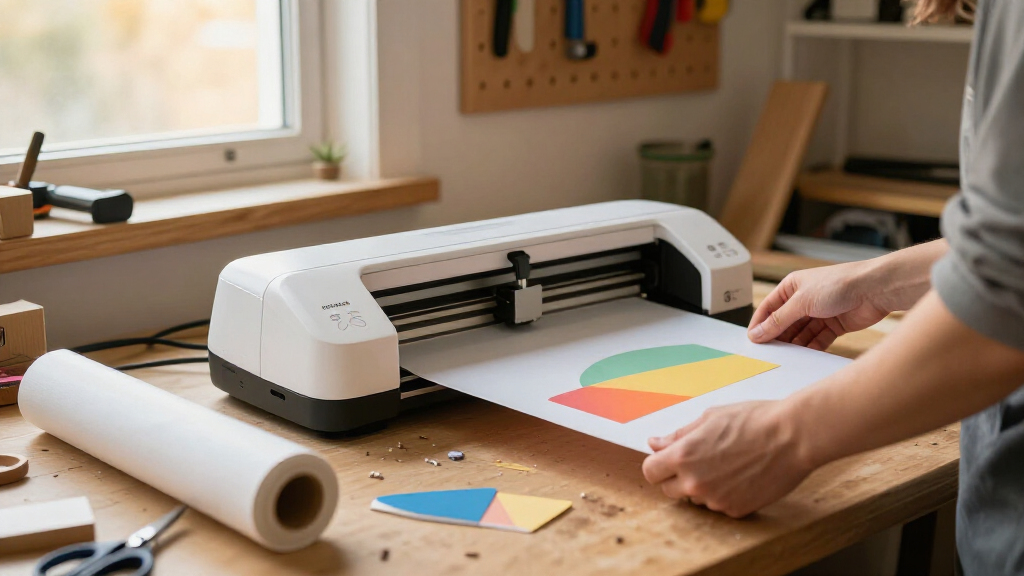

The Cricut Maker 4 Cutting Machine Bundle with Ultimate Card Making Kit is my best overall pick for shoppers who want broad project flexibility and a useful starter assortment. For simpler, lower-footprint crafting, the Cricut Explore 5 Essential Bundle is a more approachable choice, while the Cricut Joy Xtra T-Shirt Making Bundle with Mini EasyPress suits crafters focused on small apparel projects. The main tradeoff is capability versus simplicity: Maker models support a wider range of materials and tools, while Explore and Joy models can better match everyday paper, vinyl, and smaller-space projects. Bundles also vary in whether they include genuinely useful materials, digital content, or a heat press. Continue reading for the full breakdown and help choosing the right Cricut setup for your projects.

Get business pricing on tools and workshop supplies
- Business-only prices and quantity discounts
- Tax-exempt purchasing
- Multiple users, one account, clear invoices
Complete the kit


Key Takeaways
- Maker bundles lead for versatility: The Maker 4 and Maker 5 options suit shoppers who want room to take on varied materials and projects; the included bundle contents determine which one makes more sense.
- Explore 5 is the practical middle ground: Its Essential Bundle options fit common paper, vinyl, and iron-on projects without asking every buyer to start with a Maker-level machine.
- Joy and Joy Xtra prioritize compact projects: They are better matches for labels, cards, decals, and smaller apparel designs than for buyers seeking the broadest material range.
- Bundle contents change the value equation: A heat press, useful material sheets, or digital content may help a new crafter get started, but extras matter less if they do not match planned projects.
- Names alone do not settle the choice: Similar machine families appear in several bundles and colors, so buyers should compare included tools and supplies rather than treating every bundle as a different cutting capability.
| Cricut Joy 2 Cutting Machine Ultimate Bundle, Coral |  | Best Compact Crafting Bundle | Cutting width: 4.5 in (11.4 cm) | Weight: Just over 2 lb (0.91 kg) | Material compatibility: 75+ materials, including vinyl, iron-on, printable materials, and cardstock | VIEW LATEST PRICE | See Our Full Breakdown |
| Cricut Maker 4 Cutting Machine Bundle with Ultimate Card Making Kit |  | Best for Card Makers | Model: z20-11084-N8 | Material: Plastic | Warranty: 1 year | VIEW LATEST PRICE | See Our Full Breakdown |
| Cricut Maker 5 Cutting Machine Bundle with Vinyl and Iron-On Sheets |  | Best for Material Range | Model: z20-12944-D9 | Material compatibility: 300+ materials | Connectivity: Bluetooth | VIEW LATEST PRICE | See Our Full Breakdown |
| Cricut Joy Xtra Cutting Machine T-Shirt Making Bundle with Mini EasyPress Heat Press | 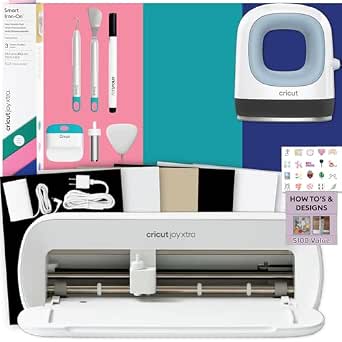 | Best for Small-Scale T-Shirt Projects | Model: zJXtra2 | Operation mode: Automatic | Active surface area: 92 sq. inches | VIEW LATEST PRICE | See Our Full Breakdown |
| Cricut Explore 5 Essential Bundle with Digital Content, Taupe | 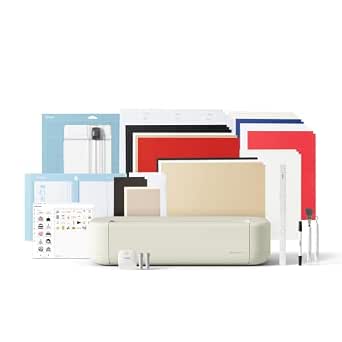 | Best Balanced 12-Inch Starter Bundle | Cutting width: 12 in (30.5 cm) | Compatible materials: 100+ materials, including vinyl, iron-on, cardstock, and printable materials | Functions: Cut, write, draw, foil, and score | VIEW LATEST PRICE | See Our Full Breakdown |
| Cricut Explore 5 Smart Cutting Machine Essential Bundle, Taupe |  | Best Explore Bundle for Versatile Starter Projects | VIEW LATEST PRICE | See Our Full Breakdown | |||
| Cricut Maker 5 Essential Bundle with Digital Content, Slate Blue |  | Best for Broad Material Range | VIEW LATEST PRICE | See Our Full Breakdown | |||
| Cricut Explore 5 Rainbow Essential Bundle |  | Best for Beginners Who Want Room to Start | VIEW LATEST PRICE | See Our Full Breakdown | |||
| Cricut Maker 4 Smart Cutting Machine, Seashell, with 30 Digital Images |  | Best Maker Pick with Print-Then-Cut Support | VIEW LATEST PRICE | See Our Full Breakdown | |||
| Cricut Joy Xtra Smart Cutting Machine with Digital Content Bundle | 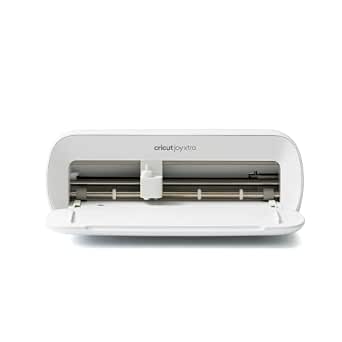 | Best Compact Machine for Small Projects | VIEW LATEST PRICE | See Our Full Breakdown | |||
| Cricut Maker 4 Cutting Machine Beginner Bundle with Vinyl and Iron-On |  | Best Maker 4 Starter Bundle | Brand: Cricut | Model: z20-11084-N9 | Operation mode: Automatic | VIEW LATEST PRICE | See Our Full Breakdown |
| Cricut Maker 4 Smart Cutting Machine, Seashell |  | Best for Long, Matless Cuts | Brand: Cricut | Model: 2011084 | Color: Seashell | VIEW LATEST PRICE | See Our Full Breakdown |
| Cricut Maker 5 Cutting Machine and EasyPress 9×9 Heat Press Bundle |  | Best for Custom Apparel | Brand: Cricut | Included components: Cricut Maker 5 machine, EasyPress 9×9 heat press, tools, vinyl and iron-on samplers | Operation mode: Automatic | VIEW LATEST PRICE | See Our Full Breakdown |
| Cricut Explore 5 Cutting Machine Essential Bundle with Multicolor Sampler |  | Best for Compact, Varied Crafting | Materials supported: 100+ materials, including vinyl, iron-on, cardstock, printable materials, paper, and felt | Connectivity: Bluetooth | Matless cutting: Compatible with Cricut Smart Materials; cuts up to 12 feet long | VIEW LATEST PRICE | See Our Full Breakdown |
| Cricut Joy Xtra Cutting Machine and Smart Vinyl Bundle |  | Best Compact Pick for Labels and Decals | Brand: Cricut | Model: zJXtra1 | Operation mode: Automatic | VIEW LATEST PRICE | See Our Full Breakdown |
More Details on Our Top Picks
Cricut Joy 2 Cutting Machine Ultimate Bundle, Coral
The Cricut Joy 2 Ultimate Bundle suits crafters who value portability and want supplies for several kinds of small projects. At just over two pounds, it is easier to store or move than the Cricut Explore 5, while adding cutting, writing, drawing, foiling, and scoring. It can also precision-cut full-color designs printed on a home inkjet, a useful option for custom stickers and labels. The bundle’s included EasyPress Mini LT and materials for up to 75 projects make it more ready for crafting than a machine-only purchase. The tradeoff is the 4.5-inch cutting width: it cannot match the Explore 5’s 12-inch workspace for wider designs. I’d skip it for large apparel graphics or buyers who want room to grow into bigger projects.
Pros:- Weighs just over two pounds for easy storage and portability.
- Supports cutting, writing, drawing, foiling, and scoring.
- Precision-cuts full-color designs printed with a home inkjet.
- Includes assorted materials, tools, and a Cricut EasyPress Mini LT.
Cons:- The 4.5-inch cutting width restricts the size of designs.
- Some tools, accessories, and software features require separate purchase or a paid subscription.
Best for: Apartment crafters, travelers, and label or card makers who need a lightweight machine with bundled materials and a small heat press.
Not ideal for: People making wide signs, large shirt designs, or other projects that need a cutting area broader than 4.5 inches.
- Cutting width:4.5 in (11.4 cm)
- Weight:Just over 2 lb (0.91 kg)
- Material compatibility:75+ materials, including vinyl, iron-on, printable materials, and cardstock
- Functions:Cut, write, draw, foil, and score
- Connectivity:Bluetooth
- Included bundle items:Smart Vinyl, Smart Iron-On, Value Cardstock, Insert Card Sets, Printable Vinyl, crafting tools, and Cricut EasyPress Mini LT
- Estimated project capacity:Up to 75 projects using included supplies
- App:Cricut Design Space for mobile and desktop
Our verdict“Choose the Joy 2 if a portable machine and ready-to-use small-project bundle matter more than a wide cutting area.”
Cricut Maker 4 Cutting Machine Bundle with Ultimate Card Making Kit
The Cricut Maker 4 Ultimate Card Making Kit earns its place by focusing its bundle on cards rather than trying to be an all-purpose supply assortment. A Card Mat 2×2 and card-making materials help beginners start on greeting cards, while the Maker 4 can also handle stickers, apparel, and home décor. Compared with the Cricut Explore 5, this bundle is the more card-centered choice; its included supplies are less immediately varied for someone who wants to jump among unrelated crafts. Setup through Design Space is intended to be approachable, but the machine depends on that software for operation. The plastic construction may also feel less substantial than buyers expect. I’d pick it for a card-focused hobby, not for someone seeking a broad, ready-stocked starter assortment.
Pros:- Includes a Card Mat 2×2 and supplies aimed at card making.
- Can also support projects such as stickers, apparel, and home décor.
- Bundle provides machine, tools, and mats to get started.
- Design Space offers an approachable route from project selection to cutting.
Cons:- The bundle’s supply selection is specialized for card making rather than broad project variety.
- Operation requires access to Cricut Design Space.
- Plastic construction may feel less durable than buyers seeking a more substantial build expect.
Best for: New or experienced card makers who want a Maker 4 bundle with a card mat and supplies for handmade greetings and layered designs.
Not ideal for: Crafters who want a varied general-purpose material kit from day one or prefer not to rely on Design Space.
- Model:z20-11084-N8
- Material:Plastic
- Warranty:1 year
- Operation mode:Automatic
- Included components:Cricut Maker 4, Card Mat 2×2, vinyl, iron-on, Infusible Ink, tools, and mats
- Print media:Card stock, envelopes, and labels
- Software:Cricut Design Space
Our verdict“Choose this Maker 4 bundle if card making is your main craft and the included card-focused supplies fit your plans.”
Cricut Maker 5 Cutting Machine Bundle with Vinyl and Iron-On Sheets
The Cricut Maker 5 bundle is the strongest fit here for makers who want material flexibility: it cuts 300+ materials and supports Smart Materials for matless cutting. Its assortment of vinyl, iron-on, cardstock, printable vinyl, and insert card sets gives it broader project starting points than the card-specialized Cricut Maker 4 Ultimate Card Making Kit. Bluetooth connection to Design Space adds templates and tutorials for projects from decals to cards. The main catch is apparel finishing: this bundle does not include a heat press, so a separate press is needed to apply iron-on transfers for lasting results. It also makes less sense for occasional small crafts, where the compact Cricut Joy 2 takes up less space. Choose this one for range, not for a fully equipped heat-transfer setup.
Pros:- Cuts more than 300 materials, including vinyl, heat-transfer vinyl, and cardstock.
- Works with Smart Materials for matless cutting.
- Includes assorted materials for several project types.
- Bluetooth and Design Space tutorials support app-guided project setup.
Cons:- A heat press or EasyPress for iron-on transfers is sold separately.
- Additional tools and heat-press accessories may need to be purchased separately.
Best for: Frequent hobby crafters who want to work across many material types and make varied projects, including decals, apparel, cards, and stickers.
Not ideal for: Occasional crafters with limited storage, or apparel makers who need a heat press included in the same bundle.
- Model:z20-12944-D9
- Material compatibility:300+ materials
- Connectivity:Bluetooth
- Compatible app:Cricut Design Space
- Included materials:Smart Vinyl, Smart Iron-On, Value Cardstock, Insert Card Sets, Printable Vinyl, 6 Smart Vinyl sheets, and 6 Smart Heat Transfer Vinyl sheets
- Sheet size:9.5 × 13 in
- Warranty:1 year against manufacturer defects
- Matless cutting:Compatible with Smart Materials
Our verdict“Choose the Maker 5 bundle if material range and matless cutting matter more than having a heat press included.”
Cricut Joy Xtra Cutting Machine T-Shirt Making Bundle with Mini EasyPress Heat Press
For beginners whose main goal is making shirts, bags, and gifts, the Cricut Joy Xtra T-Shirt Making Bundle pairs a cutting machine with a Mini EasyPress, Smart Iron-On, tools, and design guides. That ready-to-use heat-transfer workflow sets it apart from the Cricut Maker 5 vinyl and iron-on bundle, which includes materials but no press. The mini press can also help apply designs to curved or hard-to-reach areas. Its stated active surface area is 92 square inches, so this is a better match for small designs and personal projects than large graphics or batch apparel work. It is described as working best with specific Cricut Smart Materials, which narrows material flexibility. I’d choose it for a first small apparel setup, but not as a substitute for a larger-format machine.
Pros:- Includes the cutting machine, Mini EasyPress, Smart Iron-On, tools, and design guides.
- Mini EasyPress can work on curved surfaces and hard-to-reach areas.
- Smart Iron-On supports a beginner-friendly cut-and-apply workflow.
- Suitable for small apparel, tote bags, and gift projects.
Cons:- The 92-square-inch active surface limits design size.
- The bundle is designed around Cricut Smart Materials for optimal performance.
Best for: First-time apparel crafters making small shirt, hoodie, baby-clothing, tote-bag, and gift designs who want a heat press included.
Not ideal for: Small-business apparel makers producing large graphics or larger runs that call for a broader work area and more flexible setup.
- Model:zJXtra2
- Operation mode:Automatic
- Active surface area:92 sq. inches
- Material type:Ceramic, iron, and vinyl
- Included components:Cricut Joy Xtra, Mini EasyPress, Smart Iron-On, and tools
- Warranty:1 year against manufacturer defects
- Bundle focus:T-shirt making and small heat-transfer projects
Our verdict“Choose this Joy Xtra bundle for small apparel projects if having a heat press in the box is a priority.”
Cricut Explore 5 Essential Bundle with Digital Content, Taupe
The Cricut Explore 5 Essential Bundle offers a practical middle ground for buyers who want more workspace than the Joy 2 without stepping up to the Maker 5’s 300+ material range. Its 12-inch cutting width accommodates broader designs, and it cuts, writes, draws, foils, and scores more than 100 materials. Included supplies support up to 65 average-size projects, making this a more versatile starting point than the compact Joy 2 bundle. The Maker 5 is the better match for makers prioritizing the widest material compatibility; this Explore 5 is aimed at common materials such as vinyl, iron-on, cardstock, and printable materials. The tradeoffs are that the Deep Cutting Tool is sold separately, some content requires a paid subscription, and setup depends on a compatible device and high-speed internet.
Pros:- 12-inch cutting width supports broader designs than the Joy 2.
- Works with more than 100 materials and offers five crafting functions.
- Bundle includes tools, assorted materials, and digital content.
- Included supplies are estimated to support up to 65 average-size projects.
Cons:- Deep Cutting Tool is sold separately.
- Some tools, materials, accessories, and software content require separate purchase or a paid subscription.
- Requires a compatible mobile device or computer and high-speed internet.
Best for: Home crafters who want a 12-inch workspace and a varied starter bundle for common projects such as cards, apparel, and vinyl décor.
Not ideal for: Makers who need the broadest material compatibility, want deep-cutting capability included, or cannot rely on a compatible device and internet connection.
- Cutting width:12 in (30.5 cm)
- Compatible materials:100+ materials, including vinyl, iron-on, cardstock, and printable materials
- Functions:Cut, write, draw, foil, and score
- Tool compatibility:Works with six tools; Deep Cutting Tool sold separately
- Connectivity:Bluetooth
- Bundle contents:Smart Vinyl, Smart Iron-On, Value Cardstock, Insert Card Sets, Printable Vinyl, crafting tools, 25 additional images, and 1 font
- Project capacity:Up to 65 projects using included supplies
- Color:Taupe
- Device requirements:Compatible mobile device or computer and high-speed internet
Our verdict“Choose the Explore 5 Essential Bundle if you want a broad 12-inch workspace for everyday crafts without needing the Maker 5’s wider material range.”
Cricut Explore 5 Smart Cutting Machine Essential Bundle, Taupe
The Cricut Explore 5 Essential Bundle is a strong starting point for crafters who want more than basic vinyl cutting without stepping up to a Maker model. It handles 100+ materials and can cut, write, draw, foil, and score across a 12-inch area, while the included supplies cover up to 65 projects. Compared with the more capable Cricut Maker 5, it gives up specialty-material range and tools such as engraving and debossing, but that extra range may be unnecessary for cards, decals, and apparel designs. Its compact build and Bluetooth connection suit a shared craft space and mobile or desktop setup. The tradeoff is that a Deep Cutting Tool is sold separately, and full-color Print-Then-Cut projects require a home inkjet printer.
Pros:- Cuts more than 100 materials and supports five crafting functions.
- Includes materials and tools for up to 65 projects.
- Bluetooth supports mobile and desktop workflows.
- Compact design includes a snap-in pen holder.
Cons:- Deep Cutting Tool is sold separately.
- Full-color Print-Then-Cut requires a compatible home inkjet printer.
- Its material and tool range is narrower than the Cricut Maker 5.
Best for: New and intermediate crafters focused on vinyl, iron-on, cardstock, and personalized projects who want a broad starter bundle.
Not ideal for: Makers planning to engrave, deboss, or work regularly with thick specialty materials; the Maker 5 offers a wider material and function range.
Our verdict“Choose this bundle for a compact, well-supplied Explore machine for everyday paper, vinyl, and apparel projects.”
Cricut Maker 5 Essential Bundle with Digital Content, Slate Blue
For crafters whose plans reach beyond paper and vinyl, the Cricut Maker 5 earns its place through 300+ compatible materials and a wider set of functions, including engraving, debossing, scoring, and cutting material up to 3 mm thick. That makes it a more flexible choice than the Explore 5 Essential Bundle, which is better matched to routine decals, cards, and iron-on projects. The Maker 5 bundle also supplies materials and tools for up to 65 projects, so buyers can start with more than the machine alone. Its limits are practical: some specialty tools and materials cost extra, and the included digital content is app-only and tied to the first account that registers the machine. Access to the full library and some software features requires a paid subscription.
Pros:- Supports more than 300 materials, including fabric, leather, and foam core.
- Offers cutting, engraving, writing, drawing, foiling, scoring, and debossing.
- Handles materials up to 3 mm thick.
- Includes tools and supplies for up to 65 projects plus digital content.
Cons:- Specialty tools and some compatible materials are sold separately.
- Full content access and certain software features require a paid Cricut Access subscription.
- Included digital content is app-only and non-transferable from the registering account.
Best for: Experienced or ambitious home crafters who want to work across fabric, leather, foam core, and other specialty materials.
Not ideal for: Beginners making mostly cards and vinyl decals, or buyers who want to avoid app-dependent content and separately purchased specialty tools.
Our verdict“Pick the Maker 5 if material flexibility and specialty techniques matter more than keeping the setup simple.”
Cricut Explore 5 Rainbow Essential Bundle
The Rainbow Essential Bundle is the beginner-focused Explore 5 option for buyers who want a broad mix of materials and guided ideas right away. It includes supplies for up to 80 projects, more than the 65-project Essential Bundle listed elsewhere, plus access to 400+ Design Space projects and how-to guides. The machine cuts 100+ materials and can make matless cuts up to 12 feet when paired with compatible Smart Materials, a useful advantage for long signs or repeated labels. Compared with the Cricut Joy Xtra, it offers a wider 12-inch cutting area and greater material flexibility, but takes more space. The matless feature is not universal: it depends on compatible materials, and some projects still call for extra supplies beyond the bundle.
Pros:- Includes supplies for up to 80 projects.
- Provides access to 400+ projects and how-to guides in Design Space.
- Cuts more than 100 materials and supports matless cuts up to 12 feet with compatible Smart Materials.
- Includes vinyl, iron-on, cardstock, insert cards, and printable vinyl to get started.
Cons:- Matless cutting works only with compatible Smart Materials.
- Some project types require additional materials beyond the bundle.
- Its 12-inch cutting area takes more workspace than the Cricut Joy Xtra.
Best for: First-time crafters who want guided project ideas, varied starter materials, and the option to make longer Smart Material cuts.
Not ideal for: Crafters with very limited workspace or buyers who mainly make small cards and labels and would prefer a smaller Joy Xtra.
Our verdict“Choose this bundle if you are new to Cricut and value guided projects, varied supplies, and longer matless cuts.”
Cricut Maker 4 Smart Cutting Machine, Seashell, with 30 Digital Images
The Cricut Maker 4 is the better fit when a project list includes both specialty materials and printed designs. It works with 300+ materials and supports cutting, drawing, scoring, engraving, debossing, and other techniques, while Print-Then-Cut lets a compatible inkjet printer supply full-color artwork. The included Fine-Point Blade, pen, mat, weeder, material sampler, and 30 Design Space images make this package more immediately usable than a machine-only option. Compared with the Maker 5 Essential Bundle, this listing emphasizes a starter tool set and printer-assisted projects rather than supplies for up to 65 projects or included digital content beyond its 30 images. Buyers should check their printer setup and expect a paid subscription for the full Design Space library.
Pros:- Works with more than 300 materials, including leather and wood.
- Supports a broad range of functions, including engraving, debossing, and perforating.
- Print-Then-Cut works with most inkjet printers.
- Includes a Fine-Point Blade, pen, Light Grip Mat, weeder, material sampler, and 30 images.
Cons:- Print-Then-Cut requires a compatible inkjet printer.
- The full Design Space content library requires an optional paid subscription.
- The listed bundle has a smaller stated project-supply package than the Maker 5 Essential Bundle.
Best for: Crafters who want a Maker-class machine for specialty materials and plan to make colorful stickers, labels, or other printed projects.
Not ideal for: Buyers without a compatible inkjet printer or those seeking a large starter supply bundle rather than a focused set of tools and materials.
Our verdict“Pick this Maker 4 package if you need specialty-material capability and want to pair cutting with inkjet-printed designs.”
Cricut Joy Xtra Smart Cutting Machine with Digital Content Bundle
The Cricut Joy Xtra is the space-saving pick for cards, stickers, labels, and small apparel designs. It cuts, writes, draws, and foils on 50+ materials, and its Print-Then-Cut support with most inkjet printers gives sticker makers a route to full-color designs. The bundle adds a Fine-Point Blade, pen, mini weeder, practice materials, and 30 digital images, so it is more ready to use than a bare machine. Compared with the Explore 5 Rainbow Essential Bundle, the Joy Xtra is aimed at smaller jobs and a more compact setup; the Explore offers 100+ material compatibility and matless cuts up to 12 feet with Smart Materials. The Joy Xtra also depends on Design Space, while full library access requires an optional paid subscription.
Pros:- Handles more than 50 materials, including vinyl, iron-on, cardstock, and sticker materials.
- Supports cutting, writing, drawing, and foiling.
- Print-Then-Cut works with most inkjet printers.
- Bundle includes tools, practice materials, and 30 digital images.
Cons:- Requires Design Space to create and manage projects.
- Full content-library access requires an optional paid Cricut Access subscription.
- Its material range and project scale are more limited than the Explore 5 and Maker 4.
Best for: Apartment crafters, card makers, and sticker creators who need a compact machine for smaller projects and have an inkjet printer for Print-Then-Cut.
Not ideal for: Users making long signs, larger apparel graphics, or projects requiring the wider material range and capabilities of an Explore or Maker machine.
Our verdict“Choose the Joy Xtra for a compact setup centered on cards, stickers, and other small-format crafts.”
Cricut Maker 4 Cutting Machine Beginner Bundle with Vinyl and Iron-On
This bundle pairs the Maker 4 with supplies for two popular project paths: adhesive-vinyl decals and iron-on apparel. That makes it a more useful starting point for someone who wants to try different crafts than the Cricut Maker 4 Smart Cutting Machine, Seashell, which is listed as the machine alone. The Maker 4 is designed for both simple and detailed projects, so buyers can start with straightforward labels and move on to more involved cards or personalized gifts without changing machines. The tradeoff is that the included vinyl and iron-on are sampler sheets, not a substantial materials stockpile. Design and setup also depend on Cricut Design Space, so this is less appealing to anyone who wants an entirely offline workflow. I rank it as the strongest Maker 4 entry point here, though buyers focused mainly on pressing shirts may prefer the Maker 5 and EasyPress bundle.
Pros:- Includes a cutting mat, blade, tools, and vinyl and iron-on sampler sheets.
- Supports both adhesive-vinyl and iron-on projects.
- Suited to a mix of simple and detailed crafts, from decals to cards.
- Useful machine-and-supplies package compared with the standalone Maker 4 listing.
Cons:- Included vinyl and iron-on are sampler sheets rather than a large ongoing supply.
- Setup and design work rely on Cricut Design Space.
Best for: New crafters who want one capable machine plus starter materials for trying both decals and iron-on projects.
Not ideal for: Buyers who already own tools and materials, want large quantities of vinyl, or prefer not to use Cricut Design Space.
- Brand:Cricut
- Model:z20-11084-N9
- Operation mode:Automatic
- Active surface area:144 square inches
- Materials:Metal, plastic
- Included components:Cricut Maker 4 cutting machine, cutting mat, blade, tools, vinyl and iron-on sheets
- Warranty:1 year against manufacturer defects
Our verdict“Choose this bundle if you want a Maker 4 and enough starter materials to try both decal-making and iron-on crafts.”
Cricut Maker 4 Smart Cutting Machine, Seashell
Smart Materials and cuts up to 12 feet long make this Maker 4 the clearest fit for projects such as long signs or repeated decals, where loading material directly into the machine can save mat changes. It also supports 13 compatible blades and tools and works with Design Space on a smartphone, tablet, or computer. Compared with the Maker 4 Beginner Bundle, this listing focuses on the machine rather than including starter tools and vinyl, so it suits a buyer who already has supplies. Its key drawback is not a cutting feature: the machine is used, with no warranty, and may have cosmetic wear or missing original packaging. That uncertainty puts it below the bundled Maker 4 for first-time buyers seeking a supported, ready-to-start purchase, despite its appealing material capacity.
Pros:- Smart Materials support continuous cuts up to 12 feet.
- Compatible with 13 blades and tools for varied project needs.
- Works with Cricut Design Space on smartphones, tablets, and computers.
- Listed as tested and working.
Cons:- Used condition may include cosmetic defects or damaged or missing packaging.
- No warranty is included.
- Machine-only listing offers less of a ready-to-start package than the Maker 4 Beginner Bundle.
Best for: Experienced crafters who already own supplies and want a Maker 4 capable of long Smart Material cuts.
Not ideal for: First-time buyers who need included tools, starter materials, or warranty coverage, and anyone unwilling to accept a used machine.
- Brand:Cricut
- Model:2011084
- Color:Seashell
- Operation mode:Automatic
- Compatible devices:Smartphone, tablet, computer
- Compatible blades and tools:13
- Maximum continuous cut length:12 ft (3.6 m)
- Condition:Used; tested and working; may have minor cosmetic defects or damaged or missing original packaging
- Warranty:None
Our verdict“Pick this used Maker 4 only if long Smart Material cuts matter more to you than a warranty and bundled starter supplies.”
Cricut Maker 5 Cutting Machine and EasyPress 9×9 Heat Press Bundle
The included 9×9 EasyPress changes the buying case: this bundle brings cutting and heat application together for shirts, hoodies, and tote bags. That makes it more directly suited to apparel projects than the Maker 4 Beginner Bundle, which includes iron-on sheets but no heat press. The EasyPress is described as providing even heat and includes auto-shutoff and a safety base, giving buyers a dedicated way to apply transfers instead of sourcing a separate press. This all-in-one direction has a real limit, though: the 9×9-inch pressing area can restrict how much of a large design you apply at once. The bundle also leans toward heat-transfer work, so a buyer mainly making cards, labels, or small decals may get more value from a cutting-machine package with supplies tailored to those crafts.
Pros:- Includes both a Cricut Maker 5 machine and a 9×9 EasyPress.
- Provides tools, vinyl, and iron-on samplers for getting started.
- Designed for applying transfers to items such as shirts, hoodies, and tote bags.
- EasyPress includes auto-shutoff and a safety base.
Cons:- The 9×9-inch press limits the size of a design that can be applied at once.
- The apparel-focused bundle may be less useful for buyers who mainly make cards or decals.
Best for: Crafters planning to make custom shirts, hoodies, and tote bags who want a cutting machine and heat press together.
Not ideal for: Buyers focused on large apparel graphics or paper and decal projects who do not need a heat press.
- Brand:Cricut
- Included components:Cricut Maker 5 machine, EasyPress 9×9 heat press, tools, vinyl and iron-on samplers
- Operation mode:Automatic
- Compatible devices:Cricut Design Space App
- Item dimensions:7 x 22 x 6 inches (D x W x H)
- Active surface area:12 x 24 inches
- Item weight:9 pounds
- Warranty:1 year against manufacturer defects
Our verdict“Choose this bundle if apparel is your main craft and a compact heat press matters more than a larger pressing area.”
Cricut Explore 5 Cutting Machine Essential Bundle with Multicolor Sampler
More than 100 supported materials and a compact design make the Explore 5 a balanced choice for a home crafter who wants range without stepping up to the Maker 4. Its bundle covers several directions—Smart Vinyl, Smart Iron-On, printable vinyl, cardstock, and card-making supplies—while Bluetooth connects it wirelessly to Design Space. Compatible Smart Materials can feed matlessly for cuts up to 12 feet, but that convenience is material-dependent; other projects may still call for a mat. Compared with the Maker 4 and EasyPress bundle, the Explore 5 package prioritizes varied craft materials and a smaller machine rather than adding a dedicated heat press. That makes it a better match for labels, cards, and decals than for buyers who want a ready-made apparel pressing setup.
Pros:- Supports more than 100 materials, including vinyl, iron-on, cardstock, paper, felt, and printable materials.
- Compatible Smart Materials allow matless cuts up to 12 feet.
- Bluetooth supports wireless use with Cricut Design Space.
- Bundle includes tools, pens, and a broad selection of starter materials.
Cons:- Matless cutting requires compatible Smart Materials; other projects may need a mat.
- Designing and project guidance depend on Cricut Design Space.
- Does not include a heat press like the Maker 5 EasyPress bundle.
Best for: Home crafters with limited workspace who want one machine and a varied starter assortment for cards, labels, decals, and apparel.
Not ideal for: Buyers who want a bundled heat press or expect matless cutting to work with every material.
- Materials supported:100+ materials, including vinyl, iron-on, cardstock, printable materials, paper, and felt
- Connectivity:Bluetooth
- Matless cutting:Compatible with Cricut Smart Materials; cuts up to 12 feet long
- Machine size:30% more compact than previous models
- Included materials:Smart Vinyl, Smart Iron-On, Printable Vinyl, cardstock, insert card sets, and card-making supplies
- Additional bundle contents:Tools, Cricut Pens, and access to projects and tutorials
Our verdict“Choose the Explore 5 bundle for a compact, material-flexible craft setup, but look elsewhere if a heat press is part of your plan.”
Cricut Joy Xtra Cutting Machine and Smart Vinyl Bundle
Small-scale personalization is the Joy Xtra’s strength. This bundle is aimed at labels, decals, signs, and home or school projects, with permanent Smart Vinyl, transfer tape, tools, and digital design guides included. Because the compatible vinyl loads without a cutting mat, it offers a simpler route to small adhesive-vinyl projects than the larger Explore 5 Essential Bundle, whose broader material selection makes more sense for a varied craft table. The tradeoff is scope: this package is centered on vinyl work, not the wide mix of materials and supplies in the Explore 5 bundle. The included vinyl is also permanent, which may not suit temporary labels or removable designs. Choose it for a compact, focused setup; skip it if you want one machine bundle to cover a broad range of crafts.
Pros:- Compatible Smart Vinyl loads without a cutting mat.
- Bundle includes vinyl samplers, transfer tape, and a tool set.
- Designed for labels, decals, signs, and personalized projects.
- Digital design guides are included.
Cons:- Permanent vinyl may not suit temporary or removable designs.
- The bundle is more focused on vinyl projects than the Explore 5’s broader material assortment.
Best for: People making home, school, and DIY labels or decals who want a compact machine with vinyl and transfer tools included.
Not ideal for: Crafters seeking a broad material range, removable vinyl for temporary designs, or a larger all-purpose setup like the Explore 5.
- Brand:Cricut
- Model:zJXtra1
- Operation mode:Automatic
- Dimensions (D × W × H):5.5 × 12.5 × 5.5 in
- Active surface area:68.75 sq in
- Included components:Cricut Joy Xtra machine, vinyl samplers, tool set, transfer tape, digital design guides
- Material:Plastic
- Warranty:1 year against manufacturer defects
Our verdict“Pick the Joy Xtra bundle for compact label and decal work, but choose a broader Cricut bundle if you want to explore many material types.”
How We Picked
I ranked these 15 listings by how well each machine-and-bundle combination serves a clear crafting need. The main factors were the machine family’s project and material range, ease of choosing a setup as a beginner, usefulness of included supplies or tools, and how well the package supports its stated focus, such as card making or T-shirt projects. I gave more weight to the underlying machine capability than to color or promotional extras.
That logic puts a Maker bundle with a relevant project kit near the top for buyers seeking one machine for many craft types, while Explore 5 earns attention as a more focused option for common cutting projects. Joy and Joy Xtra rank better for compact, targeted work than as universal machines. When two listings feature a similar machine, their place depends on whether the added kit, heat press, materials, or digital content offers a meaningful fit—not simply on having more items in the box.
Factors to Consider When Choosing Best Cricut Machines
Before choosing among these 15 listings, start with the projects you expect to repeat, not the longest feature list. A machine that suits your space, materials, and workflow is more useful than a higher-capability model whose extra range goes unused.
Match the Machine Family to Your Projects
Write down the materials and finished projects you expect to make most often, such as paper cards, vinyl decals, or apparel designs. A broader-capability Maker is a stronger fit when you want to explore a wider range of materials and tools, while an Explore model can make more sense for common paper, vinyl, and iron-on work. Joy and Joy Xtra are aimed at more compact projects, so check the intended project size before treating them as a substitute for a larger setup. A frequent buying mistake is choosing by machine name alone without checking whether the planned material and project dimensions are supported. If your interests are still changing, paying for flexibility may be worthwhile; if they are settled, a focused machine can be easier to live with.
Treat Bundle Contents as a Starter Plan
Bundles can save setup decisions by grouping a machine with materials, tools, or digital content, but the extras only help if they match your first projects. A card-making kit serves a different need from vinyl and iron-on sheets, and neither replaces supplies you will need for a separate craft. Check what is physically included and distinguish that from digital images or content, which may not provide the materials needed to make a project. New crafters often overvalue a large assortment before knowing which materials they will use repeatedly. Choose the bundle that supports a specific first project, then compare the machine itself against other bundles in the same family.
Plan for the Whole Workflow, Not Just Cutting
A cut design is only one step in many projects: apparel work may also call for a heat press, while cards and decals require suitable materials and finishing steps. The Maker 5 bundle paired with an EasyPress 9×9 and the Joy Xtra T-shirt bundle with a Mini EasyPress address part of that apparel workflow directly. That convenience can reduce the need to source a separate press, but it may add equipment you do not need if you mainly make paper crafts or labels. Check the press size against the designs you plan to apply and the space available for setup. Budget attention for materials and project tools, not only the cutting machine.
Check Space, Project Size, and Storage
Machine footprint affects where you can keep the cutter and how easily you can use it between projects. Compact Joy-family machines may suit a small work area and short, targeted jobs, while a larger machine can be a better fit when your projects call for broader capability or more working room. Also account for the supplies around the machine: mats, tools, blanks, and rolls of material can take more storage than expected. A common mistake is measuring only the machine’s resting footprint rather than the space needed to load materials and handle finished work. If your craft area is shared or temporary, portability and quick setup may matter more than maximum range.
Compare Similar Listings by What Changes
Several entries in this roundup share a machine family, so the bundle title or color may create a stronger impression of difference than the machine itself warrants. Compare the exact model, included tools, materials, digital content, and any heat press before deciding which package fits. Digital content can add design options, but it does not necessarily replace physical supplies or make a machine capable of cutting new material types. Essential bundles and project-specific kits may be better for different buyers even when their cutters are closely related. If the extras do not support work you plan to do soon, prioritize the machine fit and keep your setup simpler.
Frequently Asked Questions
Should I choose a Cricut Maker or Explore for my first machine?
Choose based on the materials and projects you expect to make, rather than assuming every beginner needs the broadest machine. A Maker is the stronger direction if you want to explore a wider range of materials and tools over time. Explore 5 is a sensible match for many common paper, vinyl, and iron-on projects and may keep the setup more focused. The listings here show why bundle contents matter too: an Explore kit with relevant supplies can be a more useful first purchase than a Maker bundle filled with extras you will not use. Check project compatibility before deciding.
Is a Cricut Joy or Joy Xtra enough for making T-shirts?
It can suit smaller apparel designs, but the right choice depends on the size and frequency of the shirts you plan to decorate. The Joy Xtra T-shirt bundle includes a Mini EasyPress, which addresses part of the heat-application workflow; the Joy Xtra Smart Vinyl bundle does not present the same press pairing. A compact cutter may be appealing for occasional, smaller designs, but it is not automatically the best fit for larger or more varied apparel work. Check the machine’s project dimensions and the press’s working area against your intended designs. Frequent apparel makers may prefer a setup built around their full production workflow.
Are Cricut bundles better than buying the machine alone?
A bundle is useful when its included supplies or tools match the projects you want to make first. The card-making kit, vinyl and iron-on bundles, and packages with an EasyPress serve different workflows, so there is no single bundle that suits everyone. Digital content can provide design options, but it is not the same as physical materials or a tool needed to finish a project. Compare each package’s actual contents with a short list of planned projects before choosing. If the extras are unrelated to your work, a machine-only listing may leave you with a simpler setup.
Which Cricut should I pick if I mainly make cards and labels?
For frequent card projects, the Maker 4 bundle with the Ultimate Card Making Kit is the most directly tailored listing in this group. Explore 5 options can also suit common paper and label work if you prefer a more focused machine family. Joy models are worth comparing when compact size and small projects are priorities, but check project dimensions before committing. Think about the materials and formats you will use repeatedly, since card blanks, paper, and finishing tools can shape the buying decision as much as the cutter. A project-specific bundle is helpful only when its contents match your preferred card style.
Do I need a heat press bundle for iron-on projects?
No, a heat press bundle is not a requirement for every buyer, but it can make apparel projects more straightforward by including a tool for applying iron-on designs. The Maker 5 and EasyPress 9×9 package and the Joy Xtra T-shirt bundle with Mini EasyPress serve different machine and project preferences. If you already own a suitable press, paying for another one may add little value. If you are starting from scratch, compare the press size with your designs and the space you have for use and storage. For paper, labels, or ordinary vinyl decals, a press-focused bundle may not fit your needs.
Conclusion
For the best overall mix of machine range and project-ready extras, I would start with the Cricut Maker 4 Cutting Machine Bundle with Ultimate Card Making Kit, especially if paper crafts are part of your plans. My best value-style fit for common projects is an Explore 5 Essential Bundle whose contents match your materials; compare the two taupe listings carefully rather than assuming their extras are identical. For a best premium, broader-capability choice, look at the Maker 5 Essential Bundle or the Maker 5 and EasyPress package if apparel is a major focus. Beginners who want a less expansive starting point should consider Explore 5, while compact-project makers can choose Joy or Joy Xtra. For specific needs, the card kit is the clearest match for card making, and the Joy Xtra T-shirt bundle is the targeted pick for small apparel projects. Choose by the work you plan to do, then let the bundle contents break the tie.
Black Friday Picks

KitchenAid Classic Series 4.5-Quart Tilt-Head Stand Mixer, Onyx Black
As an affiliate, we earn on qualifying purchases.