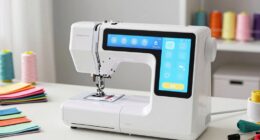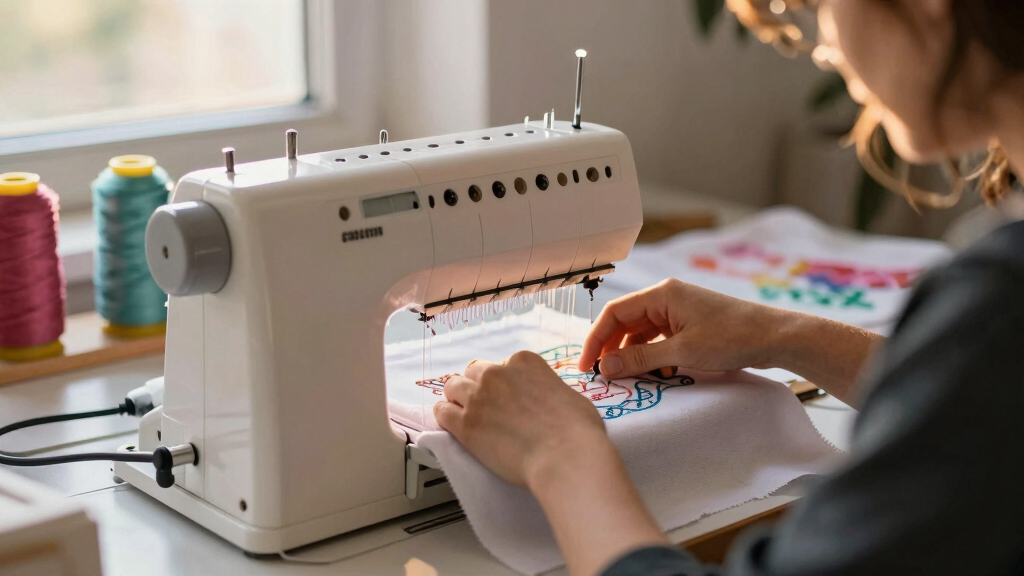
If you’re new to embroidery and searching for the best machine to start with, you’re in the right place. The Brother SE2000 stands out as the overall best for its user-friendly features and versatile functions, while the PooLin EOC06 offers a larger embroidery area for more ambitious projects. Another solid option, the Brother PE545, balances affordability with a decent selection of built-in designs. These choices highlight the key tradeoffs in this category: ease of use versus features, size versus portability, and upfront cost versus expandability. Keep reading for a detailed breakdown to find your ideal beginner embroidery machine.
Key Takeaways
- Top picks combine ease of use with sufficient features to grow with a beginner.
- Larger embroidery areas are appealing but can increase machine complexity and cost.
- Wireless connectivity and touchscreen controls significantly improve user experience.
- Entry-level machines often have fewer built-in designs but allow for easy upgrades.
- Budget-friendly options often sacrifice some versatility but are perfect for learning.


More Details on Our Top Picks
Brother Skitch Single-Needle Embroidery Machine with Artspira App, 4” x 4” Embroidery Area, Bluetooth Connectivity
The Brother Skitch stands out for its ultra-compact size and ease of use, making it ideal for absolute beginners who want to dip into embroidery without a steep learning curve. Compared to larger machines like the PooLin EOC06, it’s much simpler and more manageable, but that also means it’s limited to small projects with a 4″ x 4″ embroidery area. Its Bluetooth feature and compatibility with the Artspira app streamline importing designs, although reliance on the app can be a drawback if you prefer offline work or want to expand design options beyond the 20 stored files. Its single-purpose design keeps things straightforward, but it won’t suit those who also want to sew or do larger, more complex embroidery. This pick makes the most sense for crafters who prioritize portability and simplicity over design size or versatility.
Pros:- Extremely user-friendly with minimal setup
- Compact size fits small craft spaces
- Allows importing custom designs via Bluetooth and Artspira
Cons:- Embroidery-only machine, no sewing function
- Limited to a 4″ x 4″ embroidery area
- Requires the Artspira app, which may be restrictive
Best for: Beginners interested in small, personalized embroidery projects, especially those with limited space
Not ideal for: Users seeking a full sewing and embroidery combo machine or larger embroidery areas
- Embroidery Area:4″ x 4″
- Connectivity:Bluetooth
- Design Import Formats:PES, PHC, PHX, DST
- Design Storage:Up to 20 designs
- Speed:Up to 400 spm
- Power Supply:120V US only
Bottom line: This machine best suits beginners who want a simple, portable embroidery device for small projects.
Brother SE2000 Computerized Sewing and Embroidery Machine
The Brother SE2000 offers a strong balance of sewing and embroidery capabilities, making it ideal for beginners who want to explore both crafts without investing in separate machines. Its larger 5″ x 7″ embroidery area and 190+ built-in designs, along with a 3.7-inch touchscreen, provide versatility that surpasses the smaller Brother PE545. Compared with the PooLin EOC06, it’s more accessible for novices thanks to its simplified interface and combined functions, but it can be complex for absolute beginners not familiar with digital interfaces, and its higher price may be a barrier for casual users. This model is perfect for those who want a machine that grows with their skills and combines sewing with embroidery projects, even if it requires some initial learning.
Pros:- Large embroidery area for bigger, more complex designs
- Touchscreen interface with editing tools for customization
- Wireless connectivity for easy design transfer
Cons:- Can be overwhelming for complete beginners unfamiliar with digital interfaces
- Higher price point may not appeal to casual hobbyists
- Limited to 120V US use, restricting international use
Best for: Beginners ready to learn both sewing and embroidery with a single machine that offers room to grow
Not ideal for: Total novices who prefer simple, dedicated embroidery-only machines or those with minimal features
- Embroidery Field:5″ x 7″
- Built-in Designs:190+
- Downloadable Designs:50
- Embroidery Fonts:13
- Stitches:241
- Touchscreen:3.7-inch LCD
Bottom line: This machine suits beginners who want a versatile, feature-rich option that can handle sewing and embroidery as their skills develop.
PooLin EOC06 Computerized Embroidery Machine, 11″x7.9″ Max Embroidery Area, 7″ Touchscreen, 200 Built-in Designs, Wireless & USB Connectivity
The PooLin EOC06 excels with its massive 11″ x 7.9″ embroidery area, ideal for bigger, more detailed projects compared to smaller machines like the Brother PE545. Its 7-inch color touchscreen makes design editing straightforward, and the inclusion of 200 built-in patterns plus extensive accessories appeals to users who want to create complex, personalized embroidery. However, its size and feature set can be intimidating for complete beginners, especially those without prior experience in digitizing or machine maintenance. Unlike the compact Brother Skitch, it’s better suited for hobbyists or semi-professionals willing to handle a steeper learning curve. This model is perfect for users who aim to create large, intricate embroidery and are comfortable with a more involved setup.
Pros:- Huge embroidery area for versatile projects
- Large, user-friendly 7-inch touchscreen
- Supports wireless and USB file transfer
Cons:- Steeper learning curve due to size and advanced features
- No sewing functions, strictly embroidery
- Requires more space and maintenance effort
Best for: Beginner hobbyists interested in large, detailed embroidery projects and willing to learn advanced features
Not ideal for: Absolute beginners seeking a simple, portable machine for small projects or quick setup
- Max Embroidery Area:11″ x 7.9″
- Touchscreen:7-inch LCD color display
- Built-in Designs:200
- Included Hoops:5.5″x5.5″, 8″x8″, 7.9″x11″
- Connectivity:Wireless LAN, USB
- Included Accessories:threads, stabilizers, needles
Bottom line: Best suited for ambitious beginners ready to tackle large projects and comfortable with a complex machine setup.
Brother PE545 Embroidery Machine with Wireless Connectivity and 135 Built-in Designs
The Brother PE545 offers a straightforward embroidery experience with a 4″ x 4″ field and 135 built-in designs, making it a practical choice for absolute beginners who want to start customizing textiles without complexity. Its 3.7-inch color touchscreen simplifies design selection and editing, and wireless connectivity streamlines pattern transfer compared to older models. Compared to the larger PooLin EOC06, it’s more compact and easier to operate, but its limited 4″ x 4″ field restricts larger project options. It’s ideal for hobbyists who want an affordable, dedicated embroidery machine without the learning curve of more advanced models, but those seeking sewing capabilities or larger embroidery areas should look elsewhere.
Pros:- Simple, user-friendly interface
- Wireless transfer makes design loading quick
- Affordable price for entry-level embroidery
Cons:- Limited to embroidery only, no sewing features
- Small embroidery field of 4″ x 4″
- No advanced editing options beyond basic adjustments
Best for: Beginners seeking a dedicated, easy-to-use embroidery machine for small projects
Not ideal for: Users who want to expand into sewing or larger embroidery designs
- Embroidery Area:4″ x 4″
- Built-in Designs:135
- Touchscreen:3.7-inch LCD
- Connectivity:Wireless LAN, USB
- Fonts:10
- Voltage:120V
Bottom line: This machine is perfect for beginners wanting a straightforward, dedicated embroidery device for small-scale projects.
Smartstitch S-1001 Upgraded Commercial Embroidery Machine with 10 Needles and 7″ Touch Screen
The Smartstitch S-1001 packs significant features into a compact form, including 10 needles, a 7-inch touchscreen, and an impressive embroidery area of 9.5″ x 14.2″. Its auto thread trimming, color changing, and laser positioning make it suitable for beginners who are ready to handle a more sophisticated machine, especially for larger or multiple projects. Its high stitch capacity and automation set it apart from basic models like the Brother PE545 or Skitch, but the complexity and price could be concerns for true newcomers who prefer a simple, plug-and-play setup. This model is best for beginners with some experience seeking a machine that offers professional features without overwhelming complexity.
Pros:- Advanced automation features like auto thread trimming
- Large embroidery capacity for big projects
- Easy-to-use 7″ touch screen with intuitive controls
Cons:- Steeper learning curve for complete beginners
- Higher price point reflects its commercial-grade features
- Requires proper maintenance and handling
Best for: Beginners with basic sewing skills seeking a multi-needle machine for large, detailed embroidery
Not ideal for: Total novices or those only interested in small projects or single-needle embroidery
- Needles:10
- Max Speed:1200 SPM
- Embroidery Area:9.5″ x 14.2″
- Stitch Memory:up to 100 million stitches
- Features:Auto thread trimming, laser positioning
- Touch Screen:7 inches
Bottom line: Ideal for ambitious beginners ready to explore high-capacity, multi-needle embroidery with advanced features, even if it takes some time to learn.
PooLin EOC03 Embroidery Machine with 4×4 & 4×9.25 Inch Embroidery Areas for Beginners
The PooLin EOC03 stands out for offering two embroidery sizes, making it ideal for users who want to experiment with both small and medium projects without upgrading. Its 130 built-in designs and WiFi transfer simplify customization, especially for those new to digital design. Compared with the Brother SE700, which combines sewing and embroidery with a larger touchscreen, the EOC03 focuses solely on embroidery, keeping the interface straightforward for absolute beginners. However, it lacks advanced features like extensive editing tools or larger embroidery areas, which might limit growth for more ambitious crafters. This pick makes the most sense for hobbyists seeking versatility and ease of use in a beginner-friendly package, but less so for those planning larger or more complex projects.
Pros:- Multiple embroidery sizes for versatile projects
- WiFi transfer simplifies design customization
- Includes comprehensive starter kit and tutorials
- Easy-to-use interface suitable for absolute beginners
Cons:- Limited advanced editing features
- Requires internet connection for WiFi design transfer
- Design options may feel restrictive for experienced users
Best for: Beginners who want to explore both small and medium embroidery projects with minimal fuss
Not ideal for: Users aiming for large-scale embroidery or professional-level features, as the design options and capabilities are somewhat limited
- Embroidery Area:4×4 and 4×9.25 inches
- Built-in Designs:130
- Fonts:8
- Connectivity:WiFi
- Included Components:embroidery machine, table, thread stand, threads, stabilizers, bobbins, tools
- Model Number:EOC03
- Year:2026
Bottom line: This machine is perfect for beginners seeking straightforward, versatile embroidery options at an affordable price.
Brother SE700 Sewing and Embroidery Machine with Touchscreen, Wireless Connectivity, and Built-in Designs
The Brother SE700 combines sewing and embroidery in one machine, making it ideal for crafters who want dual functionality without investing in separate devices. Its large 3.2-inch color touchscreen facilitates editing and selection, surpassing simpler models like the PooLin EOC03. While this versatility is appealing, the SE700’s complexity and higher price point might challenge true beginners who prefer a more focused, less intimidating experience. Compared to the D492, which emphasizes ease with automatic features and a larger embroidery area, the SE700 offers more built-in designs and connectivity options but requires a steeper learning curve. Overall, it makes sense for hobbyists ready to expand their skills into both sewing and embroidery, but less so for absolute newcomers seeking simplicity.
Pros:- Combines sewing and embroidery in one device
- Large, intuitive touchscreen display
- Wireless pattern transfer for convenience
- Extensive selection of built-in designs and stitches
Cons:- Higher price may be prohibitive for some beginners
- Steeper learning curve due to multifunctionality
- More complex interface can be intimidating
Best for: Beginners who want a combined sewing and embroidery machine with a broad range of built-in designs and modern features
Not ideal for: Complete novices seeking the simplest, most straightforward embroidery-only experience, as the interface and functions may be overwhelming
- Embroidery Designs:135
- Stitches:103
- Touchscreen:3.2 x 1.8 inch color LCD
- Wireless Connectivity:Yes
- Included Accessories:sewing accessories bundle
Bottom line: This machine suits beginners ready to tackle both sewing and embroidery with a modern, feature-rich tool, despite its complexity.
Brother SE700 Sewing and Embroidery Machine, Wireless LAN Connected, 135 Built-in Designs, 103 Stitches, 4″ x 4″ Embroidery Area, 3.7″ Touchscreen, White
The Brother SE700 in this variant emphasizes its compact size with a 4″ x 4″ embroidery area and a 3.7-inch LCD touchscreen, making it ideal for users with limited space or who prefer a streamlined device. Its wireless connectivity, combined with automatic needle threading, offers a user-friendly experience, especially compared to less connected models. However, the smaller embroidery area can be limiting for larger projects, and the machine’s complexity might be daunting for pure beginners. Compared with the PooLin EOC03, which is more straightforward and focused solely on embroidery, the SE700 balances ease of use with versatility, though at a higher cost and with some size restrictions. This machine is perfect for hobbyists seeking a compact, capable device but not for those planning extensive or large embroidery designs.
Pros:- Compact size fits small spaces
- Wireless connectivity for easy design transfer
- Automatic needle threading enhances convenience
- Large, clear touchscreen for editing
Cons:- Limited embroidery area restricts larger projects
- More complex setup for beginners unfamiliar with digital features
- Higher price relative to basic dedicated embroidery models
Best for: Beginner crafters who want a space-saving, all-in-one embroidery and sewing machine with modern connectivity features
Not ideal for: Users intending to work on large embroidery projects or seeking the simplest, most dedicated embroidery-only machine
- Built-in Designs:135
- Built-in Stitches:103
- Embroidery Area:4″ x 4″
- Touchscreen:3.7-inch LCD
- Connectivity:Wireless LAN, USB, App
Bottom line: Ideal for space-conscious beginners wanting an all-in-one machine with wireless features, despite size and project size limitations.
D492 Embroidery Machine with 4.5″ x 7″ Area for Beginners, Home DIY, Sewing & Embroidery Machine with Hoops, 180 Built-in Designs, 7-Inch Touchscreen, Auto Threader & Cutter
The D492 offers a notably larger 4.5″ x 7″ embroidery area, making it a strong choice for beginners who want to work on bigger designs or multiple smaller projects without frequent hoop changes. Its 180 built-in designs and a 7-inch touchscreen provide a user-friendly interface for adjusting and previewing designs, which is a step up from more compact models like the Brother SE700. While it combines embroidery and basic sewing functions, the learning curve might be steeper for complete newcomers due to its more advanced features. Compared to the PooLin EOC03, which focuses solely on embroidery, the D492’s larger workspace and additional functions make it more versatile, though it may require more time to master. This machine is best for beginners who plan to expand into larger or more complex embroidery projects early on.
Pros:- Larger 4.5″ x 7″ embroidery area for bigger projects
- User-friendly 7-inch touchscreen for editing
- Automatic threader and cutter for ease
- Combines embroidery with basic sewing capabilities
Cons:- Higher complexity may challenge total beginners
- Larger footprint might not suit small spaces
- Lack of advanced editing features for professional use
Best for: Beginners interested in larger embroidery designs and versatile DIY projects that may grow in complexity
Not ideal for: Absolute beginners seeking the simplest, most straightforward embroidery machine without additional sewing functions
- Embroidery Area:4.5″ x 7″
- Built-in Designs:180
- Touchscreen:7-inch
- Automatic Features:Threader and cutter
- Model Number:1 needle
- Year:2025
Bottom line: This machine fits beginners eager to work on larger embroidery projects early in their crafting journey, accepting a slightly steeper learning curve.
Brother SE700 Combo Embroidery & Sewing Machine with 4 Embroidery Hoops, Embroidery Thread Set & Accessories
The Brother SE700 Bundle excels as an all-inclusive package for beginners who want both sewing and embroidery with extensive accessories, including multiple hoops, threads, and feet. Its 4″ x 4″ embroidery area and 3.7-inch LCD touchscreen make it accessible for new users, and the variety of included components reduces the need for separate purchases. Compared with the Brother SE2000, which offers similar functions but with more stitches and a larger workspace, this bundle provides excellent value for those starting out and wanting a complete kit. However, the smaller embroidery area and additional complexity might be overwhelming for absolute novices. This setup is ideal for hobbyists eager to explore various projects without buying extra accessories upfront, but it may be less suitable for those wanting simplicity or larger embroidery designs.
Pros:- Extensive accessory bundle for versatile projects
- Multiple embroidery hoops and thread spools included
- Wireless connectivity for design transfer
- User-friendly LCD touchscreen for editing
Cons:- Smaller embroidery area limits larger designs
- Complex setup could be intimidating for some beginners
- Higher cost due to bundle contents
Best for: Beginners seeking a comprehensive starter kit with multiple accessories and a focus on both sewing and embroidery
Not ideal for: Complete beginners who prefer a very simple, minimal setup and larger embroidery areas for bigger projects
- Embroidery Area:4″ x 4″
- Built-in Designs:135
- Stitches:103
- Connectivity:Wireless LAN
- Included Components:hoops, threads, accessories
- Display:3.2
- Model:BRHTR-SE700-BUNDLE-10
Bottom line: This all-in-one bundle suits beginners wanting a rich set of tools and accessories to jumpstart their embroidery and sewing hobby, despite some complexity.
Cyanfour Embroidery Kit for Beginners, 4-Stage Learning with 38 Stitches, Includes Accessories and Video Tutorials
This all-in-one embroidery kit is ideal for those just starting out or looking for a comprehensive learning experience. Unlike machines that focus solely on digital features, this kit offers a structured, multi-stage learning process with 38 stitches and detailed video tutorials, making it accessible for both adults and teens. Its strength lies in the included supplies and guided instructions, which reduce the need for separate purchases. However, its complexity can be a hurdle for absolute beginners, and it’s limited strictly to embroidery, not sewing or other crafts. The kit’s focus on educational value makes it perfect for hobbyists eager to build skills step by step, but those seeking quick, standalone machine setups might find it less convenient.
Pros:- Includes all necessary tools, accessories, and detailed tutorials for a complete learning experience
- Structured 4-stage process suitable for progressing from basic to advanced embroidery skills
- Great gift option for craft enthusiasts of all ages
Cons:- Higher learning curve for those who prefer instant results or quick projects
- Limited to embroidery only, not versatile for sewing or other crafts
Best for: Beginner crafters who want a guided, educational introduction to embroidery and enjoy learning with all-in-one kits
Not ideal for: Advanced users or crafters looking for a machine that handles sewing or larger projects without extensive instructions
- Brand:CYANFOUR
- Model:Embroidery Kit for Beginners-4 Sets
- Included Components:Instruction Guide, embroidered fabrics with patterns, embroidery hoop, embroidery supplies, needle and thread kit
- Age Range:Adult; Teen
- Warranty:90 days from purchase
- Best Sellers Rank:#227 in Arts, Crafts & Sewing, #1 in Embroidery Kits
Bottom line: This kit is best suited for beginners eager for guided learning and comprehensive starter tools, but less ideal for those wanting immediate, standalone machine use.
Brother PE900 Embroidery Machine with WLAN
The Brother PE900 stands out for its generous 5″ x 7″ embroidery area and a vibrant 3.7-inch color touchscreen, making design editing straightforward and accessible. Compared to the PooLin EOC05, which offers a slightly smaller workspace, the PE900’s larger area supports bigger, more detailed projects. Its wireless transfer capability via the Artspira app adds convenience, though it requires updates and a compatible app, which can be a slight hassle for some users. This machine is ideal for hobbyists who want digital flexibility and bigger embroidery sizes without sacrificing ease of use. Still, it’s an embroidery-only model, so those looking for sewing features should consider other options like the Brother SE2000.
Pros:- Large 5″ x 7″ embroidery space for bigger projects
- Wireless design transfer via mobile app simplifies workflow
- Intuitive color touchscreen with editing features for personalization
- Automatic needle threader speeds setup
Cons:- Embroidery-only functionality limits versatility for sewing projects
- Requires firmware updates and app management, which can be cumbersome for some
Best for: Intermediate hobbyists who value large embroidery areas and digital editing with wireless transfer capabilities
Not ideal for: Complete beginners or users seeking a combined sewing and embroidery machine or ultra-simple setups
- Embroidery Area:5″ x 7″
- Built-in Designs:193
- Fonts:13
- Touchscreen:3.7-inch LCD
- Wireless Connectivity:Yes
- Included Designs:50 free via Artspira app
Bottom line: This model is ideal for users seeking a larger embroidery area and digital convenience, but not suited for those wanting sewing capabilities or minimal tech setup.
PooLin EOC05 Embroidery Machine with 4×9.25 Inch Area and 7-Inch Touchscreen
The PooLin EOC05 offers a sizable 4 x 9.25 inch embroidery area and a large 7-inch touchscreen, making it a strong choice for those who want to work on larger designs with straightforward controls. Compared to the Brother PE900, it provides a slightly different workflow, with an emphasis on personal projects and simple setup. Its included free design software and WiFi transfer streamline customization, perfect for hobbyists who want to create personalized clothing or gifts. However, it’s limited to embroidery only, and some setup is required to maximize its features. This machine suits beginners who prioritize size and ease but may be less appealing for those wanting sewing functionality or commercial-grade durability.
Pros:- Large embroidery area suitable for bigger designs
- 7-inch touchscreen simplifies navigation and editing
- Includes free design software and WiFi transfer for easy customization
- Compact size fits well into home environments
Cons:- Limited to embroidery functions, no sewing capabilities
- Requires some learning curve to fully utilize design software and WiFi features
Best for: Home users and hobbyists focusing on larger embroidery projects with easy-to-use controls and free design tools
Not ideal for: Those seeking a combo machine with sewing and embroidery or professional commercial use
- Embroidery Area:4 x 9.25 inches
- Touchscreen:7-inch color display
- Design Software:Included free software
- Connectivity:WiFi and USB
Bottom line: This embroidery-only machine is best for hobbyists needing larger design space and user-friendly controls, but not for users wanting sewing features or heavy-duty use.
How We Picked
I evaluated each embroidery machine based on ease of setup, user interface, build quality, feature set, and value for beginners. Machines with intuitive controls, helpful tutorials, and reliable performance ranked higher, while those with excessive complexity or steep learning curves were rated lower. The importance of connectivity options, embroidery size, and included designs also played a significant role in the ranking. This approach ensures that each model selected offers a practical balance of features and affordability, making them suitable starting points for newcomers.Factors to Consider When Choosing Best Embroidery Machine For Beginners
Choosing the best embroidery machine for beginners involves balancing features, ease of use, and cost. It’s important to focus on what will help you learn and grow without overwhelming you. Here are key factors to consider before making your purchase:Ease of Use
For beginners, a machine with a straightforward interface, clear instructions, and helpful tutorials can make all the difference. Touchscreen controls, automatic threaders, and simple design selection reduce the learning curve. Avoid overly complex models that require extensive manual reading or setup, as they can discourage new users.
Embroidery Area Size
The size of the embroidery field determines what projects you can undertake. Smaller areas like 4″ x 4″ are more portable and easier to manage for small projects, but larger fields like 5″ x 7″ or more open up creative possibilities. Consider your project ambitions and storage space when choosing the right size.
Connectivity & Digital Features
Wireless connectivity, touchscreen interfaces, and pre-loaded designs streamline the embroidery process. These features help beginners quickly access design options and transfer files easily. However, more advanced connectivity can increase the machine’s cost and complexity—so assess your comfort level with digital tools.
Design Library & Expandability
Look for machines that come with a good selection of built-in designs, especially for starting out. Consider whether you can add new designs via USB or Wi-Fi later. Machines with expandable design options offer more flexibility as your skills grow.
Price & Value
Entry-level machines are available at various price points. While a lower price can be attractive, it may limit features or durability. Investing a bit more often delivers better build quality, more features, and a more satisfying experience for beginners who will be practicing regularly.
Frequently Asked Questions
Can I upgrade a beginner embroidery machine later?
Yes, many beginner embroidery machines are designed with expandability in mind. Features like USB ports, Wi-Fi connectivity, and larger embroidery hoops allow you to add new designs and upgrade capabilities over time. However, it’s wise to choose a model with these options from the start if you anticipate growing your skills or taking on more complex projects.
How important is the number of built-in designs for beginners?
Built-in designs provide immediate inspiration and help you get started right away, which is especially valuable for beginners. A machine with a decent collection—around 100 designs or more—reduces the need to buy external files initially. But remember, as your skills develop, the ability to add new designs becomes more important than the initial quantity.
Should I prioritize a larger embroidery area or portability?
This depends on your projects and workspace. Larger embroidery areas enable more ambitious projects but often make the machine bigger and less portable. If you plan to take your machine to classes or craft fairs, portability might be more important. For home use, a larger field can offer greater creative freedom.
Are automatic features worth paying extra for?
Automatic features like thread cutting, thread tension adjustment, and hoop positioning save time and reduce frustration. While they add to the upfront cost, these features often make embroidery easier for beginners and can accelerate your learning process. If ease of use is a priority, investing in a machine with these features is typically worthwhile.
What’s the best budget-friendly embroidery machine for beginners?
Machines in the entry-level price range often offer enough features for learning without overwhelming complexity. The Brother PE545, for example, provides a solid balance of design options, connectivity, and ease of use at an affordable price. However, be cautious of models that cut corners on build quality or limit design choices, as these can hinder your progress.
Conclusion
For newcomers seeking a straightforward start, the Brother SE2000 offers a fantastic balance of features and ease of use, making it the best overall choice. If budget is a concern, the Brother PE545 delivers reliable performance at a lower price point, ideal for beginners testing the waters. For those ready to invest in a more advanced, feature-rich machine, the PooLin EOC06 provides a larger workspace and extensive design options. Beginners focused on learning should prioritize models with simple controls and good support, while more experienced hobbyists might look for expandability and higher embroidery area. Keep your project goals and comfort level in mind to find the best fit for your embroidery journey.