If your Milwaukee M18 charger is blinking red, it indicates a problem that needs attention to keep your power tools operational. This guide provides clear, practical steps to diagnose and resolve the issue, ensuring safety and efficiency. Whether you’re a professional tradesperson or a DIY enthusiast, understanding the common causes can save you time and prevent damage to your batteries or charger.

Get business pricing on tools and workshop supplies
- Business-only prices and quantity discounts
- Tax-exempt purchasing
- Multiple users, one account, clear invoices
We’ll walk you through the most common reasons for a red blinking light and how to fix them safely, including inspecting batteries, cleaning contacts, and ensuring proper usage. Keep your tools in top shape with these reliable troubleshooting tips.
Key Takeaways
| Red blinking indicates issues | The charger blinks red to signal a problem with battery or charging process. |
| Battery health matters | Faulty or incompatible batteries can cause blinking red signals. |
| Clean contacts regularly | Dirty or corroded contacts prevent proper charging and may trigger the red blink. |
| Temperature affects charging | Extreme cold or heat can cause the charger to blink red to protect batteries. |
| Ensure proper connection | Securely attach batteries and avoid charging damaged or incompatible units. |
Identify the Cause of the Blinking Red Light
The first step is to understand what the blinking red light signifies. On Milwaukee chargers, a red blinking typically indicates a problem such as battery health issues, temperature concerns, or connection errors. Carefully observe the pattern of blinking—how many times it blinks or if it’s continuous—as this can help narrow down the cause.
Common causes include incompatible batteries, damaged contacts, or batteries that are too cold or hot. By diagnosing the specific issue, you can apply the correct fix and restore proper charging functionality.
Inspect and Test Your Batteries
- Remove the batteries from the charger and inspect for visible damage, swelling, or corrosion on contacts.
- Attempt to charge each battery individually. If one battery charges normally while another blinks red, the problematic battery may be faulty.
- Use a Milwaukee compatible battery, such as the Milwaukee 48-11-1850R 5.0 Ah XC Extended Capacity or the Milwaukee M18 HIGH Output XC 6.0Ah Battery, to test if the issue persists with different units.
- If batteries are old or show signs of damage, replace them with new, compatible Milwaukee batteries.
Check and Clean the Charging Contacts
Dirty or corroded contacts are a common cause of charging issues. Use a clean, dry cloth or a soft brush to gently clean the metal contacts on both the batteries and the charger.
Ensure there is no debris, oil, or residue that could interfere with electrical contact. After cleaning, reattach the batteries and try charging again. Proper contact is essential for safe and efficient charging, and cleaning can often resolve blinking red signals caused by poor connection.
Ensure Correct Temperature Conditions
Milwaukee chargers and batteries have temperature safety features. Charging in extreme cold (below 0°F / -18°C) or heat can cause the charger to blink red to prevent damage.
Move batteries to a warmer or cooler environment as needed—ideally between 32°F and 104°F (0°C to 40°C). Wait at least 15 minutes before attempting to charge again. This simple step often resolves blinking issues caused by temperature extremes.
Verify Compatibility and Connection Security
Make sure you are using compatible Milwaukee batteries with the charger model. The charger is designed for Milwaukee M18 batteries, such as the 48-11-1850R or the 6.0Ah XC packs.
Securely insert the batteries into the charger, ensuring they click into place. Avoid forcing them, as improper insertion can cause blinking red lights. If a battery is damaged or incompatible, the charger will not recognize it properly and may blink red to indicate an error.
When to Replace or Seek Professional Help
If you’ve tried all troubleshooting steps without success, the charger or batteries may be faulty or damaged beyond simple repair. Consider replacing the batteries with genuine Milwaukee units and testing the charger with known working batteries.
For persistent issues, contact Milwaukee customer support or a qualified service technician. Avoid attempting to repair electrical components yourself, as this can be dangerous and void warranties.
The Products in This Guide

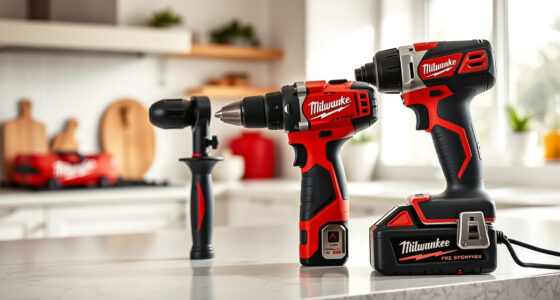
Milwaukee M18 18V Cordless Power Tool Combo Kit
- ✔ Battery Type: Li-ion
- ✔ Voltage: 18V
- ✔ Included Batteries: 3

Milwaukee Shockwave 100pcs Impact Driver Bit Set Packout
- ✔ Pieces: 100
- ✔ Material: Steel
- ✔ Case: Packout
Milwaukee M18 18V Cordless Power Tool Combo Kit
The Milwaukee M18 18V Cordless Power Tool Combo Kit offers a comprehensive set ideal for various construction and maintenance tasks. It includes 8 tools, 3 batteries, and a rapid charger, making it a dependable choice for professionals and DIYers alike.
Pros:
- Includes 8 versatile tools
- 3 high-capacity batteries
- Fast charger for minimal downtime
- Durable and well-organized storage
Cons:
- Heavy for extended use
- Battery management can be complex
- Initial cost is higher
Best for: Construction, remodeling, and maintenance projects requiring multiple tools
Not ideal for: Light DIY tasks or occasional use due to weight and cost
Bottom line: A comprehensive, durable set ideal for demanding jobs requiring multiple tools.
Milwaukee Shockwave 100pcs Impact Driver Bit Set Packout
The Milwaukee Shockwave 100pcs Impact Driver Bit Set Packout offers a wide variety of bits designed to withstand tough applications, perfect for use with your Milwaukee impact driver from the combo kit.
Pros:
- Large variety of bits
- Durable impact-resistant construction
- Packout case for organization
- Great value for frequent users
Cons:
- Bit sizes may vary from needs
- Heavy packout case when fully loaded
- Some bits may not suit light tasks
Best for: Heavy-duty driving and fastening tasks in construction and remodeling
Not ideal for: Light DIY projects or occasional use
Bottom line: A comprehensive bit set that enhances your Milwaukee impact driver’s performance.
Frequently Asked Questions
What does a blinking red light on the Milwaukee charger mean?
It indicates a problem such as battery incompatibility, temperature issues, or contact problems that need troubleshooting.
How do I fix a blinking red light on my Milwaukee charger?
Inspect and clean the contacts, check battery health, ensure proper temperature conditions, and verify compatibility before retrying charging.
Can I use any Milwaukee battery with my charger?
No, only compatible Milwaukee M18 batteries designed for your specific charger model should be used to prevent errors.
What should I do if my batteries won’t charge and the charger blinks red?
Test the batteries for damage, clean the contacts, try different batteries, or replace faulty units. If issues persist, seek professional help.
Is it safe to continue charging if the charger blinks red?
No, blinking red signals a problem. Continuing to attempt charging can cause damage or safety hazards. Follow troubleshooting steps first.
Keep Your Milwaukee Tools Charging Safely and Efficiently
Dealing with a blinking red light on your Milwaukee charger can be frustrating, but most issues are straightforward to resolve with proper troubleshooting. Regularly inspecting your batteries, cleaning contacts, and ensuring proper environmental conditions will help maintain optimal performance. Remember to always use compatible and undamaged batteries for safe, reliable charging.
By following these steps, you can extend the life of your batteries and keep your Milwaukee tools ready for any job, big or small. When problems persist, consulting manufacturer support or replacing faulty components ensures safety and continued productivity.
Affiliate disclosure: As an Amazon Associate we earn from qualifying purchases. Prices and availability are accurate as of the time of publishing.
Fall yard work Picks
leaf blowers
As an affiliate, we earn on qualifying purchases.