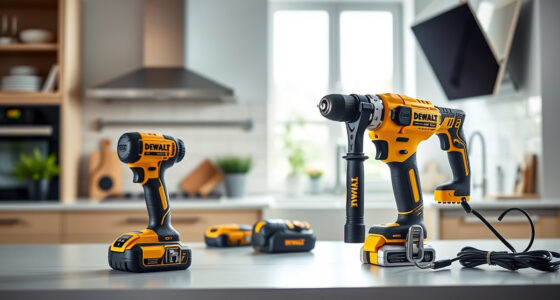
Maintaining your DEWALT FLEXVOLT drill is essential for ensuring its longevity and optimal performance. Regular cleaning removes dust, debris, and buildup that can hinder operation. This guide provides clear, safe steps to clean your FLEXVOLT drill properly, helping you keep your tool in peak condition.

Get business pricing on tools and workshop supplies
- Business-only prices and quantity discounts
- Tax-exempt purchasing
- Multiple users, one account, clear invoices
Follow these instructions carefully to avoid damaging sensitive parts and to ensure your drill remains safe and effective for all your projects.
Key Takeaways
| Regular cleaning extends tool life | Frequent removal of dust and debris prevents buildup and maintains performance. |
| Use proper tools | Soft brushes and compressed air are safest for cleaning delicate components. |
| Avoid moisture damage | Never submerge the drill or use excessive water during cleaning. |
| Clean battery contacts | Ensures good electrical connection and longer battery life. |
| Check for damage | Inspect for cracks, corrosion, or loose parts during cleaning. |
Popular right now

Dyson Ball Animal 3 Upright Vacuum – Corded, 290 AW, De‑tangling Motorbar Cleaner Head, 3 Suction Modes

Ninja Foodi DZ201 8-Quart DualZone 6-in-1 Air Fryer

KitchenAid Artisan 5-Qt Tilt-Head Stand Mixer – Dried Rose (KSM150PS)
As an affiliate, we earn on qualifying purchases.
Gather Your Cleaning Supplies
- Soft-bristled brush or toothbrush
- Compressed air canister
- Clean, dry cloth or microfiber towel
- Isopropyl alcohol (if needed for contacts)
Power Down and Remove the Battery
Before cleaning, ensure the drill is turned off and disconnect the battery to prevent accidental activation. Remove the battery pack from the drill following the manufacturer’s instructions.
Clean Exterior and Vents
- Use the soft brush to gently remove dust from vents, buttons, and crevices.
- Hold the drill upside down and spray compressed air to blow out dust from internal vents and hard-to-reach areas.
Wipe Down the Surface
Use a dry, lint-free cloth to wipe the exterior of the drill. For stubborn grime, lightly dampen the cloth with water or isopropyl alcohol. Avoid using excessive moisture.
Clean Battery Contacts
Inspect the battery contacts for dirt or corrosion. Use a dry cloth or a small amount of isopropyl alcohol on a cotton swab to clean contacts carefully. Make sure contacts are dry before reattaching the battery.
The Products in This Guide

DEWALT 20V MAX Cordless Drill Driver Set
- ✔ Weight: 3.4 lbs
- ✔ Warranty: 3 years
- ✔ Includes: Battery and charger

DEWALT Drill Bit Set
- ✔ Durability: High
- ✔ Compatibility: All 3-flats shank drills
- ✔ Application: Wood, metal, plastic
DEWALT 20V MAX Cordless Drill Driver Set
The DEWALT 20V MAX Cordless Drill Driver Set stands out for its brushless motor, lightweight design, and reliable LED lighting. Regular cleaning will help preserve its performance and extend its lifespan.
Pros:
- Brushless motor for longer run time
- Lightweight and ergonomic
- LED work light with delay
- 2-speed transmission
Cons:
- Requires periodic cleaning for optimal performance
- Battery life dependent on usage
- Limited to 2.0 Ah batteries included
Best for: General-purpose drilling and fastening in tight spaces
Not ideal for: Heavy-duty industrial applications requiring more power
Bottom line: A versatile and reliable cordless drill ideal for various tasks.
DEWALT Drill Bit Set
Pair your DEWALT drill with this 14-piece drill bit set featuring 135-degree split points for reduced walking and increased accuracy. Ideal for use after cleaning the drill’s chuck and bits for optimal performance.
Pros:
- High Speed Steel for durability
- Split point design reduces walking
- Easy size identification
- Suitable for plastic, wood, metal
Cons:
- Limited to specific materials
- No carrying case included
- Requires proper storage
Best for: Drilling into various materials with precision
Not ideal for: Heavy-duty industrial drilling
Bottom line: A reliable drill bit set for versatile and precise drilling tasks.
Frequently Asked Questions
Can I submerge my DEWALT drill in water to clean it?
No, do not submerge the drill or expose it to excessive moisture. Use a damp cloth and compressed air for cleaning.
How often should I clean my DEWALT FLEXVOLT?
Regular cleaning after each use, especially if working in dusty or dirty environments, helps maintain performance.
Is it safe to use compressed air on the motor vents?
Yes, using compressed air to blow out dust from vents is safe when done carefully, ensuring the drill is unplugged or the battery is removed.
What should I do if my battery contacts are corroded?
Clean the contacts gently with a cloth or a cotton swab dipped in isopropyl alcohol and dry thoroughly before reattaching.
Keep Your DEWALT FLEXVOLT Performing at Its Best
Regular cleaning of your DEWALT FLEXVOLT drill not only prolongs its lifespan but also ensures it operates safely and efficiently. Follow these simple steps to maintain your tool, and always handle it with care during cleaning. Proper maintenance means better performance and a longer-lasting investment.
Affiliate disclosure: As an Amazon Associate we earn from qualifying purchases. Prices and availability are accurate as of the time of publishing.