Maintaining your DEWALT brushless drill is essential for keeping it running smoothly and extending its lifespan. Proper cleaning removes dust, debris, and buildup that can affect performance. In this guide, you’ll find clear, practical steps to clean your drill safely and effectively.
Always prioritize safety and use appropriate tools and methods to avoid damaging the drill or harming yourself.
Key Takeaways
| Regular cleaning extends lifespan | Keeping your drill clean prevents dust buildup that can impair performance. |
| Use appropriate tools | Soft brushes and compressed air are recommended for cleaning delicate parts. |
| Avoid moisture damage | Never immerse your drill in water or use excessive liquid during cleaning. |
| Ensure safety precautions | Disconnect the battery before cleaning to prevent accidental activation. |
| Focus on ventilation and motor | Clean vents and motor housing to prevent overheating and ensure airflow. |

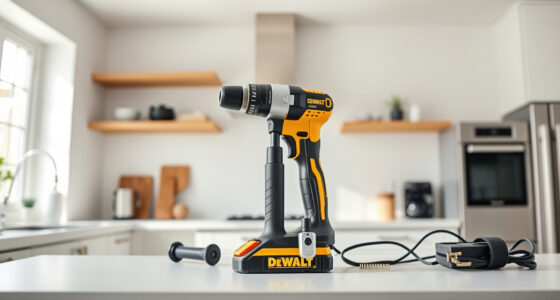
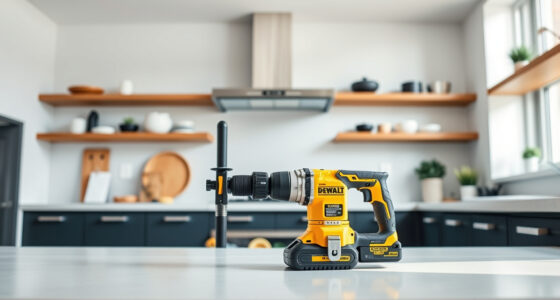
DEWALT 20V MAX Cordless Drill Driver Set, Electric Drill, Brushless 1/2 In 2 Speed, 2.0 Ah Battery and Charger Included, LED Light (DCD777D1)
- Motor Type: Brushless motor for longer run time
- Size: Compact 7.6-inch design
- Design: Lightweight for easy handling
As an affiliate, we earn on qualifying purchases.
Prepare Your Workspace and Safety Measures
- Unplug the drill or remove the battery to prevent accidental activation during cleaning.
- Choose a well-lit, ventilated area to work in.
- Wear safety glasses to protect your eyes from dust and debris.

DEWALT Drill Bit Set, 3-Flats Shank,14-Piece, 135 Degree Split Point, for Plastic, Wood and Metal (DWA1184)
- Split point tip: Reduces walking during drilling
- High Speed Steel: Suitable for plastic, wood, and metal
- Tapered web design: Ensures durability and breakage resistance
As an affiliate, we earn on qualifying purchases.
Remove Dust and Debris
- Use a soft, dry brush or a toothbrush to gently remove dust from vents, motor housing, and the chuck.
- Employ compressed air to blow out dust from hard-to-reach areas, holding the can upright and using short bursts.
Clean the Exterior and Chuck
Wipe the exterior with a slightly damp cloth—avoid excess water. For the chuck, use a brush to remove debris, and if needed, apply a small amount of isopropyl alcohol on a cloth for stubborn grime.
Inspect and Maintain
Check vents and cooling areas for blockages. Ensure the battery contacts are clean and dry. Avoid using harsh chemicals or solvents that could damage plastic or rubber parts.
Reassemble and Test
- Reinsert the battery or reconnect the power source.
- Power on the drill briefly to ensure it operates smoothly and quietly.
The Products in This Guide

DEWALT 20V MAX Cordless Drill Driver Set
- ✔ Battery: 2.0 Ah included
- ✔ Chuck Size: 1/2 inch
- ✔ Dimensions: 7.6 inches length

DEWALT Drill Bit Set
- ✔ Size Range: Various
- ✔ Web Design: Tapered
- ✔ Coating: Rust-resistant
DEWALT 20V MAX Cordless Drill Driver Set
<p>Keeping your DEWALT 20V MAX Cordless Drill Driver set clean is straightforward with these steps. Regular cleaning ensures optimal performance and longevity of your power tool. Follow safety precautions and use gentle cleaning methods for best results.</p>
Pros:
- Simple, effective cleaning process
- Prevents dust buildup and overheating
- Maintains tool efficiency
- Safe for all external parts
Cons:
- Requires disconnection of power source
- Limited to external cleaning, not internal components
Best for: DIY enthusiasts and professionals wanting to keep their drill in top shape
Not ideal for: Deep internal cleaning or repairs should be left to professionals
Bottom line: Regular external cleaning is key to maintaining your DEWALT drill’s performance.
DEWALT Drill Bit Set
<p>If you need to enhance your drill’s capabilities, this DEWALT Drill Bit Set offers durability and precision. It complements your cleaning routine by ensuring you have reliable bits for various materials.</p>
Pros:
- High-speed steel construction
- Includes 14 versatile bits
- Split point design reduces walking
- Resists rust with coating
Cons:
- Limited to drilling bits, not cleaning tools
- Bit sizes may not suit every project
Best for: General-purpose drilling and fastening tasks
Not ideal for: Heavy-duty industrial drilling
Bottom line: A durable drill bit set that ensures your drill performs well after cleaning and maintenance.
Frequently Asked Questions
Can I use water to clean my DEWALT drill?
No, avoid using water or excessive liquids. Use a damp cloth and compressed air for external cleaning, and keep internal components dry to prevent damage.
What should I do if dust gets inside the motor housing?
Use compressed air to gently blow out dust from ventilation openings. Do not disassemble the motor; if dust persists, consider professional cleaning or servicing.
Is it safe to clean the drill with alcohol-based wipes?
Yes, if used sparingly on exterior parts. Avoid applying alcohol to plastic or rubber components directly and ensure the drill is unplugged or battery removed.
How often should I clean my drill?
Clean your drill after each heavy use or weekly if used regularly. Regular maintenance helps prevent performance issues and prolongs the tool’s lifespan.
Keep Your DEWALT Drill Performing Like New
Regular cleaning and maintenance are simple yet effective ways to ensure your DEWALT brushless drill remains reliable and efficient. Following these steps will help you avoid common issues caused by dust and debris, saving you time and money on repairs. Remember to always disconnect power before cleaning and use gentle methods for best results.
Affiliate disclosure: As an Amazon Associate we earn from qualifying purchases. Prices and availability are accurate as of the time of publishing.