To choose a monitor for editing handmade product photos, focus on color accuracy, resolution, and size. Look for displays with good calibration tools and support for consistent color calibration over time, like IPS panels. A larger screen with at least 1080p or 4K resolution improves detail and workspace. Make certain it offers ergonomic features for long editing sessions. Paying attention to these factors helps you showcase your craftsmanship authentically—stick with us to uncover more tips for selecting the perfect monitor.

Get business pricing on tools and workshop supplies
- Business-only prices and quantity discounts
- Tax-exempt purchasing
- Multiple users, one account, clear invoices
Key Takeaways
- Prioritize monitors with accurate color calibration and support for consistent color reproduction over time.
- Choose a high-resolution display (at least 1080p, ideally 4K) for detailed and sharp product images.
- Opt for larger screens with IPS panels for better color accuracy and wider viewing angles.
- Ensure the monitor has calibration tools or features to maintain color precision during editing.
- Consider ergonomic design and connectivity options to enhance comfort and workflow efficiency.
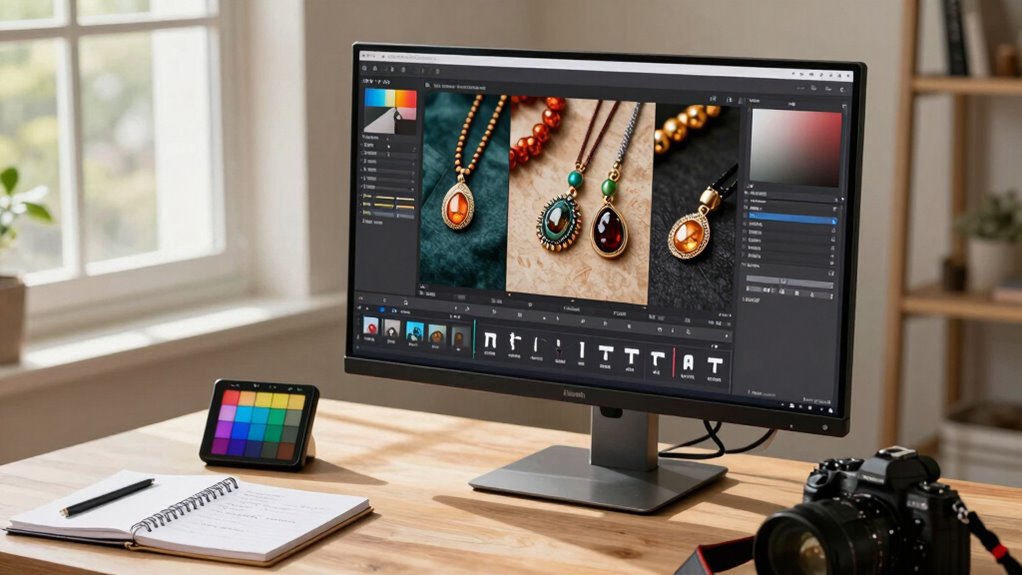
When it comes to editing handmade product photos, choosing the right monitor can make all the difference in showcasing your work accurately. Your monitor is your window into the details, colors, and textures that make your products unique. To guarantee your photos genuinely reflect your craftsmanship, you need a display that offers precise color calibration and high screen resolution. Color calibration is vital because it ensures the colors you see on-screen match those in real life and in the final print or online listing. Without proper calibration, you risk misrepresenting your products, which can lead to customer disappointment or returns. Look for monitors that support hardware calibration or come with software tools to fine-tune color accuracy regularly. This way, you maintain consistency over time as your editing needs evolve. Additionally, investing in a monitor with color accuracy features can help ensure your images are true to life.
Choosing a monitor with precise color calibration ensures your handmade product photos are true to life and attract more customers.
Screen resolution is another critical factor. A higher resolution means more pixels and sharper images, allowing you to see fine details and textures more clearly. For editing handmade products, where every stitch, grain, or brushstroke matters, a monitor with at least 1080p (Full HD) is the minimum. However, for more precise editing, consider a 4K display, which offers four times the pixels of Full HD. This increased resolution provides a broader workspace and reduces eye strain, making it easier to work on intricate details without zooming in constantly. The benefits of high-resolution displays include better clarity and the ability to see your work more precisely, which is especially important for detailed craftsmanship. Using a calibrated monitor with high resolution ensures your images are both sharp and color-accurate, enhancing your workflow. Keep in mind that a monitor with accurate color reproduction can help you make better editing decisions and achieve more consistent results.
Beyond resolution and calibration, think about the monitor’s size and panel type. A larger screen provides more workspace, which is helpful when editing detailed images or multitasking. An IPS panel offers better color accuracy and wider viewing angles compared to TN or VA panels, ensuring your colors remain consistent no matter your angle. Additionally, look for monitors with adjustable stands and flicker-free technology, which enhance comfort during long editing sessions. Connectivity options, like HDMI or USB-C, also matter if you plan to connect multiple devices or use external control tools. Furthermore, selecting a monitor with proper calibration tools can streamline your workflow and improve your editing precision.
Ultimately, choosing a monitor for editing handmade product photos involves balancing color calibration, screen resolution, size, and panel quality. Invest in a display that offers accurate colors, sharp details, and comfortable ergonomics. This way, you’ll confidently create images that truly represent your work’s quality and craftsmanship, helping you attract more customers and grow your brand.
Popular right now

Roborock Robot Vacuum and Mop with LiDAR Navigation and 10,000 Pa Suction

Bose QuietComfort Wireless Noise-Cancelling Over-Ear Headphones, Black

Samsung 42-Inch S90H OLED 4K Smart TV Bundle
As an affiliate, we earn on qualifying purchases.
Frequently Asked Questions
How Important Is Screen Size for Photo Editing?
Screen size is quite important for photo editing because a larger display allows you to see more detail clearly, making color accuracy and fine adjustments easier. You should also consider screen brightness to guarantee your edits look consistent across devices, and monitor ergonomics for comfort during long sessions. A well-sized screen combined with good brightness and ergonomic features helps you work efficiently, resulting in better, more precise handmade product photos.
Do I Need a Color Calibration Tool?
Yes, you need a color calibration tool to guarantee consistent color accuracy. Calibration tools help you fine-tune your monitor’s display, providing precision and peace of mind for your pictures’ true colors. Without them, your images might appear different on various devices, causing color conflicts. Regular calibration keeps your monitor’s colors consistent and correct, so your handmade product photos look vibrant and true to life, every time you edit.
What Resolution Is Best for Detailed Product Photos?
For detailed product photos, a resolution of at least 1440p or 4K is ideal. This guarantees excellent image sharpness and fine detail, helping you accurately showcase your handmade products. Higher resolution monitors improve color accuracy and clarity, allowing you to make precise edits. Investing in a monitor with good resolution enhances your ability to see every detail clearly, making your product photos more appealing and professional.
Are Curved Monitors Suitable for Editing?
A curved monitor isn’t just a fancy feature; it’s a game-changer for editing. They can enhance your viewing experience, offering a more immersive perspective. However, they might not be ideal if you’re prone to eye strain, as the curve can cause distortions or glare. If you prioritize comfort and accuracy, flat screens may be better, but curved monitors are worth considering for their unique benefits.
How Does Refresh Rate Affect Photo Editing Accuracy?
A higher refresh rate doesn’t directly impact photo editing accuracy, but it can improve your overall editing experience. The refresh rate impact mainly affects motion clarity and smoothness, which matters more for videos or gaming. For precise photo editing, focus on a monitor with accurate colors and high resolution. However, a stable, consistent refresh rate helps maintain editing precision by reducing screen flickering and eye strain, ensuring you work comfortably and accurately.
Conclusion
Choosing the right monitor for editing your handmade product photos is essential—you want your work to shine as brightly as your creativity. Focus on color accuracy, resolution, and size to make certain every detail pops. Remember, a good monitor isn’t just a tool; it’s your window to perfection. Invest wisely, and watch your photos transform into stunning masterpieces that captivate every viewer—your craft deserves nothing less than the best!