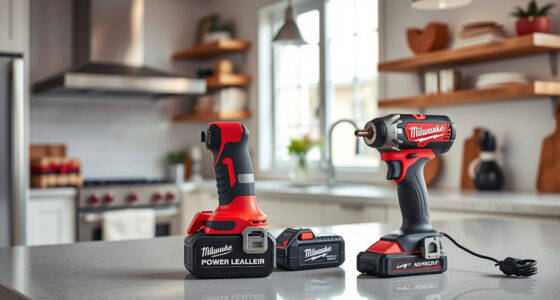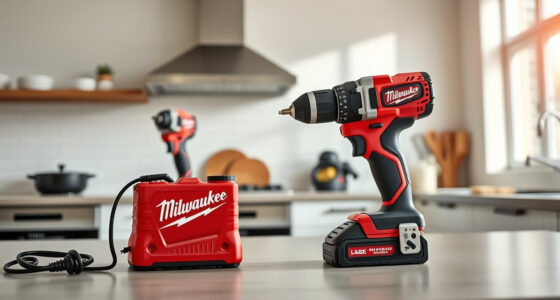
If your Milwaukee M18 cordless power tool isn’t charging properly, it can halt your work and cause frustration. This guide walks you through practical, safe steps to diagnose and resolve common charging issues, ensuring your tools are ready when you need them.

Get business pricing on tools and workshop supplies
- Business-only prices and quantity discounts
- Tax-exempt purchasing
- Multiple users, one account, clear invoices
Proper troubleshooting can save you time and money, and help extend the lifespan of your batteries and charger. Follow these clear steps to get your Milwaukee power tools back in action.
Key Takeaways
| Check Battery Compatibility | Ensure batteries are compatible with your charger and tool. |
| Inspect Charger & Battery Contacts | Clean contacts to improve charging connection. |
| Test with Different Batteries/Charger | Identify if the issue lies with the battery or charger. |
| Monitor Charging Indicators | Observe LED signals for charging status. |
| Update or Reset System | Use the latest firmware or reset the charger if applicable. |
Ensure Compatibility and Proper Battery Insertion
- Verify that your batteries are designed for the Milwaukee M18 platform, as incompatible batteries won’t charge properly.
- Insert each battery firmly into the charger, ensuring it clicks into place.
Inspect and Clean Charger & Battery Contacts
- Unplug the charger before cleaning.
- Use a dry cloth or a soft brush to remove dust, dirt, or corrosion from the contacts on both the charger and battery.
- Ensure contacts are dry and free of debris before attempting to charge again.
Test with Different Batteries and Charger
- Try charging a different battery known to be working to see if the issue persists.
- If available, test your battery with a different Milwaukee charger.
- If the battery charges on another charger, the problem likely lies with your original charger.
Monitor Charging Indicators and Wait
Observe the LED indicators on the charger. A steady or flashing light typically indicates charging status. Refer to your specific model’s manual for indicator meanings.
If the battery is new or cold, give it some time and ensure it’s in a warm environment, as cold batteries may not charge properly.
Update Firmware or Reset System
Some Milwaukee chargers or batteries may have firmware updates. Check Milwaukee’s official site for updates or reset instructions.
Disconnect and reconnect the battery, or unplug the charger for a few minutes before attempting to charge again.
The Products in This Guide
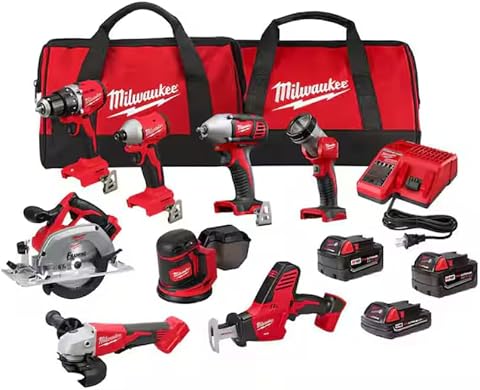
Milwaukee M18 18V Cordless Power Tool Combo Kit
- ✔ Tool Count: 8
- ✔ Battery Capacity: High-capacity
- ✔ Power System: M18 lithium-ion
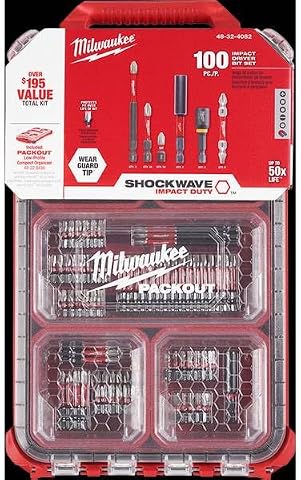
Milwaukee Shockwave 100pcs Impact Driver Bit Set Packout
- ✔ Pieces: 100
- ✔ Case: Packout
- ✔ Rating: Impact-rated
Milwaukee M18 18V Cordless Power Tool Combo Kit
The Milwaukee M18 18V Cordless Power Tool Combo Kit offers a comprehensive set of tools with 3 batteries and a charger, perfect for demanding jobs. If your batteries aren’t charging, troubleshooting the charger and batteries can restore your workflow.
Pros:
- Includes 8 tools for versatile tasks
- 3 batteries for extended use
- Rapid charger minimizes downtime
- Heavy-duty storage solutions
Cons:
- Battery charging issues can still occur
- Charger may need replacement over time
- Initial cost is higher
Best for: Construction, remodeling, and maintenance tasks requiring multiple tools
Not ideal for: For users with only occasional DIY needs or limited space
Bottom line: A versatile, all-in-one cordless tool kit, ideal for professional and serious DIY use.
Milwaukee Shockwave 100pcs Impact Driver Bit Set Packout
Complement your Milwaukee M18 tools with this impact driver bit set, packed in a Packout case for easy organization. It’s a handy addition if you need reliable bits for your projects.
Pros:
- 100-piece set for versatility
- Durable impact-rated bits
- Organized in a sturdy case
- Compatible with Milwaukee impact drivers
Cons:
- Additional cost if only for bits
- Bits may wear out over heavy use
- Not a replacement for power tools
Best for: Professional contractors and serious DIYers needing a variety of bits
Not ideal for: For casual users or those without impact drivers
Bottom line: A comprehensive impact driver bit set that enhances your Milwaukee tool kit.
Frequently Asked Questions
Why won’t my Milwaukee battery charge?
Possible reasons include incompatible batteries, dirty contacts, faulty charger, or a damaged battery. Follow the troubleshooting steps to identify the cause.
How do I clean the contacts on my charger and battery?
Use a dry cloth or a soft brush to gently remove dirt, dust, or corrosion from the contacts. Ensure they are dry before reconnecting.
Can cold weather affect charging?
Yes, batteries may not charge properly in cold temperatures. Move them to a warmer environment and wait for them to warm up before charging.
Should I update my charger firmware?
Check Milwaukee’s official site for firmware updates. Updating can improve performance and resolve charging issues if applicable.
Getting Your Milwaukee Tools Charging Again
With proper inspection, cleaning, and testing, most charging issues with Milwaukee power tools can be resolved quickly. Safety should always be your priority—disconnect power sources before working on the charger or batteries. If problems persist after troubleshooting, consider replacing the charger or batteries to restore full functionality.
Ensuring your batteries and charger are in good condition will keep your Milwaukee tools performing at their best, saving you time and effort on every project.
Affiliate disclosure: As an Amazon Associate we earn from qualifying purchases. Prices and availability are accurate as of the time of publishing.
Fall yard work Picks
leaf blowers
As an affiliate, we earn on qualifying purchases.