AIThis post was created with the assistance of artificial intelligence (AI).

For waterproof industrial labeling, my first shortlist is the LabelTac 4 for wider weather-resistant signs, the Makeid D50 for portable thermal-transfer work with an automatic cutter, and the DETONGER DT5150P for lightweight job-site labeling. Each serves a different kind of workflow: a printer may offer broad media support at a workstation, a handheld unit may travel easily, or a tape-based label maker may simplify cable identification.

Buying for a business?Offer from Amazon

Get business pricing on tools and workshop supplies

  • Business-only prices and quantity discounts
  • Tax-exempt purchasing
  • Multiple users, one account, clear invoices
As an affiliate, we earn on qualifying purchases.
The central tradeoff is not just printer size. It is the match between water-resistant media, label width, how labels are designed and cut, and where printing happens. A printer can only produce a waterproof result when paired with compatible media intended for the exposure you expect. I rank these five by their fit for industrial waterproof-label work, while accounting for stated media durability, format flexibility, portability, and practical limitations such as monochrome output or proprietary cartridges.

5
compared
5
brands
2
printer types
600 dpi black and white; 180 dpi color
max resolution
Which industrial label printer for waterproof label should you buy?
★ Top Pick
LabelTac 4 Industrial Label Pr
Best Overall for Wide Workstation Labels
Supports label widths from ½ to 4 inches
See on Amazon →
Maintenance and electrical teams that want portable 300 DPI printing, app or PC design, and automatic batch cutting.
Makeid D50 Industrial Label Ma
300 DPI thermal-transfer output
View on Amazon →
Field technicians and installers who need a lightweight printer for narrow waterproof identification labels.
DETONGER DT5150P 300 DPI Indus
Very light at 378 g including battery and cartridges
View on Amazon →
Technicians who enter cable and equipment labels at the printer and need compatible laminated tape or heat-shrink media.
Epson LABELWORKS LW-PX300 Port
Built-in QWERTY keyboard with LCD preview
View on Amazon →
Home, office, and light industrial users making narrow cable labels and small identifiers with laminated tape.
Label Maker Machine with 4 Tap
Laminated tapes are described as resisting water, oil, and extreme temperatures
View on Amazon →
Resolution — compared
LabelTac 4 Industrial Label Pr203 dpi
Makeid D50 Industrial Label Ma300 DPI
DETONGER DT5150P 300 DPI Indus300 DPI
Epson LABELWORKS LW-PX300 Port600 dpi black and white; 180 dpi color
Pros & cons at a glance
LabelTac 4 Industrial Label Pr
✓ Supports label widths from ½ to 4 inches
✗ Monochrome output only
Makeid D50 Industrial Label Ma
✓ 300 DPI thermal-transfer output
✗ Maximum label width is 2 inches
DETONGER DT5150P 300 DPI Indus
✓ Very light at 378 g including battery and cartridges
✗ Maximum label width is 1.65 inches
Epson LABELWORKS LW-PX300 Port
✓ Built-in QWERTY keyboard with LCD preview
✗ Maximum label width is ¾ inch
Label Maker Machine with 4 Tap
✓ Laminated tapes are described as resisting water, oil, and extreme temperatures
✗ Limited to 12 mm tape width

Complete the kit

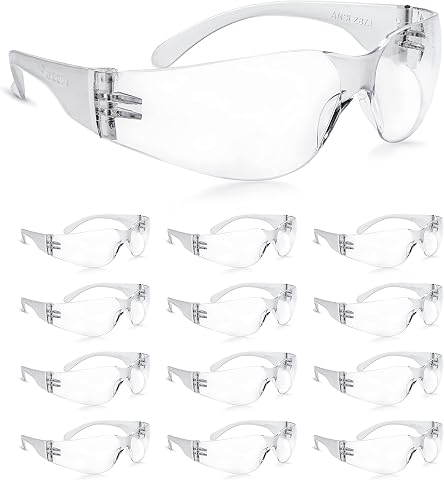
NoCry Clear Safety Glasses for Men and Women with Anti-Fo...
NoCry Clear Safety Glasses for Men and Women with Anti-Fo…
Add to your setup →
TICONN Clear Safety Glasses for Men & Women, ANSI Z87.1 S...
TICONN Clear Safety Glasses for Men & Women, ANSI Z87.1 S…
Add to your setup →
Safety GlassesClear Anti-Fog Goggles Over-Spec Glasses Pr...
Safety GlassesClear Anti-Fog Goggles Over-Spec Glasses Pr…
Add to your setup →

Key Takeaways

  • LabelTac 4 is my pick for workstation users who need weather-resistant monochrome labels across media widths from ½ to 4 inches.
  • Makeid D50 stands out for mobile or bench workflows that benefit from 300 DPI output, Bluetooth or USB-C, and an automatic cutter.
  • DETONGER DT5150P is the lightest listed option and suits crews carrying a printer between work areas, though its labels top out at 1.65 inches wide.
  • Epson LW-PX300 offers a built-in keyboard and compatible laminated, vinyl, magnetic, and heat-shrink media, but requires Epson PX cartridges.
  • VolenGo H1100 is best treated as a portable tape label maker for narrow cable and organization labels, not as a wide-format industrial printer.
2
Makeid D50 Industrial Label Ma
Best Portable All-Rounder
1
LabelTac 4 Industrial Label Pr
Best Overall for Wide Workstation Labels
3
DETONGER DT5150P 300 DPI Indus
Best for Lightweight Job-Site Use

Our Top Industrial Label Printer For Waterproof Labels Picks

LabelTac 4 Industrial Label PrinterLabelTac 4 Industrial Label PrinterBest Overall for Wide Workstation LabelsPrinter type: ThermalPrint output: MonochromeResolution: 203 dpiVIEW ON AMAZONSee Our Full Breakdown
Makeid D50 Industrial Label Maker with Auto CutterMakeid D50 Industrial Label Maker with Auto CutterBest Portable All-RounderPrinter type: Thermal transferResolution: 300 DPIMaximum label width: 2 inchesVIEW ON AMAZONSee Our Full Breakdown
DETONGER DT5150P 300 DPI Industrial Thermal Transfer Label PrinterDETONGER DT5150P 300 DPI Industrial Thermal Transfer Label PrinterBest for Lightweight Job-Site UsePrinter type: Thermal transferResolution: 300 DPILabel width: 0.3–1.65 inchesVIEW ON AMAZONSee Our Full Breakdown
Epson LABELWORKS LW-PX300 Portable Industrial Label MakerEpson LABELWORKS LW-PX300 Portable Industrial Label MakerBest for Keyboard-First Tape and Heat-Shrink WorkPrinter type: Thermal transferResolution: 600 dpi black and white; 180 dpi colorMaximum label width: ¾ inch (18 mm)VIEW ON AMAZONSee Our Full Breakdown
Label Maker Machine with 4 Tapes, Waterproof Laminated Handheld Printer, Backlit & Portable, 3 Cable Modes, H1100 for Office & OrganizationLabel Maker Machine with 4 Tapes, Waterproof Laminated Handheld Printer, Backlit & Portable, 3 Cable Modes, H1100 for Office & OrganizationBest for Simple Narrow Cable LabelsTape width: 12 mm (0.47 inches)Listed print length: 263 ft (80 m)Fonts: 16VIEW ON AMAZONSee Our Full Breakdown
Specs at a glance
industrial label printer for waterproof labelPrinter typeResolutionConnectivity
LabelTac 4 Industrial Label PrThermal203 dpiEthernet
Makeid D50 Industrial Label MaThermal transfer300 DPIBluetooth and USB-C
DETONGER DT5150P 300 DPI IndusThermal transfer300 DPI—
Epson LABELWORKS LW-PX300 PortThermal transfer600 dpi black and white; 180 dpi colorUSB to Windows PC
Label Maker Machine with 4 Tap———

More Details on Our Top Picks

  1. LabelTac 4 Industrial Label Printer

    LabelTac 4 Industrial Label Printer

    Best Overall for Wide Workstation Labels

    View on Amazon

    I put the LabelTac 4 first because it gives industrial buyers the broadest stated label-width range in this group: ½ to 4 inches. That range helps one workstation produce narrow identification labels as well as larger equipment, shipping, or safety labels. Its monochrome output is a limitation, but for many facility labels the ability to print a clear, durable mark matters more than color.

    The product description specifically presents its labels as weatherproof and resistant to moisture, fading, and smudging, which makes it the most direct fit here for buyers prioritizing labels that remain legible in demanding settings. Compared with the portable Makeid D50 and DETONGER DT5150P, it trades rechargeable, mobile printing for a wider media range and a more stationary workflow. The listed Ethernet connection and PC compatibility also point toward a workstation setup rather than a printer carried between job sites.

    Its 203 dpi monochrome printing is less detailed on paper than the 300 dpi Makeid and DETONGER, so I would not choose it for applications where fine small-print detail is the priority. Still, a 4-inch maximum width, included design software, compact footprint, and stated lifetime warranty make it the most flexible choice for a fixed industrial labeling station. I would confirm that the specific media selected suits the actual water and environmental exposure; the printer alone does not make every label waterproof.

    Pros:
    • Supports label widths from ½ to 4 inches
    • Labels are described as weatherproof and resistant to moisture, fading, and smudging
    • Includes label design software
    • Listed with a lifetime warranty
    Cons:
    • Monochrome output only
    • Listed as PC-compatible, with no mobile workflow specified
    • 203 dpi is lower than the 300 dpi portable models in this roundup

    Best for: Facility, warehouse, and maintenance teams printing varied-width monochrome labels from a PC workstation.

    Not ideal for: Crews needing a battery-powered field printer, color output, or a phone-first workflow.

    • Printer type:Thermal
    • Print output:Monochrome
    • Resolution:203 dpi
    • Label width:½ to 4 inches
    • Connectivity:Ethernet
    • Compatible devices:PC
    • Included software:Label design software
    • Warranty:Lifetime
    Our verdict
    “I recommend the LabelTac 4 for buyers who need a fixed, flexible workstation printer and weather-resistant monochrome labels in multiple widths.”
  2. Makeid D50 Industrial Label Maker with Auto Cutter

    Makeid D50 Industrial Label Maker with Auto Cutter

    Best Portable All-Rounder

    View on Amazon

    The Makeid D50 earns second place by combining a portable thermal-transfer format with 300 DPI printing, Bluetooth and USB-C connections, and an automatic cutter. That combination suits a buyer who needs to design labels from a phone or computer, then print a batch without manually trimming each one. Its stated label media is water-resistant and resistant to fading, making it a stronger waterproof-label candidate than a general-purpose office label maker.

    Compared with the LabelTac 4, the D50 is easier to move and offers higher listed resolution, but it tops out at 2 inches wide rather than 4 inches. That difference matters for prominent equipment notices or larger safety labels. Against the DETONGER DT5150P, it supports a slightly wider maximum label and lists a 2600 mAh battery, while the DETONGER is much lighter and more clearly aimed at a handheld job-site setup.

    The D50’s OLED display and automatic cutter support a tidy workflow, and the included cartridge has a built-in ribbon. The tradeoff is a compatible Z series cartridge system, which narrows media choices compared with printers that support broader tape families. I would select it for portable asset, electrical, or safety labeling when the chosen cartridge matches the environment, but not for users who want broad-format signs or an open-ended media system.

    Pros:
    • 300 DPI thermal-transfer output
    • Bluetooth and USB-C connectivity for phones and computers
    • Automatic cutter supports batch work
    • Labels are described as water-resistant and fade-resistant
    Cons:
    • Maximum label width is 2 inches
    • Uses compatible Z series cartridges
    • At 1.5 kg, it is heavier than the DETONGER handheld model

    Best for: Maintenance and electrical teams that want portable 300 DPI printing, app or PC design, and automatic batch cutting.

    Not ideal for: Buyers needing labels wider than 2 inches or unrestricted choice among media systems.

    • Printer type:Thermal transfer
    • Resolution:300 DPI
    • Maximum label width:2 inches
    • Connectivity:Bluetooth and USB-C
    • Battery:2600 mAh rechargeable
    • Display:OLED
    • Weight:1.5 kg
    • Included media:Label cartridge with built-in ribbon
    Our verdict
    “I would choose the Makeid D50 for portable, connected industrial labeling when its 2-inch cartridge format is wide enough.”
  3. DETONGER DT5150P 300 DPI Industrial Thermal Transfer Label Printer

    DETONGER DT5150P 300 DPI Industrial Thermal Transfer Label Printer

    Best for Lightweight Job-Site Use

    View on Amazon

    For crews that move from panel to panel, the DETONGER DT5150P has the clearest portability advantage in this lineup. It weighs 378 g including battery and cartridges, prints at 300 DPI, and includes a display, internal memory, and automatic cutter. The product description characterizes its thermal-transfer labels as waterproof, scratch-proof, and fade-resistant, so it directly addresses field labeling better than models whose main strength is a fixed workstation.

    Compared with the Makeid D50, this unit is much lighter and narrower, but its maximum media width is only 1.65 inches. That makes it a better fit for cable markers, asset IDs, and compact machine labels than larger safety notices. It also prints at a stated 30 mm/s, while the Makeid listing gives a different speed figure; I would avoid comparing those numbers as equivalent without matching their measurement methods.

    The DT5150P supports editing from mobile devices and PCs, and its dual 1500 mAh batteries are listed for up to four hours of continuous printing. Those details favor work away from a desk, although monochrome output and the limited width still define its lane. I rank it below the Makeid because the latter offers a wider format and a more clearly specified connection combination, but the DETONGER is the better pick when low carry weight matters more than label size.

    Pros:
    • Very light at 378 g including battery and cartridges
    • 300 DPI thermal-transfer printing
    • Automatic cutter and internal memory
    • Labels are described as waterproof, scratch-proof, and fade-resistant
    Cons:
    • Maximum label width is 1.65 inches
    • Monochrome output only
    • Listed continuous printing time is four hours

    Best for: Field technicians and installers who need a lightweight printer for narrow waterproof identification labels.

    Not ideal for: Teams printing large safety labels, color graphics, or long runs that need a wider media format.

    • Printer type:Thermal transfer
    • Resolution:300 DPI
    • Label width:0.3–1.65 inches
    • Print speed:30 mm/s
    • Weight:378 g including battery and cartridges
    • Battery:Dual 1500 mAh lithium batteries
    • Continuous printing time:Up to 4 hours
    • Compatible devices:PC and smartphones
    Our verdict
    “I recommend the DT5150P when a crew needs to carry a compact printer for durable narrow labels rather than produce wider signs.”
  4. Epson LABELWORKS LW-PX300 Portable Industrial Label Maker

    Epson LABELWORKS LW-PX300 Portable Industrial Label Maker

    Best for Keyboard-First Tape and Heat-Shrink Work

    View on Amazon

    The Epson LABELWORKS LW-PX300 takes a different approach from the app-connected Makeid and DETONGER: it puts a QWERTY keyboard and LCD preview on the printer itself. That is useful when a worker needs to enter a short identifier directly at a bench without opening a phone or computer. Its compatible Epson PX media includes laminated and vinyl tapes, magnetic media, and heat-shrink tubing, giving it more material variety than a narrow cartridge-only description suggests.

    For waterproof labeling, the key is choosing the right laminated PX tape for the job rather than assuming every supported medium has the same resistance. The LW-PX300 has a maximum label width of ¾ inch, so it is much better suited to cables, small equipment identifiers, and compact tags than the LabelTac 4’s 4-inch maximum or the Makeid D50’s 2-inch format. Its listed 600 dpi black-and-white resolution is strong on paper, but the small media width limits what that detail can do for larger signs.

    The built-in cutter and print preview can help reduce trimming and entry mistakes. The tradeoff is a proprietary Epson PX tape family, plus six AA batteries or a separately purchased adapter. I place it below the mobile thermal-transfer units because its workflow is more tape-specific and its width is restricted, but it makes sense for users who value direct typing and heat-shrink capability over app-led batch work.

    Pros:
    • Built-in QWERTY keyboard with LCD preview
    • Supports compatible laminated, vinyl, magnetic, and heat-shrink media
    • Auto-cutter and print preview help with repeatable work
    • Listed lifetime warranty in the United States and Canada
    Cons:
    • Maximum label width is ¾ inch
    • Requires Epson PX-compatible cartridges
    • Six AA batteries and the power adapter are not included

    Best for: Technicians who enter cable and equipment labels at the printer and need compatible laminated tape or heat-shrink media.

    Not ideal for: Buyers who need labels wider than ¾ inch, rechargeable operation, or an open media system.

    • Printer type:Thermal transfer
    • Resolution:600 dpi black and white; 180 dpi color
    • Maximum label width:¾ inch (18 mm)
    • Maximum shrink-tube width:3/16 inch (5 mm)
    • Controller:Built-in QWERTY keyboard and function buttons
    • Connectivity:USB to Windows PC
    • Power:Six AA batteries or separately purchased adapter
    • Warranty:Lifetime in the United States and Canada
    Our verdict
    “I would pick the LW-PX300 for keyboard-first cable labeling and compatible laminated or heat-shrink media, not for wider waterproof signs.”
  5. Label Maker Machine with 4 Tapes, Waterproof Laminated Handheld Printer, Backlit & Portable, 3 Cable Modes, H1100 for Office & Organization

    Label Maker Machine with 4 Tapes, Waterproof Laminated Handheld Printer, Backlit & Portable, 3 Cable Modes, H1100 for Office & Organization

    Best for Simple Narrow Cable Labels

    View on Amazon

    The VolenGo H1100 is the most approachable choice for someone who wants a handheld tape label maker rather than a connected thermal-transfer printer. Its supplied laminated tapes are described as resisting water, oil, and extreme temperatures, and the three cable modes are a specific advantage for organizing wires. A backlit LCD also helps when labels are being prepared in a dim utility area.

    Compared with the Epson LW-PX300, the H1100 offers many fonts, frames, and symbols, while the Epson supplies a built-in QWERTY keyboard and supports heat-shrink media. Against the Makeid D50 or LabelTac 4, though, the H1100 is much narrower in purpose: it is limited to 12 mm tape and does not list the same industrial workstation or broader label-width range. Its supplied description says it can serve industrial needs, but its format points more naturally to cables, shelves, drawers, and small equipment IDs.

    The 16 fonts, 100 frames, and 800 symbols offer customization, but that range may also make the interface feel complex at first. It can run on six AAA batteries or a USB-C cable, and the batteries are not included. I rank it fifth because its laminated tape has a clear water-resistance story but its narrow tape format limits versatility for larger industrial waterproof labels. Choose it for small-format organization, not a facility’s only printer.

    Pros:
    • Laminated tapes are described as resisting water, oil, and extreme temperatures
    • Three cable modes support wire organization
    • Backlit display aids use in dim areas
    • Portable design with multiple fonts, frames, and symbols
    Cons:
    • Limited to 12 mm tape width
    • Requires six AAA batteries or a USB-C cable; batteries are not included
    • Interface may take time to learn

    Best for: Home, office, and light industrial users making narrow cable labels and small identifiers with laminated tape.

    Not ideal for: Buyers needing wide equipment or safety labels, app-connected batch printing, or a production workstation printer.

    • Tape width:12 mm (0.47 inches)
    • Listed print length:263 ft (80 m)
    • Fonts:16
    • Frames:100
    • Symbols:800
    • Display:Backlit LCD
    • Power:Six AAA batteries or USB-C cable
    • Cable modes:3
    Our verdict
    “I recommend the H1100 for narrow cable and organization labels, while directing wider industrial work to the LabelTac 4 or Makeid D50.”
industrial label printer for waterproof labels
What makes a great industrial label printer for waterproof label
1
Match the media to the exposure
For water resistance, read the media description as carefully as the printer description.
2
Choose width before comparing resolution
Label width determines what you can print comfortably.
3
Pick a workflow that fits the work area
A fixed shop or warehouse station can favor Ethernet and PC-based design, which makes the LabelTac 4 a natural fit.
4
Account for cartridges, consumables, and power
Media compatibility can shape ongoing workflow as much as printer hardware.
How to choose your industrial label printer for waterproof label
1
How we picked
I ranked these models around the promise of industrial label printing for waterproof labels , rather than treating every
2
Match the media to the exposure
For water resistance, read the media description as carefully as the printer description.
3
Choose width before comparing resolution
Label width determines what you can print comfortably.
4
Pick a workflow that fits the work area
A fixed shop or warehouse station can favor Ethernet and PC-based design, which makes the LabelTac 4 a natural fit.
5
Account for cartridges, consumables, and power
Media compatibility can shape ongoing workflow as much as printer hardware.
Vetted industrial label printer for waterproof labels ·
The best industrial label printer for waterproof labels, compared
★ Winner LabelTac 4 Industrial Label Pr
Best Overall for Wide Workstation Labels
5compared
600 dpi black and white; 180 dpi colortop resolution
2printer types

How We Picked

I ranked these models around the promise of industrial label printing for waterproof labels, rather than treating every handheld label maker as an equal substitute for a production printer. The strongest fit combines a stated durable-media option with a useful label format and a workflow that makes sense in a shop, facility, or field setting. Since the supplied product details do not establish a universal waterproof rating for every compatible tape or cartridge, I distinguish between printers that describe labels as weatherproof or water-resistant and models whose media choices include laminated options.

I also weighed width and resolution, since cable markers, asset tags, and safety notices have different space needs; mobility and controls, because field crews may prefer a battery-powered handheld unit while a fixed workstation can handle a larger printer; and media constraints, including cartridge compatibility. The ranking favors versatility for industrial use, then increasingly specific strengths. A lower placement does not mean a product cannot print useful waterproof labels: it means its width, media system, or intended workflow is narrower than the models above it. I do not infer resistance to chemicals, immersion, UV exposure, or a particular temperature range unless the supplied details describe it.

Feature comparison
industrial label printer for waterproof labelPrinter typeConnectivity
LabelTac 4 Industrial Label PrThermalEthernet
Makeid D50 Industrial Label MaThermal transferBluetooth and USB-C
DETONGER DT5150P 300 DPI IndusThermal transfer—
Epson LABELWORKS LW-PX300 PortThermal transferUSB to Windows PC
Label Maker Machine with 4 Tap——
Everyday → specialist
Everyday & valuePremium & specialist
Which industrial label printer for waterproof label fits you?
The everyday user
All-round, reliable
The enthusiast
Premium & high-performance
The gift-giver
Looks & craftsmanship

Factors to Consider When Choosing Industrial Label Printer For Waterproof Labels

I would choose an industrial waterproof-label printer by starting with the label’s environment and size, then matching the printer and media to the workflow. The model name or printer technology cannot establish that every label will survive every exposure.

Match the media to the exposure

For water resistance, read the media description as carefully as the printer description. The LabelTac 4 is described as producing weatherproof labels that resist moisture, fading, and smudging. The VolenGo H1100 comes with laminated tapes described as resistant to water and oil, while the Makeid and DETONGER descriptions characterize their thermal-transfer labels as water-resistant or waterproof. Those claims do not automatically establish resistance to immersion, cleaning chemicals, prolonged outdoor UV, or a specific temperature range. I would check the exact cartridge or tape specification against the conditions at the application site.

Choose width before comparing resolution

Label width determines what you can print comfortably. The LabelTac 4 spans ½ to 4 inches, making it the flexible choice for both compact IDs and wider notices. The Makeid D50 reaches 2 inches, and the DETONGER reaches 1.65 inches; both can suit asset and electrical labels, but have less space for large text or safety instructions. Epson’s ¾-inch limit and the H1100’s 12 mm tape format put them in the cable-marker and small-identifier category. Higher resolution can sharpen small text, but it cannot make a narrow label larger.

Pick a workflow that fits the work area

A fixed shop or warehouse station can favor Ethernet and PC-based design, which makes the LabelTac 4 a natural fit. For a printer that travels, the rechargeable Makeid D50 adds Bluetooth and USB-C, while the lighter DETONGER is designed around carrying it between locations. Epson’s built-in keyboard suits direct entry at the machine, and the VolenGo offers a handheld interface with dedicated cable modes. I would match the controls to who will print labels and where they will do it, rather than assuming a phone app or keyboard is always faster.

Account for cartridges, consumables, and power

Media compatibility can shape ongoing workflow as much as printer hardware. The Makeid D50 uses compatible Z series cartridges, and the Epson uses PX tapes; check that the required media type and width are available before settling on either system. The H1100 has its own 12 mm tape format. Power also changes the fit: the Makeid and DETONGER list rechargeable batteries, while the Epson needs six AA batteries or a separately purchased adapter and the H1100 needs six AAA batteries or USB-C power. For steady daily output, think through both media replenishment and charging or battery replacement.

Decide whether portability outweighs production flexibility

A handheld printer is useful when the label should be printed near the equipment, but portability often brings a smaller maximum label width. That is the clearest split between the LabelTac 4 and the portable models. The LabelTac supports wider labels in a workstation format; the Makeid and DETONGER travel more readily but top out at 2 inches and 1.65 inches. Epson and VolenGo are narrower still. For a facility printing many different label sizes, I would prioritize format range. For cable work or localized repairs, carrying a compact printer to the task may matter more.

Frequently Asked Questions

Which printer in this group is best for waterproof industrial labels?

I rank the LabelTac 4 first for broad industrial use because it supports widths up to 4 inches and its labels are described as weatherproof and resistant to moisture, fading, and smudging. The Makeid D50 or DETONGER DT5150P may suit mobile work better, while the correct choice depends on the compatible media and the exposure the finished label must handle. I would verify the tape or cartridge specification for the actual job.

Does thermal printing automatically make a label waterproof?

No. Printer technology alone does not guarantee water resistance; the media and, where applicable, ribbon or laminate matter. The product descriptions give durability claims for specific label media, but they do not provide one universal rating covering every material or exposure. Before printing a large batch, I would confirm the exact label stock is appropriate for water, oils, cleaners, outdoor use, and temperature conditions at the application site.

Which option is best for cable and wire labels?

For a simple handheld cable-label workflow, the VolenGo H1100 has three cable modes and 12 mm laminated tape. The Epson LW-PX300 is a stronger alternative when a built-in keyboard and compatible heat-shrink tubing matter. The DETONGER and Makeid can also print compact industrial identifiers, but their app or PC workflow and cartridge systems may be more than a user needs for occasional cable organization.

Which printer can make the widest labels?

The LabelTac 4 supports labels from ½ to 4 inches wide, the broadest range listed here. The Makeid D50 reaches 2 inches and the DETONGER DT5150P reaches 1.65 inches, while the Epson is limited to ¾ inch and the VolenGo to 12 mm tape. If signs or equipment labels need large text or several lines, width should guide the shortlist before resolution.

Should I choose a portable model or a workstation printer?

I would choose a workstation printer such as the LabelTac 4 for varied-width printing in a fixed facility, especially when wider labels are part of the job. The Makeid D50 and DETONGER are better suited to mobile tasks, with the DETONGER especially light to carry. Epson and VolenGo make more sense for narrow tape labels and direct cable or equipment identification. The right balance depends on whether printing near the work matters more than format range.

Conclusion

For one printer to cover a range of fixed industrial waterproof-label jobs, I would start with the LabelTac 4, then confirm the specific media suits the environment. Choose the Makeid D50 if you want a portable, connected 300 DPI printer with an automatic cutter and do not need labels wider than 2 inches. For field crews prioritizing low carry weight, the DETONGER DT5150P is the more mobile choice, with a narrower format. I would steer cable technicians toward the Epson LW-PX300 when keyboard entry and heat-shrink media matter, and toward the VolenGo H1100 for straightforward, narrow laminated cable labels. In every case, I would match the exact tape or cartridge to the moisture and exposure the finished label will face.

HALLOWEEN

Halloween Picks

As an affiliate, we earn on qualifying purchases.
You May Also Like

15 Best Jewelry Fume Extractors for Soldering in 2026

Find the best jewelry fume extractor for soldering in 2026. Discover top picks like the Solder Fume Extractor 180W and compact models for safe, clean workspaces.

10 Best Halloween Woodworking Project Kits for Seasonal Crafting in 2027

Compare Halloween woodworking project kits, from paintable ghost ornaments to puzzle lamps and downloadable plans, to find the right project.

10 Best Laptops for Photo Editing and Creative Work in 2026

Discover the top laptops for photo editing and creative work in 2026. Find the best options for performance, display, and value tailored to creatives.

15 Best Halloween Craft Kits for Kids in 2027

Compare 15 Halloween craft kits for kids by activity style, group size, setup, and display value to find the right fit for your family or classroom.