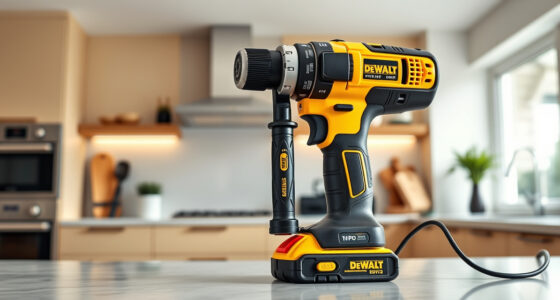
If your Milwaukee power tool charger keeps blinking red, it indicates a problem that needs addressing to get your tools back in action. The blinking red light typically signals an issue with the battery, charger, or connection. In this guide, we’ll walk you through practical, safe steps to troubleshoot and resolve this common problem, ensuring your tools are ready when you need them.

Get business pricing on tools and workshop supplies
- Business-only prices and quantity discounts
- Tax-exempt purchasing
- Multiple users, one account, clear invoices
Before starting, make sure to work in a clean, dry area and wear safety gloves if necessary. With the right approach, you can often fix the blinking red light without costly repairs or professional help.
Key Takeaways
| Identify the root cause | Check the battery, charger, and connections for issues. |
| Ensure proper battery placement | Make sure batteries are seated correctly in the charger. |
| Inspect for damage | Look for damaged batteries or charger components. |
| Clean contacts | Remove dirt or corrosion on battery and charger contacts. |
| Test with known good batteries | Use fully charged batteries to isolate the problem. |
Step 1: Confirm Power Source and Basic Checks
- Ensure the charger is plugged into a functioning power outlet. Test the outlet with another device if unsure.
- Check that the power cord is securely connected to the charger and there are no visible damages or frays.
- Verify that the charger’s indicator lights are not showing other error signals besides the blinking red. If the outlet or cord is faulty, replace or repair as needed.
Step 2: Examine and Re-seat the Battery
- Remove the battery from the charger and inspect for any visible damage, swelling, or corrosion on the contacts.
- Clean the battery contacts using a dry cloth or a small amount of alcohol on a cloth to remove dirt, dust, or debris.
- Re-insert the battery firmly into the charger, ensuring it is seated correctly and securely.
Step 3: Test with a Known Good Battery
If you have spare Milwaukee batteries, try charging a different one. If the second battery charges normally, your original battery may be faulty. If the blinking red persists with multiple batteries, the issue could be with the charger itself.
Step 4: Check for Battery or Charger Damage
- Inspect the batteries for swelling, cracks, or other visible damage. Do not attempt to charge damaged batteries.
- Look at the charger for signs of overheating, cracks, or debris inside the charging port.
If damage is evident, replace the faulty component to prevent safety hazards.
Step 5: Reset and Test the Charger
- Unplug the charger from the power outlet and wait for 30 seconds.
- Reconnect the charger and insert a fully charged battery.
- Observe the indicator lights during this process. If it blinks red again, move to the next troubleshooting step.
If the problem persists, consider testing the charger with a different compatible battery or replacing the charger if it is confirmed faulty.
Additional Tips and Warnings
- Never attempt to open or repair the charger or batteries yourself, as it could pose electrical shock or fire hazards.
- Use only Milwaukee-approved batteries and chargers to ensure safety and compatibility.
- If your charger or batteries are under warranty, contact Milwaukee customer service for professional repair or replacement options.
The Products in This Guide

Milwaukee M18 18V Cordless Power Tool Combo Kit
- ✔ Battery Type: Lithium-ion
- ✔ Voltage: 18V
- ✔ Number of Batteries: 3

Milwaukee Shockwave 100pcs Impact Driver Bit Set Packout
- ✔ Impact Resistance: Yes
- ✔ Set Size: 100 pieces
- ✔ Case Type: Packout
Milwaukee M18 18V Cordless Power Tool Combo Kit
The Milwaukee M18 18V Cordless Power Tool Combo Kit offers a comprehensive set of tools and batteries, making it an ideal choice for professionals and DIYers alike. Its robust design and versatile applications ensure you have everything needed for construction, remodeling, and maintenance work.
Pros:
- Includes 8 essential tools for various tasks
- Comes with 3 batteries for extended runtime
- Rapid charger for minimal downtime
- Convenient storage in 2 tool bags
Cons:
- Heavy for extended use without a belt
- Initial investment is higher than basic kits
- Requires proper maintenance of batteries
Best for: Professionals and serious DIYers needing reliable, versatile tools.
Not ideal for: Casual users or those with limited workspace may find the kit bulky.
Bottom line: A versatile, complete toolkit for demanding construction and remodeling tasks.
Milwaukee Shockwave 100pcs Impact Driver Bit Set Packout
The Milwaukee Shockwave 100pcs Impact Driver Bit Set Packout provides a comprehensive range of bits designed to withstand heavy-duty use. Its durable construction and organized packout case make it a must-have accessory for any Milwaukee user.
Pros:
- 100 impact driver bits for various applications
- Packout case for organized storage
- Impact-rated for durability
- Compatible with Milwaukee M18 tools
Cons:
- Bits may be too large for delicate tasks
- Set may contain more bits than needed for casual use
- Heavy case if fully loaded
Best for: Professional contractors and serious DIY enthusiasts needing versatile impact driver bits.
Not ideal for: Casual users with occasional impact driver use may prefer smaller sets.
Bottom line: A comprehensive impact driver bit set that enhances productivity and durability.
Frequently Asked Questions
Why is my Milwaukee charger blinking red and not charging?
A blinking red light typically indicates a problem such as a faulty battery, poor contact, or charger malfunction. Follow the troubleshooting steps to identify the cause.
Can I use different batteries with my Milwaukee charger?
Yes, as long as the batteries are compatible with the Milwaukee M18 system and are in good condition. Use Milwaukee-approved batteries for safety.
How do I know if my battery is defective?
Signs of a defective battery include swelling, cracks, inability to hold charge, or if it doesn’t charge despite being new or properly maintained.
Is it safe to clean the contacts on my battery and charger?
Yes, use a dry cloth or a small amount of alcohol on a cloth to clean contacts. Avoid abrasive materials to prevent damage.
When should I replace my Milwaukee charger?
Replace the charger if it shows persistent error signals, overheating, or physical damage. Contact Milwaukee customer support for warranty options.
Getting Your Milwaukee Power Tools Back in Action
Dealing with a blinking red charger light can be frustrating, but most issues are fixable with simple troubleshooting steps. By checking the power source, inspecting and cleaning contacts, and testing with known good batteries, you can often resolve the problem yourself. Remember to prioritize safety and consult professional support if needed. A well-maintained charger and batteries ensure your Milwaukee tools perform reliably on every project.
Affiliate disclosure: As an Amazon Associate we earn from qualifying purchases. Prices and availability are accurate as of the time of publishing.
Halloween Picks
halloween
As an affiliate, we earn on qualifying purchases.