
TL;DR
A Matter Alpha guide compares smart lighting options that can mirror screen colors or extend a neon-inspired atmosphere around a TV for GTA VI. HDMI sync boxes offer direct screen capture, while camera-based kits can work with built-in TV apps; Matter can connect some lights for basic controls, but live syncing and advanced effects generally remain brand-specific.
Matter Alpha has published a guide to smart lighting options for building a Vice City-inspired setup around Grand Theft Auto VI, comparing HDMI sync boxes, camera-based TV kits and room lights. The practical distinction is that Matter can help compatible products share basic smart-home controls, but the live screen effects and more advanced features still rely on each manufacturer’s own system.

Get business pricing on tools and workshop supplies
- Business-only prices and quantity discounts
- Tax-exempt purchasing
- Multiple users, one account, clear invoices
The guide presents Philips Hue Play HDMI sync box 8K and Govee AI Sync Box Kit 2 as HDMI-based options. Hue’s box supports passthrough up to 4K at 120Hz or 8K at 60Hz, according to the report, and reads color from an HDMI source without a camera mounted on the TV. The report says it can suit setups using HDMI 2.1, eARC and Dolby Vision, while noting that a compatible Hue light strip and, for expanded entertainment setups and Matter integration, a Hue Bridge may add to the cost.
Govee’s second-generation kit is listed with HDMI 2.1 passthrough up to 4K at 144Hz or 8K at 60Hz, as well as VRR and ALLM. Its segmented light strip can be paired with compatible products through Govee DreamView. The guide says the kit supports Matter for basic smart-home control, but its screen-sync and AI lighting features remain within Govee’s system. Its AI tools can also create effects from text, voice or image prompts, according to the report.
Camera-based alternatives include Govee TV Backlight 3 and 3 Pro and Nanoleaf 4D. These sample the TV image with a camera, avoiding the need to route a console through a sync box and making them usable with built-in TV apps. The report identifies reflections, room lighting and calibration as factors that can affect color matching. Nanoleaf 4D itself does not support Matter, the guide says; Nanoleaf’s separately available AI scene tools can create themed palettes, but are not GTA VI-specific gameplay recognition.
Choosing the Right Sync Method
The choice affects both picture setup and lighting accuracy. An HDMI box captures color directly from a connected source, but adds equipment and wiring and may not capture content played through a TV’s own apps. A camera kit can sample those apps and avoids inserting a box between console and screen, but its results may be affected by reflections, ambient light and calibration.
For readers, the guide’s central caveat is that Matter is not the same as screen synchronization. It can provide common controls such as power, brightness and color for compatible devices, while a manufacturer’s app or ecosystem handles the responsive, segmented effects. Buying Matter-compatible lamps alone does not guarantee that they will join a game-reactive lighting scene.
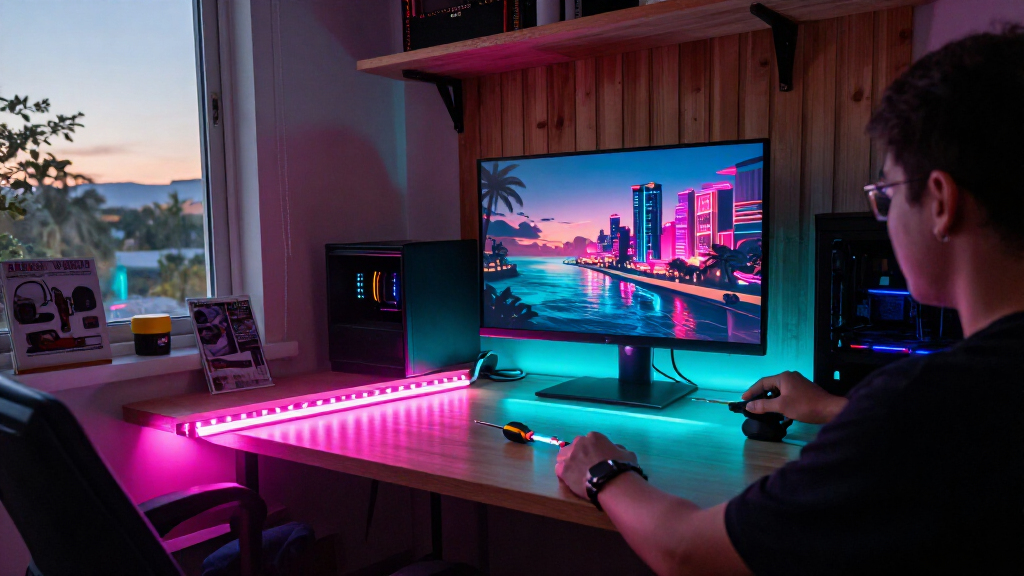
Room lights can extend the effect beyond the TV. The report suggests floor lamps, strips under furniture or behind a sofa, and wall-directed spotlights, with placement that avoids shining into players’ eyes. These additions can build a broader color scheme, but the source does not claim they make the game itself more immersive for every player or provide any gameplay advantage.
Popular right now

Dyson V9 Motorbar Cordless Vacuum

Apple AirPods Pro 3 Wireless Earbuds with Active Noise Cancellation

Ninja Kitchen System Blender and Food Processor with BlendSense Technology, 1800-Watt, 72 oz, Black (TB401)
As an affiliate, we earn on qualifying purchases.
How TV Color Sync Works
The guide describes two main ways to translate on-screen colors into room lighting: HDMI capture and camera sampling. An HDMI sync box reads the signal passing through it; a camera mounted by the screen observes the image. Products then use compatible light strips or lamps to reproduce colors around the display.
Some products use addressable LEDs, allowing different sections of a strip to show different colors at once. Matter’s role is narrower in the account provided: it supports basic control across compatible devices, while manufacturer-specific systems manage many live sync and advanced effects. The guide names options from Philips Hue, Govee and Nanoleaf, and also mentions Matter-compatible floor-lamp choices from Aqara, Govee and Nanoleaf.
Compatibility and Costs to Check
The supplied report does not provide independent test results, comparative prices or a single best choice for every setup. It also does not establish how every kit performs with a particular TV, console, receiver or game configuration. Buyers should check current product specifications and compatibility for their equipment before purchasing.
It is also unclear from the source whether any named product has a GTA VI-specific integration. The described effects respond to screen colors or use general AI scene tools; the report does not say that these kits recognize GTA VI gameplay or receive game data directly. The guide’s recommendations are product descriptions, not a reported test of the game.
Check Your Setup Before Buying
The next step for readers is to match a lighting kit to their display, video settings and preferred content sources. Check supported HDMI resolutions and refresh rates, whether the TV’s built-in apps need to be captured, and what lights or bridges are required for a room-wide setup. For camera kits, consider the screen’s surroundings and whether reflections or ambient light could interfere.
After choosing a TV system, compatible floor lamps or indirect strips can expand the scene. Readers should confirm which functions work through Matter and which require the brand’s app. The supplied material gives no release date, product update or GTA VI-specific lighting announcement; it offers setup guidance rather than a change to the game or its hardware support.
Key Questions
Does Matter make smart lights sync with GTA VI automatically?
No, not by itself. The guide says Matter generally provides basic controls such as power, brightness and color. Live screen synchronization and advanced effects usually depend on the manufacturer’s own system.
What is the difference between an HDMI sync box and a camera kit?
An HDMI sync box reads color from a connected video signal, while a camera kit samples the image on the screen. The report says camera kits can work with built-in TV apps and avoid routing a console through a box, though reflections, lighting and calibration can affect their results.
Which products in the guide support Matter?
The report lists Matter support for Govee AI Sync Box Kit 2 and Govee TV Backlight 3, and says the Hue Bridge is important for Matter integration in expanded Hue setups. It says Nanoleaf 4D itself does not support Matter. Features and compatibility vary by product and should be checked before buying.
Are any of these products made specifically for GTA VI?
The supplied guide does not identify a GTA VI-specific lighting integration. It describes screen-color syncing and general themed-scene tools, including ways to create a neon-inspired palette.
Source: matteralpha.com