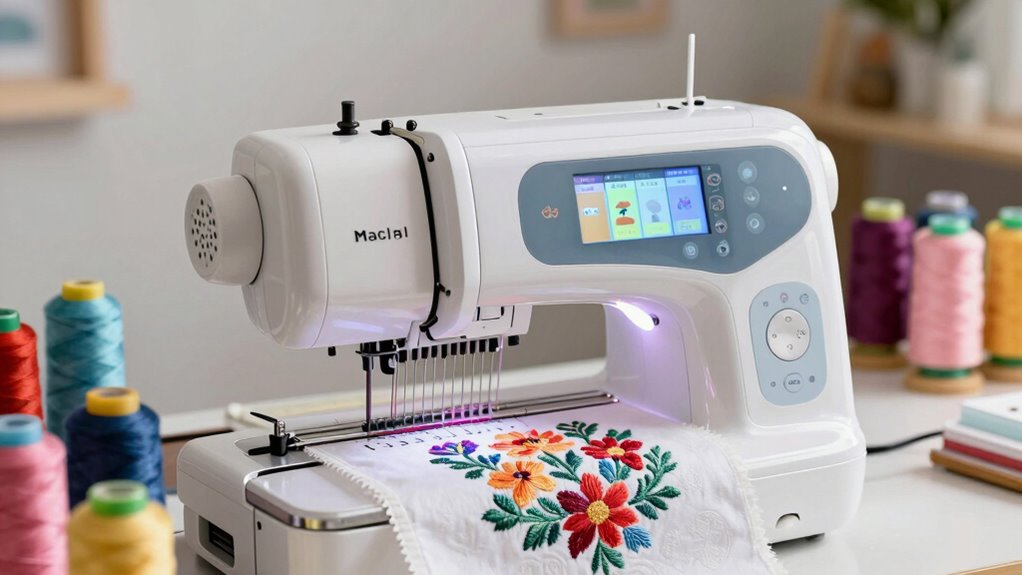
Starting with embroidery can be exciting but also overwhelming, especially with so many machines claiming to be perfect for beginners. The best options combine ease of use, affordability, and helpful features to get you started without frustration. The Brother PE545 stands out as the best overall choice thanks to its wireless connectivity and user-friendly LCD, while Brother SE600 offers a great balance of features for new users. Another solid pick is the PooLin EOC03 for those prioritizing WiFi transfer and a wide range of designs. Keep reading for a full breakdown of these options and the key factors to consider before buying your first embroidery machine.

Get business pricing on tools and workshop supplies
- Business-only prices and quantity discounts
- Tax-exempt purchasing
- Multiple users, one account, clear invoices
Complete the kit



Key Takeaways
- The best beginner embroidery machines balance simplicity with enough features for creative growth.
- Wireless connectivity and large embroidery areas are major advantages for ease of use and versatility.
- Entry-level machines with fewer built-in designs often require additional design purchases or transfers.
- Price often reflects the range of features—more expensive models tend to be more user-friendly and durable.
- Choosing a machine with good support and software compatibility can significantly reduce setup frustration.
| Brother PE545 Wireless Embroidery Machine 4×4 Hoop LCD |  | Best Overall for Wireless Convenience and Ease of Use | Embroidery Field: 4″ x 4″ | Touchscreen: 3.7-inch color LCD | Built-in Designs: 135 | VIEW ON AMAZON | See Our Full Breakdown |
| Brother SE400 Combination Computerized Sewing and Embroidery Machine |  | Best Versatile Starter for Sewing and Embroidery | Built-in Stitches: 67 | Built-in Embroidery Designs: 70 | Embroidery Lettering Fonts: 5 | VIEW ON AMAZON | See Our Full Breakdown |
| PooLin EOC03 Embroidery Machine with 4×4 & 4×9.25 Inch Embroidery Areas, WiFi Transfer, 130 Built-in Designs, for Beginners |  | Best for Multi-Size Embroidery and WiFi Transfer | Embroidery Area: 4″ x 4″ and 4″ x 9.25″ | Built-in Designs: 130 | Fonts: 8 | VIEW ON AMAZON | See Our Full Breakdown |
| Brother SE600 Sewing and Embroidery Machine, 80 Designs, 103 Built-In Stitches, 4″ x 4″ Embroidery Area, 3.2″ LCD Touchscreen |  | Best for Easy Design Preview and Versatility | Designs: 80 | Built-in Stitches: 103 | Embroidery Area: 4″ x 4″ | VIEW ON AMAZON | See Our Full Breakdown |
| Brother SE1900 Sewing and Embroidery Machine with 138 Designs and 240 Stitches |  | Best for Large Embroidery Area and Advanced Features | Designs: 138 | Embroidery Area: 5″ x 7″ | Built-in Stitches: 240 | VIEW ON AMAZON | See Our Full Breakdown |
| Poolin EOC05 Embroidery Machine for Beginners, 4 x 9.25 inch Embroidery Area |  | Best for Dedicated Embroidery Beginners | Embroidery Area: 4 x 9.25 inches | Touchscreen: 7-inch color touchscreen | Control System: Institch OS2 | VIEW ON AMAZON | See Our Full Breakdown |
| Brother PE535 Embroidery Machine with 80 Built-in Designs and 4×4 Inch Hoop |  | Best for Compact, Easy Embroidery | Built-in designs: 80 | Embroidery area: 4″ x 4″ | Display: 3.2-inch color LCD | VIEW ON AMAZON | See Our Full Breakdown |
| Brother Skitch PP1 4″ x 4″ Embroidery Machine with Brother Artspira Software & Accessories |  | Best for Tech-Savvy Beginners | Embroidery Area: 4″ x 4″ | Maximum speed: 400 SPM | Included components: Designs, accessories | VIEW ON AMAZON | See Our Full Breakdown |
| Brother SE700 Combo Embroidery & Sewing Machine with 4 Embroidery Hoops, Embroidery Thread Set & Accessories |  | Best for All-in-One Sewing & Embroidery Beginners | Embroidery area: 3.2 x 1.8 inches | Built-in embroidery designs: 135 | Built-in sewing stitches: 103 | VIEW ON AMAZON | See Our Full Breakdown |
| Brother SE700 Sewing and Embroidery Machine with Wireless LAN |  | Best All-in-One for Tech-Savvy Beginners | Embroidery Area: 4″ x 4″ | Built-in Designs: 135 | Built-in Fonts: 10 embroidery fonts | VIEW ON AMAZON | See Our Full Breakdown |
| Poolin EOC06 Large Hoop Embroidery Machine, 11 x 7.9 in Embroidery Area |  | Best for Large Projects and Visual Clarity | Max Embroidery Area: 11 x 7.9 inches | Hoops Included: 2 x 5.5″ x 5.5″, 1 x 7.9″ x 7.9″, 1 x 7.9″ x 11″ | Display: 7-inch LCD touch screen | VIEW ON AMAZON | See Our Full Breakdown |
| embroidery machine for beginner | Embroidery Area | Connectivity |
|---|---|---|
| Brother PE545 Wireless Embroid | — | Wireless LAN, USB |
| Brother SE400 Combination Comp | — | — |
| PooLin EOC03 Embroidery Machin | 4" x 4" and 4" x 9.25" | WiFi |
| Brother SE600 Sewing and Embro | 4" x 4" | — |
| Brother SE1900 Sewing and Embr | 5" x 7" | — |
| Poolin EOC05 Embroidery Machin | 4 x 9.25 inches | WiFi/USB |
| Brother PE535 Embroidery Machi | 4" x 4" | — |
| Brother Skitch PP1 4" x 4" Emb | 4" x 4" | Artspira app |
| Brother SE700 Combo Embroidery | 3.2 x 1.8 inches | Wireless |
| Brother SE700 Sewing and Embro | 4" x 4" | Wireless LAN, USB port |
| Poolin EOC06 Large Hoop Embroi | — | USB flash drive, Wireless LAN |
More Details on Our Top Picks
Brother PE545 Wireless Embroidery Machine 4×4 Hoop LCD
The Brother PE545 stands out for its wireless capabilities, allowing seamless transfer of designs from PC or mobile devices, which adds a layer of convenience not found in traditional wired models like the Brother SE600. Its large 3.7-inch color touchscreen simplifies editing and previewing designs, making it particularly appealing for beginners who want an intuitive interface. However, since it’s embroidery-only, those looking for a combined sewing and embroidery machine will need to consider options like the Brother SE600. Its limited voltage compatibility confines it primarily to US markets, which could be a drawback for international users. Compared with other beginner-friendly embroidery machines, the PE545 offers a modern, wireless experience, but it does sacrifice sewing functions and international versatility. The tradeoff here is a streamlined, dedicated embroidery experience at the expense of multi-functionality.
Pros:- Wireless file transfer via PC and mobile app
- Large color touchscreen for editing and preview
- Wide range of built-in designs and fonts
Cons:- Embroidery-only machine, no sewing functions
- Limited to 120V US use, not suitable for international markets
Best for: Beginners who prioritize wireless design transfer and a straightforward embroidery-only machine
Not ideal for: Users wanting a combined sewing and embroidery machine or international buyers needing voltage flexibility
- Embroidery Field:4″ x 4″
- Touchscreen:3.7-inch color LCD
- Built-in Designs:135
- Built-in Fonts:10
- Connectivity:Wireless LAN, USB
- Included Accessories:Needles, pre-wound bobbins, spool caps, seam ripper, scissors, user guides
Our verdict“This machine is ideal for beginners seeking a wireless, user-friendly embroidery device primarily for US-based use.”
Brother SE400 Combination Computerized Sewing and Embroidery Machine
The Brother SE400 offers a compelling mix of sewing and embroidery, making it suitable for those who want to explore both crafts without investing in separate machines. Its 70 built-in embroidery designs and 67 stitches provide enough variety for beginner projects, though compared with the SE600 or SE1900, its embroidery design library is more limited. The LCD display and automatic needle threading make setup easier, but the combination nature means it’s slightly more complex for absolute beginners who just want embroidery. Its multiple features, like computer connectivity, make it more versatile but also introduce a steeper learning curve. For users primarily interested in embroidery, a dedicated machine like the PE545 might be simpler, but the SE400’s flexibility is a strong advantage for those exploring both sewing and embroidery.
Pros:- Versatile with both sewing and embroidery functions
- User-friendly features like automatic needle threading and LCD display
- Includes a variety of built-in designs and stitches
Cons:- May be complex for complete beginners
- Limited to 70 embroidery designs built-in
- Learning curve can be steep for new users
Best for: Beginners who want a combined sewing and embroidery machine for versatile projects
Not ideal for: Complete newcomers seeking a dedicated embroidery-only device or those overwhelmed by multifunctional machines
- Built-in Stitches:67
- Built-in Embroidery Designs:70
- Embroidery Lettering Fonts:5
- Frame Pattern Combinations:120
- Automatic Needle Threader:Yes
- Display:Backlit LCD
Our verdict“This model suits beginners looking for a dual-purpose machine that balances sewing and embroidery, despite a moderate learning curve.”
PooLin EOC03 Embroidery Machine with 4×4 & 4×9.25 Inch Embroidery Areas, WiFi Transfer, 130 Built-in Designs, for Beginners
The PooLin EOC03 prioritizes beginner accessibility with its straightforward interface and two embroidery sizes, making it stand out for projects requiring different scales. Its 130 built-in designs are ample for new users, and WiFi transfer simplifies pattern sharing without complex connections. Compared to the Brother PE545, it offers more flexible embroidery areas, which is advantageous for larger or more varied designs. However, it remains a basic machine without advanced editing features, and reliance on WiFi means an internet connection is necessary—something not ideal in all environments. This pick makes the most sense for beginners who want easy design sharing and multiple embroidery sizes, but it might lack the more sophisticated editing tools that advanced users seek.
Pros:- Supports two embroidery sizes for versatile projects
- 130 built-in designs and 8 fonts
- WiFi transfer for easy pattern sharing
Cons:- Limited advanced editing options
- Requires internet for WiFi transfer, which may not always be reliable
Best for: Beginners seeking versatile embroidery sizes and WiFi design transfer
Not ideal for: Those needing advanced editing or working without internet access
- Embroidery Area:4″ x 4″ and 4″ x 9.25″
- Built-in Designs:130
- Fonts:8
- Connectivity:WiFi
- Included Accessories:Starter kit
Our verdict“This machine is well-suited for beginners who want flexible sizes and easy WiFi transfer, though it lacks advanced editing features.”
Brother SE600 Sewing and Embroidery Machine, 80 Designs, 103 Built-In Stitches, 4″ x 4″ Embroidery Area, 3.2″ LCD Touchscreen
The Brother SE600 combines a sizable embroidery area with a broad selection of designs and stitches, making it a versatile choice for beginners who want to explore both sewing and embroidery. Its 80 built-in embroidery designs and 103 stitches provide enough variety for most projects, while the 3.2-inch LCD touchscreen simplifies design preview and customization. Compared to the SE400, it offers a larger display and more advanced features, but it’s limited in embroidery area size for larger projects. Some users find the learning curve steep initially, especially with switching between functions, but its automatic needle threader and included attachments help offset that. This model works best for those who want an all-in-one machine with a focus on easy design management and moderate project sizes.
Pros:- Large 3.2-inch color touchscreen for design preview
- Wide variety of built-in designs and stitches
- Automatic needle threader for quick setup
Cons:- Limited embroidery area size for larger designs
- Steeper learning curve for combined functions
Best for: Beginners who want an easy-to-use, versatile machine for small to medium embroidery and sewing projects
Not ideal for: Users planning large embroidery projects or those seeking a dedicated embroidery-only machine
- Designs:80
- Built-in Stitches:103
- Embroidery Area:4″ x 4″
- Touchscreen:3.2″ LCD
- Maximum Embroidery Speed:400 spm
- Included Accessories:7 sewing feet, embroidery hoop, accessories
Our verdict“This machine is ideal for beginners wanting a flexible, user-friendly device for small to medium projects with easy design management.”
Brother SE1900 Sewing and Embroidery Machine with 138 Designs and 240 Stitches
The Brother SE1900 stands out for its generous 5×7 inch embroidery area, making it suitable for larger designs, which is a significant advantage over smaller models like the SE600 or PE545. Its 138 built-in embroidery designs and 240 stitches provide extensive options for creative projects, and the large 3.2-inch color touchscreen offers clear design preview and editing. Despite its impressive capabilities, it’s more complex and comes at a higher price point, which may be overkill for complete beginners solely interested in basic embroidery. The machine’s advanced features make it better suited for those willing to learn and grow, rather than absolute newcomers. For users seeking bigger designs and future expandability, the SE1900 offers a compelling package, but it might be overwhelming initially.
Pros:- Large 5″ x 7″ embroidery area for bigger designs
- Wide variety of designs and stitches
- Intuitive 3.2-inch color touchscreen
Cons:- Higher price and complexity may challenge complete beginners
- Limited to 120V US power, restricting international use
Best for: Beginners interested in larger embroidery projects and willing to handle a more feature-rich machine
Not ideal for: Complete novices seeking simple, straightforward embroidery without complex features
- Designs:138
- Embroidery Area:5″ x 7″
- Built-in Stitches:240
- Display:3.2″ LCD touchscreen
- Included Feet:8
- Voltage:120V (US only)
Our verdict“This machine is best suited for beginners who want to tackle larger embroidery projects and can handle more advanced features.”
Poolin EOC05 Embroidery Machine for Beginners, 4 x 9.25 inch Embroidery Area
The Poolin EOC05 stands out for its large 4 x 9.25-inch embroidery area, making it ideal for beginners who want to expand their designs beyond tiny patterns. Unlike the Brother PE535, which offers a smaller 4×4 inch field, the EOC05 provides more flexibility for larger projects without sacrificing ease of use. Its 7-inch color touchscreen simplifies design selection and editing, a feature that surpasses the PE535’s smaller screen. However, being embroidery-only, it won’t serve those who want both sewing and embroidery functions, which the Brother SE700 offers. It requires some learning curve but rewards users with community support and free design software, perfect for hobbyists ready to grow. Tradeoff: It’s limited to embroidery, so if sewing is also needed, consider other models.
Pros:- Large 4 x 9.25-inch embroidery area for bigger designs
- 7-inch color touchscreen simplifies design editing
- Includes free design software and community support
- WiFi and USB connectivity for easy design transfer
Cons:- Limited to embroidery only, no sewing functions
- Not suitable for commercial or high-volume use
- Requires some familiarity with embroidery software
Best for: Beginners focused solely on embroidery who want a spacious workspace and user-friendly interface.
Not ideal for: Users seeking a combined sewing and embroidery machine or those looking for a machine that handles larger embroidery projects regularly.
- Embroidery Area:4 x 9.25 inches
- Touchscreen:7-inch color touchscreen
- Control System:Institch OS2
- Connectivity:WiFi/USB
- Design Software:Included free software
- Machine Type:Embroidery-only
Our verdict“This machine is perfect for beginners who want a dedicated, spacious embroidery device with intuitive controls.”
Brother PE535 Embroidery Machine with 80 Built-in Designs and 4×4 Inch Hoop
The Brother PE535 offers a strong starting point for beginners with its 80 built-in designs and a 4×4 inch embroidery field, making it suitable for small, detailed projects. Its 3.2-inch color LCD touchscreen provides clear previews and simple navigation, which is a step up from more basic models. Compared to the Poolin EOC05, which is embroidery-only and larger, the PE535’s compact size and dedicated design features make it more accessible for users with limited space or those testing the waters of machine embroidery. However, it doesn’t function as a sewing machine, limiting versatility for those wanting combined sewing and embroidery. Its US-only voltage and smaller embroidery field are tradeoffs for ease and portability. This pick makes sense for beginners who want a reliable, compact embroidery machine for smaller projects.
Pros:- Compact size fits small spaces
- 80 built-in designs for quick project options
- Color LCD touchscreen for easy design preview
- USB port for custom design uploads
Cons:- Limited embroidery area of 4×4 inches
- No sewing functions included
- Designed mainly for US voltage, limiting international use
Best for: Beginners with limited space who want straightforward embroidery with a variety of built-in designs.
Not ideal for: Users needing larger embroidery areas or sewing capabilities in one machine, like the Brother SE700.
- Built-in designs:80
- Embroidery area:4″ x 4″
- Display:3.2-inch color LCD
- USB port:Yes
- Voltage:120V
- Control System:Dedicated embroidery controls
Our verdict“Ideal for beginners seeking a compact, easy-to-use embroidery machine for small projects and quick customization.”
Brother Skitch PP1 4″ x 4″ Embroidery Machine with Brother Artspira Software & Accessories
The Brother Skitch PP1 caters well to tech-oriented beginners thanks to its connection with the Artspira app, allowing design customization via phones and tablets. Its 4″ x 4″ embroidery area is similar to the PE535 but with a focus on digital integration, making it easier for users to access personalized designs without fussing with external software. The machine’s maximum speed of 400 SPM offers a good balance of precision and efficiency. Compared to the Poolin EOC05, which is larger and embroidery-only, the Skitch’s modern, compact design and app compatibility make it more approachable for those comfortable with mobile devices. Its limitations include a small embroidery field and dependency on a phone or tablet, which could be a barrier for less tech-savvy users. This model suits beginners eager for a connected, modern embroidery experience.
Pros:- Connects seamlessly with Artspira app for design customization
- Compact modern design ideal for home use
- Includes a variety of accessories and pre-loaded designs
- Easy-to-use for tech-savvy beginners
Cons:- Limited embroidery area of 4×4 inches
- Requires a phone or tablet to operate
- No sewing capabilities included
Best for: Beginners comfortable with smartphones who want simple, app-controlled embroidery projects.
Not ideal for: Traditionalists or those seeking larger embroidery areas or combined sewing functionality.
- Embroidery Area:4″ x 4″
- Maximum speed:400 SPM
- Included components:Designs, accessories
- Connectivity:Artspira app
- Control system:App-controlled
Our verdict“Best suited for beginners who prefer a digital, app-based embroidery experience in a compact form.”
Brother SE700 Combo Embroidery & Sewing Machine with 4 Embroidery Hoops, Embroidery Thread Set & Accessories
The Brother SE700 provides a versatile option for beginners seeking both sewing and embroidery in one machine, equipped with 135 built-in embroidery designs and 103 sewing stitches. Its spacious 3.2 x 1.8-inch color touchscreen simplifies editing and design preview, a step up from smaller screens like the PE535. The multiple hoops, over 40 accessories, and included embroidery thread set add value for those wanting to diversify their projects. Compared to the Poolin EOC05, which is embroidery-only, the SE700 offers the flexibility to switch between sewing and embroidery, which is ideal for users with varied project needs. However, its complexity might be overwhelming for absolute beginners, and the embroidery area is limited for large designs. This makes the SE700 a smart choice for beginners aiming for a multifunctional machine with extensive design options.
Pros:- Versatile sewing and embroidery functions in one machine
- Large 3.2 x 1.8-inch color touchscreen for editing
- Includes multiple hoops and a comprehensive accessory kit
- 135 built-in embroidery designs and 103 sewing stitches
Cons:- Complex interface may challenge absolute beginners
- Limited embroidery hoop size for larger projects
- Higher price point for a beginner
Best for: Beginner sewists who want a combined sewing and embroidery machine with extensive design options.
Not ideal for: Complete novices who prefer a straightforward embroidery-only device without sewing features.
- Embroidery area:3.2 x 1.8 inches
- Built-in embroidery designs:135
- Built-in sewing stitches:103
- Display:3.2 x 1.8-inch color LCD
- Hoops included:Multiple
- Connectivity:Wireless
Our verdict“Ideal for beginners wanting an all-in-one machine that combines sewing and embroidery with extensive design capabilities.”
Brother SE700 Sewing and Embroidery Machine with Wireless LAN
The Brother SE700 stands out for its combination of sewing and embroidery functions, making it an excellent choice for beginners who want versatility without extra purchases. Compared to the Poolin EOC06, which offers a larger embroidery area, the SE700’s 4×4 inch hoop can feel limiting for bigger projects, but its integrated sewing stitches and more familiar interface ease the transition from basic to advanced embroidery. The wireless connectivity and large 3.7-inch touchscreen simplify pattern editing and transfer, although reliance on wireless networks can be a drawback for those with unstable Wi-Fi. The inclusion of 8 sewing feet and automatic features like thread cutting make it user-friendly, but the complex features might intimidate absolute beginners. Overall, this model suits those looking for an all-in-one machine with smart features, even if it’s not ideal for large-scale embroidery projects.
Pros:- Wide variety of built-in embroidery designs and fonts
- Large, easy-to-use touchscreen display
- Wireless connectivity for pattern transfer and customization
- Automatic needle threader and thread cutter
Cons:- Requires wireless network for full functionality
- Limited embroidery area to 4″ x 4″
- Features may be overwhelming for complete beginners
Best for: Beginners who want an all-in-one machine with modern connectivity and a manageable learning curve
Not ideal for: Absolute newcomers primarily interested in large embroidery projects or without reliable Wi-Fi access
- Embroidery Area:4″ x 4″
- Built-in Designs:135
- Built-in Fonts:10 embroidery fonts
- Sewing Stitches:103
- Touchscreen:3.7-inch LCD color
- Maximum Sewing Speed:710 spm
- Connectivity:Wireless LAN, USB port
Our verdict“This pick works best for beginners seeking a versatile, connected machine that balances sewing and embroidery, even if it has some learning curve.”
Poolin EOC06 Large Hoop Embroidery Machine, 11 x 7.9 in Embroidery Area
The Poolin EOC06 is designed for users who want to tackle bigger embroidery projects with ease, thanks to its generous 11 x 7.9-inch embroidery area. Unlike the Brother SE700, which is limited to 4×4 inches, the EOC06’s large hoop makes it ideal for quilting, banners, or multiple designs in one frame. Its 7-inch color touch screen simplifies design selection and editing, which is a step up from smaller displays like the SE700’s, though its focus on embroidery alone might limit those wanting sewing capabilities. The machine supports multiple design transfer methods, including wireless, with a comprehensive set of accessories for various fabrics. However, its complexity can be intimidating for absolute beginners, and it lacks sewing functions, so it’s best for dedicated embroidery hobbyists. If big, detailed embroidery is your goal, this machine offers the space and features to grow into.
Pros:- Large embroidery area suitable for big projects
- User-friendly 7-inch color touch screen
- Includes extensive built-in designs and accessories
- Supports wireless file transfer
Cons:- May be complex for users new to embroidery
- Limited to embroidery functions only
- Requires additional software for custom design creation
Best for: Beginners interested in large-scale embroidery projects and advanced design options
Not ideal for: Complete novices seeking a simple machine with sewing capabilities or those with limited space
- Max Embroidery Area:11 x 7.9 inches
- Hoops Included:2 x 5.5″ x 5.5″, 1 x 7.9″ x 7.9″, 1 x 7.9″ x 11″
- Display:7-inch LCD touch screen
- Built-in Designs:200 patterns, 8 fonts, 10 languages
- Included Accessories:6 rolls of polyester thread, pre-wound bobbins, stabilizers, needles
- Connectivity:USB flash drive, Wireless LAN
- Software:InStitch Doodle Digitizing Software
Our verdict“This machine is perfect for beginners who want to focus exclusively on large, detailed embroidery with room to expand.”

How We Picked
The selection process focused on machines specifically designed or suitable for beginners, emphasizing ease of use, affordability, and feature sets that help new users develop their skills. We prioritized models with straightforward interfaces, reliable build quality, and positive user feedback. Additional factors included software compatibility, embroidery area size, and connectivity options, which influence how flexible and future-proof the machine is. The ranking reflects a balance of value, usability, and growth potential, aiming to guide new crafters toward options that will serve them well as they learn and create.Factors to Consider When Choosing Embroidery Machine For Beginners
Choosing the right embroidery machine as a beginner involves weighing several key factors. Beyond initial features, it’s important to consider how intuitive the machine is, its maintenance demands, and its overall value for your investment. Understanding these factors helps avoid common pitfalls, such as buying a machine that’s too complex or lacking essential features for your skill level.Ease of Use and User Interface
For beginners, a straightforward interface with an intuitive touchscreen or control panel is essential. Machines with complex menus or excessive manual controls can cause frustration and slow down learning. Look for models with clear instructions and simple navigation, which help you focus on creativity rather than technical hurdles. Some machines include guided tutorials or built-in help to assist new users in mastering basic functions.
Embroidery Area Size
The size of the embroidery area determines how large your projects can be. Smaller hoops, like 4×4 inches, are usually sufficient for small designs and personalizing items, making them ideal for beginners with limited space or budget. Larger embroidery areas, such as 5×7 inches or bigger, offer more versatility but often come with increased cost and complexity. Consider your typical project size and storage space when choosing a machine.
Connectivity and Software Compatibility
Wireless connectivity and compatibility with design software can significantly enhance your experience. Machines with WiFi or USB transfer options allow easy importing of designs, reducing manual effort and expanding creative options. Additionally, software compatibility ensures you can access a broad range of designs and editing tools, which is instrumental for growth beyond basic projects. Be cautious of machines with limited connectivity, as they can be restrictive for future use.
Built-in Designs and Features
While many entry-level machines include a selection of built-in designs, the number and variety can vary widely. More designs mean immediate options for projects, but additional purchase options or design transfer capabilities can expand your library over time. Features like automatic thread trimming, adjustable speeds, and multiple embroidery modes add convenience. Balance your desire for pre-loaded designs with the ability to add new ones as your skills develop.
Price and Support
Price is a major consideration, but it should be weighed against the availability of support, warranties, and accessories. Cheaper machines may lack durability or essential features, leading to frustration or higher long-term costs. Investing a bit more can provide better build quality, comprehensive customer support, and accessory packages that enhance your experience. Always check reviews for after-sales service and ease of obtaining replacement parts or software updates.
Frequently Asked Questions
Can I learn embroidery on a basic machine?
Absolutely. Many basic embroidery machines are designed with simplicity in mind, offering enough features for beginners to learn the fundamentals. They typically include step-by-step guides, automatic features, and limited complexity to help new users build confidence. Starting with a straightforward model allows you to develop skills without feeling overwhelmed by advanced settings or excessive options.
Is wireless connectivity necessary for a beginner machine?
While not essential, wireless connectivity can greatly simplify design transfers and software updates, making the process more seamless for beginners. It reduces reliance on USB drives and manual file transfers, decreasing setup time and potential errors. If you’re planning to expand your design library or want a more modern experience, choosing a machine with WiFi can be beneficial, but many excellent beginner models still operate via USB or SD card.
What size embroidery area should I look for as a beginner?
A 4×4 inch embroidery area is typically sufficient for most beginner projects, such as monograms or small decorative designs. Larger areas, like 5×7 inches or more, offer more flexibility for bigger projects but also tend to cost more and require more space. Starting with a smaller hoop can help you master machine operation before upgrading to larger sizes, which is often a sensible approach for new users.
Are additional design options necessary for beginners?
Not necessarily. Many beginner machines come with a decent selection of built-in designs to start with. Over time, you might want to expand your library, which can be done through design transfers or purchases. It’s worth considering whether the machine supports design importing via USB or WiFi, as this flexibility can enhance your creative options without additional hardware investments.
How important is customer support and warranty when choosing a beginner embroidery machine?
Support and warranty are vital, especially for beginners who may encounter setup issues or technical questions. Reliable customer service can save you time and frustration, while a good warranty ensures your investment is protected if the machine develops problems. Brands like Brother are known for comprehensive support, which can make the learning curve smoother and give peace of mind as you start sewing and embroidering.
Conclusion
For those just starting out, the Brother PE545 offers a balanced combination of ease of use, wireless connectivity, and a manageable embroidery area—making it the best overall choice. If you’re budget-conscious but want flexibility, the PooLin EOC03 provides excellent value with WiFi features and a decent design library. For those seeking a premium experience with more advanced features, the Brother SE1900 delivers expanded design options and larger embroidery fields. Beginners who prioritize simplicity should consider models like the Brother SE600, while more experienced hobbyists might look at larger hoops like the Poolin EOC06 for bigger projects. Your ideal pick depends on your specific needs, budget, and how quickly you plan to grow your skills.
Fall yard work Picks
leaf blowers
As an affiliate, we earn on qualifying purchases.