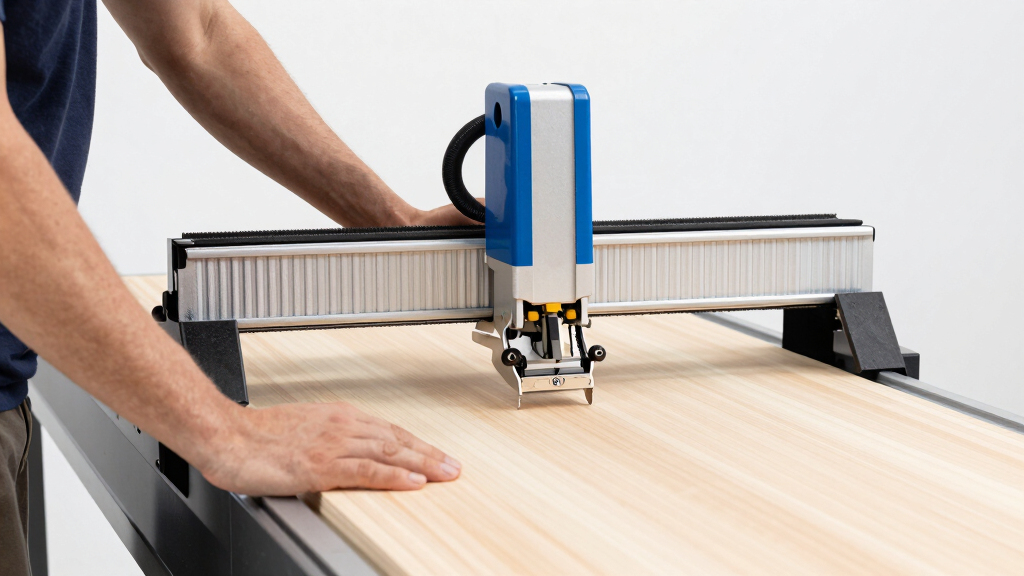
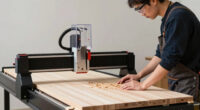
Starting with CNC routing can seem daunting, but the right machine makes all the difference. The FoxAlien Masuter 3S stands out as the best overall choice thanks to its balanced power and user-friendly interface. For those seeking affordability without sacrificing capability, the Genmitsu 4040-PRO offers a generous working area and reliable performance. However, beginners need to be aware of tradeoffs like build quality and upgrade options. Keep reading to see how these machines compare and which one best fits your needs.
Key Takeaways
- Top picks balance ease of use with enough power to handle common beginner projects.
- Larger work areas are available but often increase complexity and price, so choose based on your project scope.
- Machines with better support and upgrade options tend to be more cost-effective long-term.
- Build quality varies significantly, impacting durability and precision over time.
- Entry-level CNC routers often trade off advanced features for simplicity, making them more accessible for newcomers.


More Details on Our Top Picks
FoxAlien Masuter 3S CNC Router Machine with NEMA 23 Closed-Loop Stepper Motor, 400W Spindle, 3 Axis Engraving Milling Machine for Wood, Acrylic, Aluminum, Carving, Cutting
The FoxAlien Masuter 3S stands out as a versatile choice for beginners who want precision and expandability. Its high-precision closed-loop NEMA 23 stepper motors deliver accuracy down to 0.05mm, making it ideal for detailed engraving and light metal work. Compared with the Masuter Pro, it offers a larger work area and better stability thanks to dual linear rails and extrusions, though its 400W spindle limits cutting very hard metals. The user-friendly offline controller simplifies operation, but some assembly and technical care are required for setup. Overall, this model suits hobbyists ready to grow into more complex projects without sacrificing control or precision, with tradeoffs involving limited capability for very hard materials and a need for some technical knowledge during setup.
Pros:- High precision with 0.05mm engraving accuracy
- Powerful 400W spindle capable of soft metals
- Stable construction with dual linear rails and extrusions
- Offline control support for convenience
Cons:- Limited to soft metals and non-ferrous materials
- Requires assembly and some technical knowledge
- Spindle power may be insufficient for very hard metals
Best for: Beginner hobbyists interested in precision engraving and soft metal work who want room to expand.
Not ideal for: Complete beginners seeking plug-and-play simplicity or those planning to cut very hard metals frequently.
- Motor:NEMA 23 closed-loop stepper motors, 2.2 Nm torque
- Spindle Power:400W
- Work Area:15.75″ x 15.75″ x 3.74″ (400 x 400 x 95mm)
- Linear Rails:Dual HG-15 on Z-axis
- Lead Screw:T12
- Controller:Includes controller box with shortcut buttons, supports offline control
Bottom line: This CNC router fits hobbyists seeking accuracy and upgrade potential, provided they’re comfortable with some technical setup.
CNC Router Essentials: The Basics for Mastering the Most Innovative Tool in Your Workshop
This book, CNC Router Essentials, offers comprehensive knowledge for those new to CNC woodworking, blending traditional craftsmanship with modern techniques. While it doesn’t provide hardware, it excels at guiding beginners through milling processes, software basics, and efficiency strategies, making it an excellent supplement after choosing a machine like the Genmitsu 4040-PRO. Compared to hardware-focused options, it’s less about immediate hands-on operation and more about building foundational understanding. This resource is best for hobbyists who want to deepen their knowledge before or after purchase but may feel limited for those needing step-by-step setup instructions. Its strength lies in demystifying CNC concepts, though it doesn’t substitute for technical hardware details.
Pros:- Thorough explanations of CNC woodworking techniques
- Bridges traditional craft with modern CNC methods
- Written by an experienced expert
Cons:- Lacks hardware specifications or technical setup details
- More suitable for intermediate or advanced learners
Best for: Beginners eager to understand CNC principles and improve their craftsmanship through education.
Not ideal for: Those seeking detailed technical specs or ready-to-run machines without learning the theory first.
Bottom line: Ideal for beginners wanting to build a solid theoretical foundation before operating CNC machines like the 4040-PRO.
Genmitsu CNC Router Machine 4040-PRO for Metal and Acrylic Cutting, 3-Axis Engraving, 15.7″ x 15.7″ x 3.1″ Working Area
The 4040-PRO offers a sturdy steel HSS frame combined with dual Y-axis rails, making it a strong contender for those wanting precise cuts in metal and acrylic. Its pre-assembled main parts and compatible control system simplify the initial setup, and the ability to upgrade with accessories like a 4th axis or Wi-Fi control gives it room to grow. Compared to smaller, simpler kits like the GRBL 3018-PRO, it provides a larger working area and more robust construction, although it demands some technical skill for upgrades and software configuration. This model is well-suited for hobbyists transitioning into more detailed work, but beginners who lack confidence with tech setups may find it challenging. The main tradeoff involves the need for some technical familiarity and regional power considerations.
Pros:- Sturdy steel frame ensures stability during detailed cuts
- Supports various spindles and upgrade options
- Pre-assembled main parts for easier initial setup
- Supports optional accessories like rotary and Wi-Fi modules
Cons:- Requires some technical knowledge for upgrades and software
- Limited detailed software compatibility info
- Power supply limited to 240V, may need converters
Best for: Hobbyists ready to expand into detailed metal and acrylic projects with room for future upgrades.
Not ideal for: Absolute beginners seeking plug-and-play ease without tackling setup complexity.
- Structure:Steel HSS frame with dual Y-axis rails
- Working Area:15.7″ x 15.7″ x 3.1″
- Power Source:AC 240 Volts
- Material:Aluminum, Acrylic
- Control System:GRBL control, upgraded control box
- Additional Features:Supports 4th axis, Wi-Fi, easy assembly
Bottom line: Perfect for hobbyists aiming for versatile, upgradeable CNC projects with a solid foundation, provided they’re comfortable with some technical setup.
FoxAlien Masuter Pro 3-Axis CNC Router Machine, Beginner Hobby Engraving Machine
The Masuter Pro emphasizes high precision with its all-metal framework and linear rail Z-axis, making it a reliable choice for hobbyists focused on engraving and light cutting. Its pre-assembled, pre-wired design simplifies initial setup compared to more complex models like the 4040-PRO, yet it offers expandability with options for larger spindles and Y-axis extensions. While its working height is limited without extensions, it excels at detailed engraving tasks on wood, acrylic, and MDF, with high stability for hobby projects. The main tradeoff involves the smaller working height and the need for additional purchases for larger spindles, which could complicate complete beginners’ initial experience. It’s best suited for hobbyists who want reliable, precise results without extensive technical configuration.
Pros:- High precision with durable all-metal construction
- Easy to assemble with pre-wired components
- Supports various spindle sizes and expansion options
- High stability for detailed engraving
Cons:- Limited working height without extension
- Requires additional purchase for larger spindles
- May be complex for complete beginners unfamiliar with CNC setup
Best for: Hobbyists seeking high precision and expandability for engraving and small-scale projects.
Not ideal for: Complete beginners who prefer plug-and-play solutions or need larger working areas immediately.
- Structure:All-metal framework
- Z-axis:Linear rail
- Working Area:15.75” x 15.75” x 2.36”
- Spindle Compatibility:Supports 60W, 300W, optional larger
- Controller:Dust-proof with emergency stop
- Assembly:Pre-assembled and pre-wired
Bottom line: An excellent choice for hobbyists wanting reliable, precise engraving with room for expansion, provided they handle some technical setup.
Twotrees TTC450 Pro All-Metal CNC Router Machine with 3.5″ Touch Screen, Upgraded 3-Axis Engraver for Wood, Acrylic, Aluminum
The Twotrees TTC450 Pro stands out for its large 460x460mm workspace and high-precision NEMA 57 stepper motor, making it ideal for detailed projects that demand accuracy. Compared with the smaller Genmitsu CNC 3018-PRO, it handles bigger workpieces with ease, though it comes with a higher price and a steeper learning curve. Its all-metal construction ensures durability, and the 3.5-inch touch screen offers intuitive control—features that appeal to serious hobbyists and small workshop users. However, this model may overwhelm complete beginners due to its setup complexity and is not suited for those only needing simple, occasional engraving. The support for upgrades like 4th-axis and laser modules adds future-proof flexibility, but this also means additional investment and technical knowledge to fully utilize its potential.
Pros:- Large engraving area suitable for substantial projects
- High-precision NEMA 57 stepper motor for detailed work
- Intuitive 3.5-inch touch screen control
- All-metal durable construction
Cons:- Complex setup process for newcomers
- Higher price compared to smaller, simpler CNCs
- Requires proper calibration for optimal results
Best for: Experienced hobbyists or small workshop owners who want a high-precision, expandable machine for detailed work.
Not ideal for: Absolute beginners seeking a plug-and-play experience or those with limited technical skills due to setup complexity.
- Working Area:460x460mm
- Z-Axis Travel:80mm
- Stepper Motor:NEMA 57
- Touch Screen:3.5-inch capacitive
- Material:All-metal (aluminum and stainless steel)
- Precision:0.0025mm
Bottom line: This pick is best suited for users who need a versatile, precise machine and are comfortable with a more involved setup process.
Genmitsu CNC 3018-PRO Router Kit with GRBL Control, 3-Axis, 300 x 180 x 45mm Working Area
The Genmitsu CNC 3018-PRO makes a strong case for newcomers with its straightforward assembly, stable base, and compatibility with a wide array of materials like plastics, soft metals, and wood. Unlike the Twotrees TTC450 Pro, it offers a smaller work area—300x180mm—which is perfect for small projects but limits larger workpieces. Its offline control feature provides convenience, and the open-source GRBL software makes it accessible for those willing to learn basic CNC programming. That said, the build quality can vary depending on the user’s assembly skills, and it may struggle with more demanding tasks such as engraving on harder metals or larger pieces. It’s a smart starting point for hobbyists who want to experiment without a big initial investment.
Pros:- Easy to assemble with pre-positioned components
- Supports a wide variety of materials including plastics and soft metals
- Offline controller for standalone operation
- Compatible with popular open-source software
Cons:- Limited working area for bigger projects
- Build quality depends on user assembly
- Not suitable for heavy-duty metal engraving
Best for: Beginners eager to learn CNC operation with a manageable workspace and straightforward setup.
Not ideal for: Users planning large-scale projects or working with heavy, dense materials like aluminum or copper regularly.
- Working Area:300 x 180 x 45mm
- Power Source:24 Volts
- Control Software:GRBL
- Base Type:Fixed
- Horsepower:120
- Maximum Rotational Speed:1000 RPM
Bottom line: This machine is ideal for beginners looking for a compact, adaptable CNC with simple setup and operation.
3060-Evo Max CNC Router Machine with 800W Spindle and Large Working Area
The 3060-Evo Max excels with its 300x600mm workspace and an 800W spindle, enabling cutting of metals and plastics with high precision thanks to dual linear guides. Compared with smaller machines like the Genmitsu, it offers a broader work surface, making it suitable for bigger projects. The WiFi control via ESP32 provides modern convenience, but the assembly can be complex, requiring some technical skill, especially with the dual linear guides and electronics. It’s a fine choice for hobbyists or small-scale professionals who need to process larger pieces but should be prepared for a more involved setup. The noise level and software compatibility could pose minor issues for some users, especially beginners unfamiliar with CNC electronics.
Pros:- Large processing area for bigger projects
- Powerful 800W spindle for metal and plastic
- Dual linear guides for high precision
- Wireless control via WiFi
Cons:- Assembly requires technical skill
- Potential noise during operation
- Software setup may be complex for newcomers
Best for: Experienced hobbyists or small workshop owners needing larger workspaces and metal-cutting capabilities.
Not ideal for: Absolute beginners or users seeking a plug-and-play, low-maintenance CNC solution.
- Work Area:300 x 600mm
- Spindle Power:800W
- Spindle Speed:8000-24000 RPM
- Frame Material:All-metal with dual steel linear guides
- Control:WiFi, ESP32-based
- Max Speed:2000 mm/min
Bottom line: This CNC is best for advanced hobbyists or small shops needing bigger capacity and metal cutting, with the caveat of a more complex build process.
LUNYEE 3018 PRO MAX CNC Router Machine 500W All-Metal 3-Axis with Limit Switches & Emergency Stop, 300x180x80mm Working Area
The LUNYEE 3018 PRO MAX offers a robust all-metal build and a 500W spindle capable of machining dense materials like aluminum and copper. Its extended Z-axis travel of 80mm allows for more versatile projects than some smaller models, and the inclusion of limit switches and emergency stop enhances safety and calibration ease. Compared with the Genmitsu 3018-PRO, it is more suitable for serious metalwork, though it requires more technical knowledge to set up and calibrate properly. Its limited work area and potential noise may make it less ideal for larger or more frequent projects. This machine is geared toward hobbyists and small workshops ready to handle more demanding materials and safety features.
Pros:- All-metal construction for durability
- 500W spindle suitable for dense metals
- Extended Z-axis travel for versatile machining
- Includes limit switches and emergency stop
Cons:- Requires advanced setup and calibration
- Limited working area for large projects
- Potentially noisy during operation
Best for: Hobbyists or small-scale professionals focusing on dense metals and requiring safety features and extended Z-axis.
Not ideal for: Beginners seeking a simple, low-cost CNC for light projects or those with limited technical experience.
- Working Area:300 x 180 x 80mm
- Spindle Power:500W
- Z-Axis Travel:80mm
- Material:All-metal
- Limit Switches:Yes
- Control System:GRBL offline
Bottom line: This CNC suits hobbyists or small shops ready for more demanding metal projects and willing to manage a more complex setup process.
CNC Router Machine 3030-Evo Max with 800W Trimmer Router and Upgradeable 1.5kW Spindle for Metal and Wood Cutting
The 3030-Evo Max stands out for its ability to handle both wood and metal projects thanks to an 800W spindle that can be upgraded to 1.5kW, making it more versatile than Genmitsu CNC 4040-PRO, which is primarily geared toward plastics and light metals. Its dual linear guides and upgradeable ball screws provide precision and rigidity, ideal for those seeking high-quality results. While the assembly process can be complex and may overwhelm absolute beginners, the wireless control via WiFi and compatibility with popular CAD/CAM software give this machine a notable edge in flexibility. However, the upgrade paths and software setup could raise the overall cost and require some technical skills, making it less suitable for complete novices without prior experience. This pick makes the most sense for hobbyists or small workshops planning to expand their material range and capabilities over time.
Pros:- High precision thanks to dual linear guides and upgradeable ball screws
- Powerful, upgradeable spindle for cutting metals like aluminum and brass
- Wireless control via WiFi with customizable macro buttons
- Compatible with popular CAD/CAM software for flexible workflows
Cons:- Assembly can be complex and intimidating for first-time users
- Upgrade options and software setup may increase overall cost and technical difficulty
Best for: Hobbyists or small workshop owners who want a machine that can grow with their skills and project complexity
Not ideal for: Absolute beginners who prefer a straightforward, plug-and-play setup without the need for technical firmware or software configuration
- Power:800W (upgradeable to 1.5kW)
- Spindle Mount Diameter:65mm
- Linear Guides:MGN-15 dual guides on each axis
- Lead Screws:T8, upgradeable to 1204 ball screw
- Stepper Motor:650mN·m Nema 17, upgradeable to closed-loop motor
- Control Firmware:GRBL 1.3a with ESP32
- Control Interface:WiFi, PC, smartphone, tablet
- Supported Software:UCS, Fusion360, VCarve, Easel, Lightburn
- Additional Features:XYZ limit switches, home switch, emergency stop, Z probe
Bottom line: This machine is best suited for dedicated hobbyists willing to handle setup complexity for long-term versatility.
How We Picked
These CNC routers were selected based on a combination of performance, ease of setup, build quality, and value for beginners. We prioritized machines that offer straightforward operation, reliable parts, and good support networks. Price was also a factor, but not at the expense of essential features like safety, stability, and upgrade potential. The ranking reflects a balance between affordability and capability, helping new users avoid machines that are either too limited or overly complex for their skill level.Factors to Consider When Choosing Best CNC Router For Beginners
Choosing the best CNC router for beginners involves weighing several important factors beyond just price. Ease of use is critical, so look for models with simple controls and good documentation. Work area size should match your project scope—bigger isn’t always better if it complicates operation or increases costs. Build quality impacts durability, especially if you plan to use the machine frequently. Consider upgrade paths and support options, as these can extend the machine’s lifespan and capabilities. Finally, think about safety features, as beginners need reliable protections to prevent accidents.Ease of Use and Learning Curve
For newcomers, a CNC router with intuitive controls, clear instructions, and good software compatibility makes a significant difference. Machines that include beginner-friendly interfaces or pre-configured settings reduce the learning curve and minimize frustration. Avoid overly complex setups or proprietary software that limits flexibility, unless you’re prepared for a steeper learning process. Ease of use can accelerate your proficiency and help you complete projects faster.
Work Area Size and Project Scope
The size of the working area directly influences what projects you can undertake. Smaller machines are more affordable and easier to manage, but they limit your design options. Larger workspaces allow for bigger projects like furniture panels or multiple pieces, yet they usually come with increased cost and setup complexity. Match your expected project sizes with the machine’s capacity to avoid working with a tool that’s either too small or unnecessarily large.
Build Quality and Durability
Beginners often underestimate how much a sturdy frame and quality components matter. Cheaper models may be easier on the wallet but tend to wobble or lose accuracy over time, especially with frequent use. Look for machines with metal frames, quality stepper motors, and reliable guides. Investing in better build quality initially can save money and frustration in the long run, as you’ll need fewer repairs and recalibrations.
Upgradeability and Support
Long-term value depends on whether your CNC router can grow with your skills. Machines that offer upgrade options—like more powerful spindles, additional axes, or improved software—are better investments. Also, consider the manufacturer’s support reputation, availability of spare parts, and community resources. A well-supported machine reduces downtime and helps you troubleshoot issues faster, making your learning experience smoother.
Safety Features
Safety should be a priority, especially for beginners unfamiliar with machine operation. Look for models with emergency stop buttons, safety shields, and clear guidelines for safe use. Proper safety features not only prevent accidents but also foster good habits early in your CNC journey. Never underestimate the importance of reading the manual thoroughly and following recommended safety procedures.
Frequently Asked Questions
Can a beginner use a CNC router for metalworking?
While some CNC routers are capable of working with metals like aluminum, most beginner models are better suited for softer materials such as wood, acrylic, and plastics. Working with metal requires a more robust machine, higher spindle power, and often more precise calibration, which can be overwhelming for newcomers. If metalworking is a priority, look for a machine specifically designed for heavier duty tasks and be prepared for a steeper learning curve.
What is the typical setup time for a beginner CNC router?
Most beginner-friendly CNC routers can be set up in a few hours, especially if they come as kits with clear instructions. However, full calibration, software configuration, and safety checks might extend this process to a day or two for complete beginners. Investing time in proper setup is essential to ensure accurate cuts and safe operation, so patience during initial assembly pays off in the long run.
Do I need prior experience to operate a CNC router?
While prior experience isn’t mandatory, some basic knowledge of computer operation, reading technical manuals, and understanding safety procedures helps. Many beginner models come with user-friendly interfaces and tutorials designed to ease new users into CNC machining. Starting with simple projects and gradually increasing complexity allows you to build skills confidently without feeling overwhelmed.
How important is software compatibility when choosing a CNC router?
Software compatibility is vital because it determines how easily you can design and run projects. Most beginner models support popular programs like GRBL, Fusion 360, or VCarve, which have extensive tutorials and community support. Compatibility ensures smoother operation, fewer troubleshooting issues, and more creative freedom. Be sure the machine you choose works with software you’re comfortable learning or willing to explore.
Is it better to buy a complete kit or a partially assembled machine?
Complete kits are generally more beginner-friendly because they include all necessary components and detailed instructions, reducing setup frustration. Partially assembled machines may be more cost-effective but often require additional assembly skills and troubleshooting. For new users, opting for a ready-to-run kit minimizes the initial hurdles and helps you focus on learning and project creation sooner.